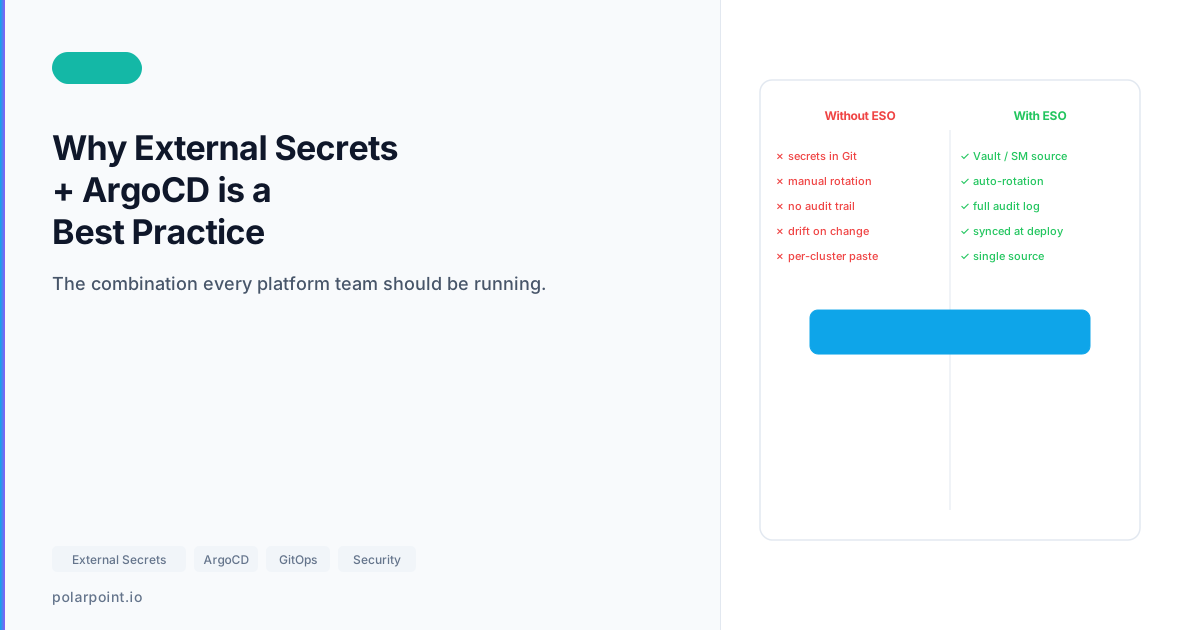
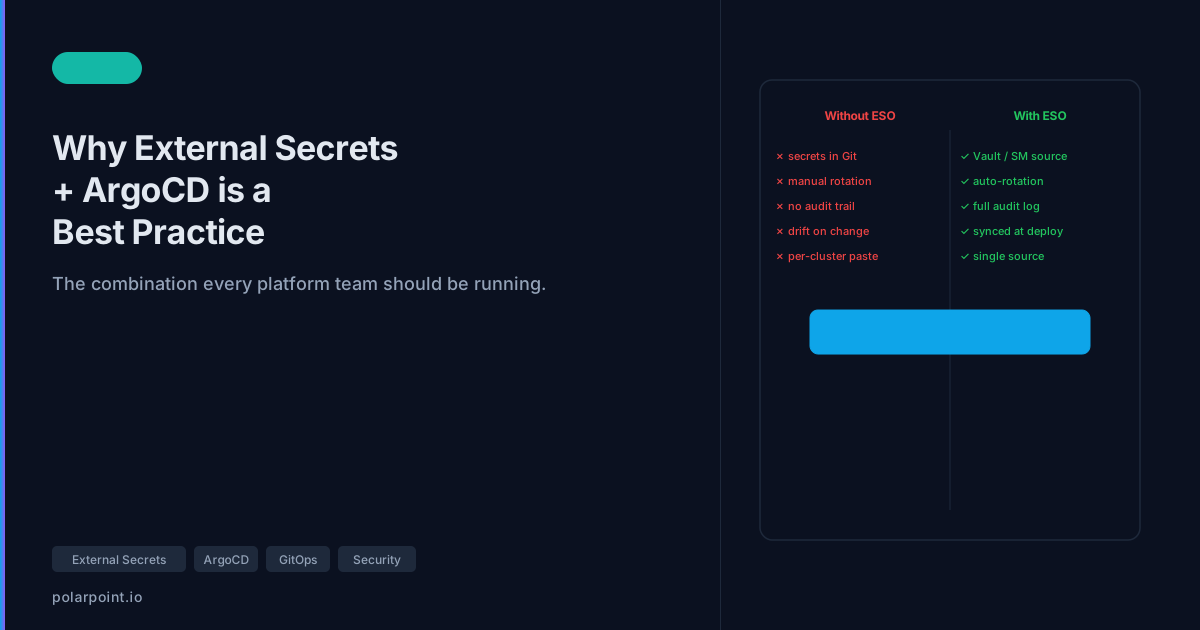
Cloud‑native patterns: Why you should use External Secrets Operator with ArgoCD
There's a moment every GitOps team hits where someone asks the obvious question: "where do the secrets go?"
The rest of the configuration is in Git. It's version-controlled, reviewable, auditable. But you can't put secrets there. So they end up... somewhere else. Sometimes it's a manual kubectl create secret that nobody documents. Sometimes it's base64-encoded values tucked into Helm values files with a comment that says "TODO: fix this properly". Sometimes it's a mix of both, spread across three clusters, maintained by different people who've all developed their own workarounds.
External Secrets Operator (ESO) is the "fix this properly" solution. It connects ArgoCD's GitOps workflow to your secret manager of choice — AWS Secrets Manager, Google Secret Manager, HashiCorp Vault, Azure Key Vault — so secrets are pulled automatically at deploy time, never stored in Git, and rotated without touching your GitOps configuration.
ESO makes ArgoCD diffs trustworthy
When ArgoCD compares cluster state to Git, it compares the ExternalSecret manifest — not the generated Kubernetes Secret. You don't get spurious diffs because a secret value rotated. The GitOps workflow stays clean, and secret rotation is completely invisible to ArgoCD. That's a feature, not a limitation.
How ESO works with ArgoCD
The core idea: instead of storing secret values in Git, you store references to secrets. ESO reads those references, fetches the actual values from your secret manager, and creates Kubernetes Secrets in the cluster. ArgoCD syncs the ExternalSecret manifest from Git. ESO handles the rest.

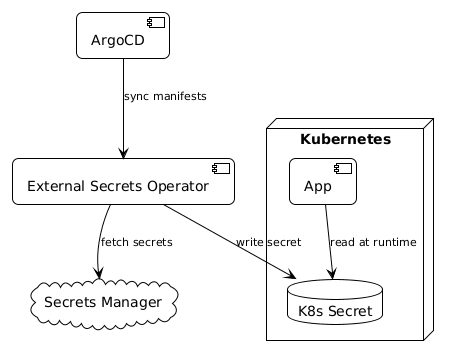
The flow:
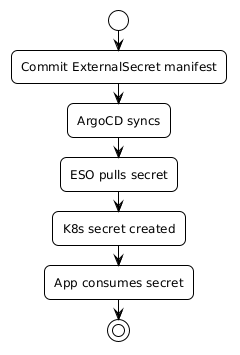
- You store the secret value in your secret manager (AWS Secrets Manager, Vault, etc.)
- You commit an
ExternalSecretmanifest to Git — it describes which secret to fetch and where to put it - ArgoCD syncs the
ExternalSecretmanifest to the cluster - ESO sees the
ExternalSecret, authenticates to your secret manager, fetches the value, and creates a standard KubernetesSecret - Your application reads from the Kubernetes Secret as normal — it doesn't know or care about ESO
From ArgoCD's perspective, it's syncing YAML that lives in Git. From the application's perspective, there's a Kubernetes Secret with the right values. The only thing that's changed is where the values come from.

The two key resources
SecretStore defines how to connect to your secret manager — a cluster-level or namespace-level resource that holds the authentication configuration:
apiVersion: external-secrets.io/v1beta1
kind: SecretStore
metadata:
  name: aws-secrets
  namespace: production
spec:
  provider:
    aws:
      service: SecretsManager
      region: eu-west-2
      auth:
        jwt:
          serviceAccountRef:
            name: external-secrets-sa
ExternalSecret defines what to fetch and where to put it:
apiVersion: external-secrets.io/v1beta1
kind: ExternalSecret
metadata:
  name: database-credentials
  namespace: production
spec:
  refreshInterval: 1h
  secretStoreRef:
    name: aws-secrets
    kind: SecretStore
  target:
    name: database-credentials
    creationPolicy: Owner
  data:
    - secretKey: DB_PASSWORD
      remoteRef:
        key: /production/database/credentials
        property: password
    - secretKey: DB_USERNAME
      remoteRef:
        key: /production/database/credentials
        property: username
The ExternalSecret is what lives in Git. It has no sensitive values. Anyone with access to the repository can see which secrets are being used and where they come from, without being able to see the values. That's your audit story right there.
Apply this: use IRSA or Workload Identity, not static keys
The SecretStore example uses JWT auth via a service account. In AWS, wire this to IRSA (IAM Roles for Service Accounts) — ESO assumes the IAM role via the service account's projected token, no static credentials needed. In GCP, use Workload Identity. Static API keys in SecretStore configs are the credential management problem you're trying to solve; don't recreate it for ESO itself.
Why this matters more than it sounds
The security argument is obvious — plaintext secrets in Git is bad. But the operational argument is just as compelling.
Secret rotation without redeployment. Update the value in your secret manager. ESO picks it up on the next refresh interval (configurable — default is one hour, can be much shorter). No need to update any GitOps configuration, trigger a pipeline, or restart anything manually. The secret rotates and the cluster picks it up automatically.
Consistent secret management across clusters. The same ExternalSecret manifests work across your dev, staging, and production clusters, as long as each cluster has a SecretStore pointing to the right secret manager path for that environment. One manifest, consistent behaviour everywhere.
Clean ArgoCD diffs. When ArgoCD compares the cluster state to Git, it compares the ExternalSecret manifest — not the generated Kubernetes Secret. You don't get spurious diffs because a secret value changed. The GitOps workflow stays clean.
Auditability. You can see in Git which applications use which secrets, when the ExternalSecret configuration changed, and who approved it. The secret manager gives you a separate audit trail for when values changed and who accessed them. Together, that's a solid compliance story.
The bootstrap credentials chicken-and-egg
ESO needs credentials to authenticate to your secret manager. Those credentials can't come from ESO itself. Bootstrap secrets — the IAM role binding, service account, or API token ESO uses — need to be provisioned separately, typically via Terraform or a one-time kubectl create secret. Document this exception clearly so the next person understands why one secret bypasses the ESO pattern.
Getting started
If you're running ArgoCD and haven't added ESO yet, the path is straightforward:
- Install ESO via Helm or the operator — it runs as a controller in your cluster
- Create a
ClusterSecretStoreor namespace-scopedSecretStorewith credentials for your secret manager - Replace any
Secretmanifests that contain actual values withExternalSecretmanifests that reference them - Let ArgoCD sync — ESO creates the Kubernetes Secrets automatically
The migration from raw Kubernetes Secrets to ExternalSecrets is incremental. You don't have to do it all at once. Pick the most sensitive secrets first (database credentials, API keys, service account tokens) and work through the rest as you go.
Once it's in place, the question of "where do the secrets go?" has a clean answer: in your secret manager, where they belong.
The working code
The companion repo has complete YAML for both AWS Secrets Manager and HashiCorp Vault backends — ClusterSecretStore, ExternalSecret, and a multi-environment pattern with environment-specific refresh intervals.
# Check that ESO has successfully created a secret
kubectl get externalsecret payments-db-creds -n payments
kubectl describe secret payments-db-creds -n payments
Frequently asked questions
Does ESO work with multiple secret managers in the same cluster?
Yes — create one SecretStore (or ClusterSecretStore) per backend. A cluster can have a SecretStore pointing at AWS Secrets Manager for one namespace and another pointing at HashiCorp Vault for a different namespace. Each ExternalSecret references the specific store it needs via secretStoreRef.
How do you handle secret references in Helm values files?
Don't put secret values in Helm values files — reference the Kubernetes Secret name instead. The application reads {{ .Values.dbSecretName }} to get the secret name, then mounts or reads the Kubernetes Secret at runtime. ESO creates the Kubernetes Secret; Helm references it by name. The values file never contains the value.
What's the difference between ClusterSecretStore and SecretStore?
ClusterSecretStore is cluster-scoped — any namespace can reference it. SecretStore is namespace-scoped — only ExternalSecret resources in the same namespace can use it. Use ClusterSecretStore for shared infrastructure secrets accessed by many teams. Use SecretStore for team-specific secrets where you want stricter namespace isolation.
Can ESO pull different keys from the same secret manager entry?
Yes — the data array in ExternalSecret lets you map multiple secretKey (Kubernetes key) to remoteRef.property (the field in your secret manager entry) combinations from the same remoteRef.key (the secret manager path). One AWS Secrets Manager entry containing JSON can populate multiple Kubernetes Secret keys in a single ExternalSecret.
How do you test ESO configuration changes without affecting running workloads?
Use the creationPolicy: Merge option on the ExternalSecret target — it merges new keys into an existing Secret rather than replacing it. More useful for testing: create a new ExternalSecret with a different target name, verify it syncs correctly, then update your application to reference the new secret. Zero-downtime validation.