Skip to content

Blog

Welcome to our technical blog! Here you'll find insights, tutorials, and best practices for cloud-native technologies and DevOps.

Latest Posts

Your Second Brain, Now With an AI Inside It

Published: May 4, 2026 | Author: Surjit Bains

How to wire Obsidian, PARA, and a language model together using Karpathy's LLM OS mental model — inbox processing in 4 minutes, project context that persists across sessions, and resource retrieval that works on fuzzy intent.


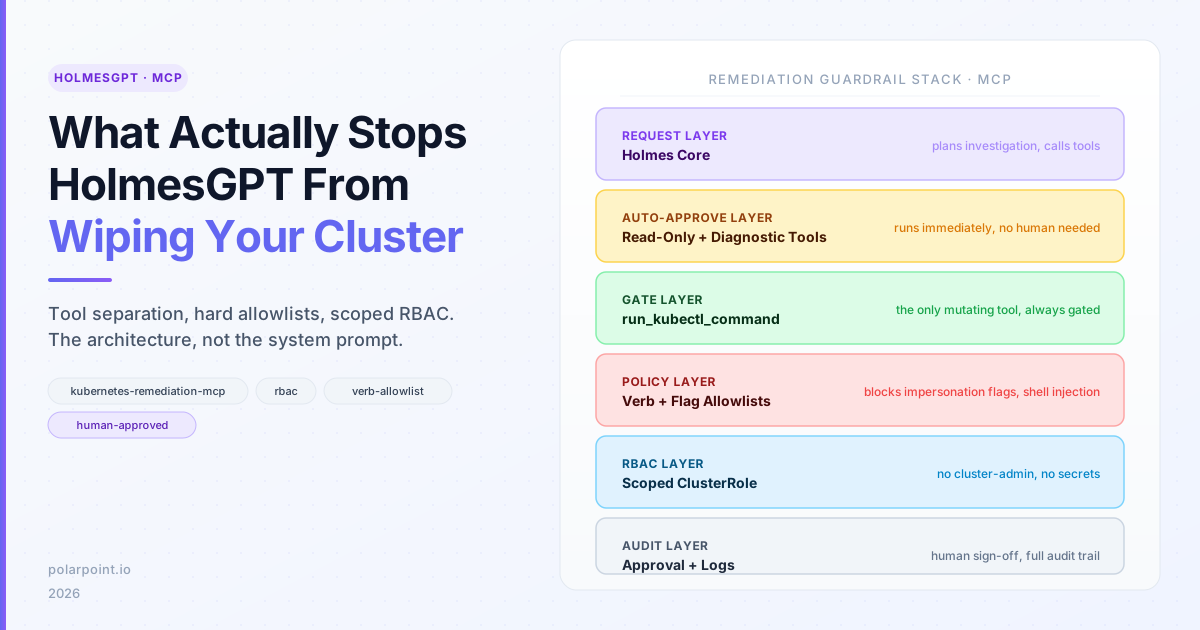
From Alert to Root Cause: HolmesGPT in Production

Published: April 7, 2026 | Author: Surjit Bains

HolmesGPT cuts incident diagnosis from minutes to seconds — root cause summaries backed by cluster state, cross-cloud context via AWS/Azure/GCP MCP servers, Confluence runbook lookup, and Backstage Scaffolder access provisioning in 20 seconds.


Agentic policy management: Kyverno, MCP, and closed-loop multi-cluster governance

Published: March 26, 2026 | Author: Surjit Bains

How Kyverno, MCP-style tooling, and reusable policy skills turn multi-cluster governance from manual checking into closed-loop operations.


TAG DevEx in action: a practical model for reducing developer friction

Published: March 25, 2026 | Author: Surjit Bains

A practical breakdown of the TAG DevEx 2026 execution model: three DevEx pillars, short initiatives, community input loops, and standards-oriented outputs.


Backstage in 2026: one platform model, many operating surfaces

Published: March 25, 2026 | Author: Surjit Bains

Why Backstage is becoming a multi-surface control plane for platform teams: UI, modular CLI, MCP tools, action registry, and an inspectable software catalog model.


AI governance for platform teams: Agents in production without losing control

Published: March 25, 2026 | Author: Surjit Bains

What KubeCon revealed about using AI agents in production safely: autonomous reasoning within bounded contexts, human-in-the-loop review patterns, and why governance must be architectural, not procedural.


Crossplane v2: API-first platforms and compositional control planes

Published: March 25, 2026 | Author: Surjit Bains

Why Crossplane v2's shift to project-oriented workflows, control plane composition, and observability matters for platform teams building governed autonomy at scale.


KubeCon EU 2026 made one thing clear: platform teams are product teams

Published: March 25, 2026 | Author: Surjit Bains

A synthesis of the strongest KubeCon EU 2026 platform themes: product thinking, governed autonomy, Crossplane, GitOps, AI-assisted operations, and why internal platforms have to be designed as products.


Platform engineering is a sociotechnical problem

Published: March 25, 2026 | Author: Surjit Bains

What Sony's internal platform journey shows about product thinking, team boundaries, feedback loops, and why better architecture alone is not enough.


From GitOps to AIOps in regulated environments

Published: March 25, 2026 | Author: Surjit Bains

What RBI's platform team got right with sharded Kargo, Crossplane v2 migration, and AI used as a second pair of eyes rather than an autonomous operator.


KubeCon EU 2026: what actually mattered

Published: March 24, 2026 | Author: Surjit Bains

A practical recap of the platform engineering, GitOps, and agentic AI themes that stood out at KubeCon EU 2026.


AI-driven GitOps with MCP and Argo CD

Published: March 24, 2026 | Author: Surjit Bains

How MCP and Argo CD are being used to support natural-language deployments, faster troubleshooting, and safer rollback workflows.


Building self-service platforms with Crossplane v2.0

Published: March 24, 2026 | Author: Surjit Bains

A field-focused look at Crossplane v2.0, including API-first platform patterns, project workflow, and observability improvements.


The future of IDPs: Agentic Backstage

Published: March 24, 2026 | Author: Surjit Bains

What changes when developer portals become conversational, and how to reduce friction without losing platform standards.


Using AGENTS.md for Platform Engineering

Published: March 24, 2026 | Author: Surjit Bains

A clear, practical guide to using AGENTS.md as a shared operating model for platform delivery.


Setting Up OpenClaw: Skills, Tailscale, GitHub Config Sync, and Copilot

Published: March 3, 2026 | Author: Surjit Bains

A practical, secure OpenClaw setup guide with model selection, skills, Tailscale, config sync, and Copilot.


How I Standardised Kubernetes Deployments with ArgoCD

Published: March 2, 2026 | Author: Surjit Bains

A platform engineering story of turning inconsistent deployments into a standard, self‑service GitOps pipeline.


Secrets & GitOps: ArgoCD + External Secrets Done Right

Published: March 2, 2026 | Author: Surjit Bains

Implementation patterns, pitfalls, and guardrails for managing secrets in a GitOps workflow.


GitOps as a Product: Building Self‑Service with ArgoCD

Published: March 2, 2026 | Author: Surjit Bains

How to turn ArgoCD into a developer platform with portals, templates, and policy‑as‑code.


Multi‑Cluster GitOps with ArgoCD: The Operational Blueprint

Published: March 2, 2026 | Author: Surjit Bains

Scaling GitOps across clusters using ApplicationSets, cluster registry, and promotion patterns.


Demystifying Model Context Protocol (MCP): AI Gets Smarter About Context

Published: September 3, 2025 | Author: Surjit Bains

Explore how MCP enables AI systems to retain, share, and prioritize context across interactions—improving reliability for assistants, chatbots, and enterprise workflows.

Topics covered: - Context persistence and sharing - Model interoperability - Practical architecture patterns


External Secrets Operator with ArgoCD Best Practices

Published: November 30, 2023 | Author: Surjit Bains

Learn why using External Secrets Operator with ArgoCD is a cloud-native security best practice and how to implement it effectively in your Kubernetes infrastructure.

Topics covered: - Security best practices for GitOps - Enterprise secret management integration
- Step-by-step implementation guide - Common patterns and troubleshooting


More posts coming soon...

Your Second Brain, Now With an AI Inside It

Banner image Banner image

There's a drawer in my office I'm not proud of. Half-filled notebooks, sticky notes with context I've lost, printed articles I never re-read. A physical archive of things I meant to think about. Sound familiar?

Tiago Forte wrote a whole book about this feeling. Building a Second Brain starts from the same place — the exhausting gap between how much we consume and how much we actually retain and use. His answer was PARA: a system for organising everything you capture so it stays findable, actionable, and connected. For a lot of people (myself included) it was the first knowledge management approach that actually stuck.

But Forte's book was published in 2022. Before the current generation of LLMs became genuinely useful tools. And reading it now, knowing what a capable language model can do, you can see exactly where the system was still leaving work on the table.

For years, Obsidian and PARA gave me a digital version of that drawer — but a good one. Organised. Searchable. Linkable. The kind of system where a note from six months ago actually shows up when you need it.

But there was still friction. Processing the inbox. Deciding where something lives. Connecting the note I just wrote to the project it belongs to. The thinking part. The part that takes energy at the end of a long day when you just want to dump and run.

That's the part an LLM can do.

Spec-Driven Development with Convention Files

Banner image Banner image

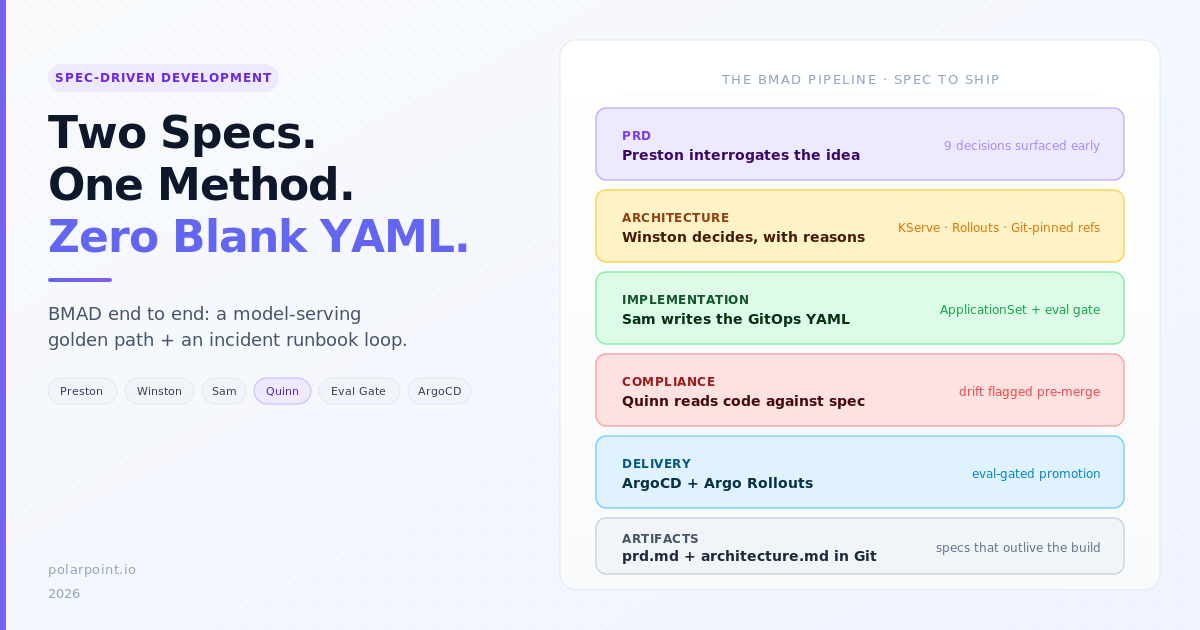
Spec-Driven Development with Convention Files

A colleague spent forty minutes debugging a Terraform change that had been planned — and partially applied — in a chat thread the previous week. Nobody remembered the exact prompt, the reasoning had evaporated, and the agent's recommendation no longer matched the current state. The fix itself took five minutes. The archaeology took the rest.

That is the problem with AI-assisted work that lives in chat threads. The intent, the plan, the decisions, and the evidence all disappear the moment the conversation scrolls out of view.

Liatrio's Spec-Driven Development (SDD) workflow tackles this by keeping every stage of AI-assisted work in markdown artefacts that live in Git. Four prompts — specify, plan, implement, validate — turn a vague request into a reviewed spec, an audited task list, committed proof artefacts, and a final validation report. Everything is versioned, reviewable, and auditable.

If you already use convention files such as AGENTS.md, .prompt.md, .instructions.md, and .agent.md, the SDD prompts slot in naturally. This post explains how.


What SDD does

SDD is four markdown prompts. No dependencies, no tooling, no installation required. You paste a prompt into your AI assistant — or install them as slash commands — and the AI follows a structured workflow.

Step Prompt What it produces
1 · Specify SDD-1-generate-spec.md Scope check, clarification questions, specification with demo criteria
2 · Plan SDD-2-generate-task-list-from-spec.md Parent tasks, subtasks, baseline commit, planning audit gate
3 · Implement SDD-3-manage-tasks.md Single-threaded execution, checkpoints, proof artefacts before each commit
4 · Validate SDD-4-validate-spec-implementation.md Coverage matrix, proof verification, PASS/FAIL gates

Every artefact lands in docs/specs/[NN]-spec-[feature-name]/, giving you a lightweight, file-based backlog that travels with the repo.

The highest-leverage work happens in steps 1 and 2. When the spec is clear and the plan is audited, the implementation and validation steps are far more likely to run without human rescue.


Where SDD fits in the convention file taxonomy

SDD mapped to convention files SDD mapped to convention files

Convention files already solve "how should agents behave in this repo?" SDD addresses a different question: "how should agents approach a specific piece of work from start to finish?"

The mapping is straightforward:

Convention file Role in SDD
AGENTS.md Sets the baseline — naming conventions, quality gates, workflow steps. SDD prompts inherit this context.
.instructions.md Path-scoped rules for language, framework, or infrastructure conventions. Applied automatically during the implement step.
.prompt.md The SDD prompts themselves. Install them as slash commands in .github/prompts/.
.agent.md Optional agent personas — a spec reviewer that only reads, an implementer with full tool access.
SKILL.md Reusable capabilities the implementation step can invoke — e.g. a skill for running database migrations or generating Helm charts.

AGENTS.md and .instructions.md are always loaded. They form the standing instructions. The SDD .prompt.md files are invoked on demand — one per step. Agent personas are optional but useful for teams that want separation between planning and execution.


Adapting SDD prompts for your repos

The raw SDD prompts from Liatrio work out of the box, but they work better when they reference your repo's conventions. Here is how to wire them together.

1. Install the prompts as slash commands

The simplest approach uses Liatrio's slash-command-manager:

uvx --from git+https://github.com/liatrio-labs/slash-command-manager \
  slash-man generate \
  --github-repo liatrio-labs/spec-driven-workflow \
  --github-branch main \
  --github-path prompts/

This installs /SDD-1-generate-spec, /SDD-2-generate-task-list-from-spec, /SDD-3-manage-tasks, and /SDD-4-validate-spec-implementation as native slash commands in your editor.

Alternatively, copy each prompt into .github/prompts/ and they become VS Code .prompt.md slash commands automatically:

.github/prompts/
├── SDD-1-generate-spec.prompt.md
├── SDD-2-generate-task-list-from-spec.prompt.md
├── SDD-3-manage-tasks.prompt.md
└── SDD-4-validate-spec-implementation.prompt.md

2. Wire AGENTS.md into the spec step

Your AGENTS.md already defines workflow steps, quality gates, and naming standards. Reference it from the spec prompt so that SDD-1 inherits your conventions:

# AGENTS.md

## Workflow
1. Plan → scope, success criteria, risks
2. Build → implement with tests
3. Document → update runbooks
4. Release → owner sign-off + monitoring

## Quality gates
- Every change has an owner
- Risks documented before build
- Docs updated before release

## Standards
- Naming: <team>-<service>-<env>
- Environments: dev → staging → prod

## Spec-driven development
- Use `/SDD-1-generate-spec` for any change that spans more than one file
- Specs live in `docs/specs/`
- No implementation starts without an audited task list (SDD-2 gate)

That last section is the key addition. It tells agents (and humans) when to use the SDD workflow and where artefacts go.

3. Add path-scoped rules for the implement step

.instructions.md files apply automatically when the agent touches files matching a glob. During SDD-3 (implement), these keep the agent aligned with your language and framework conventions without repeating them in the SDD prompts:

---
applyTo: "infra/**/*.tf"
---
# Terraform conventions
- Use modules from the internal registry
- Tag all resources with team and environment
- No inline IAM policies
---
applyTo: "k8s/**/*.yaml"
---
# Kubernetes conventions
- All manifests use kustomize overlays
- No hardcoded image tags — use digest references
- Resource limits required on all containers

4. Add agent personas (optional)

For teams that want to separate planning from execution, add agent personas:

---
# .github/agents/spec-reviewer.agent.md
description: Reviews specs for completeness, ambiguity, and missing demo criteria
tools: ['search']
---
Review the spec at the path provided. Check for:
- Clear scope boundaries (what is in scope, what is not)
- Testable demo criteria
- Identified risks and mitigations
- Consistency with the AGENTS.md workflow

Do not propose implementation. Flag gaps only.
---
# .github/agents/implementer.agent.md
description: Implements tasks from an SDD task list
tools: ['search', 'editFiles', 'terminalLastCommand']
---
Implement the next incomplete task from the task list.
Follow the AGENTS.md conventions and any .instructions.md
rules that apply to the files being changed.

Before committing, create proof artefacts in the proofs directory.

SDD and operational workflows

If you have used our AGENTS.md approach for operational automation — querying work trackers, populating sprint review decks, updating dashboards — you might wonder how SDD fits alongside it.

The short answer: they are complementary and cover different shapes of work.

SDD prompts AGENTS.md operational agents
Work shape Project-shaped: a feature, a migration, a new API endpoint Ticket-shaped: recurring BAU tasks, data population, report generation
Trigger Engineer invokes /SDD-1-generate-spec when starting a piece of work Agent definition runs when the Copilot agent is asked to execute it
Artefacts Specs, task lists, proof documents, validation reports Updated PlantUML diagrams, Marp slides, dashboard metrics
Data source The codebase itself + human intent External systems (Jira, GitHub Issues, Azure DevOps)
Quality gate Planning audit + validation coverage matrix Human confirmation before each query

For platform engineering teams, SDD covers the development side — golden paths, self-service tooling, migration scripts, new capabilities. Operational agents cover the BAU side — sprint review decks, request metrics, team dashboards.

Both patterns live in the same repo, coexisting without conflict:

.github/
├── prompts/
│   ├── SDD-1-generate-spec.prompt.md
│   ├── SDD-2-generate-task-list-from-spec.prompt.md
│   ├── SDD-3-manage-tasks.prompt.md
│   └── SDD-4-validate-spec-implementation.prompt.md
├── agents/
│   ├── spec-reviewer.agent.md
│   └── implementer.agent.md
├── instructions/
│   ├── terraform.instructions.md
│   └── kubernetes.instructions.md
└── copilot-instructions.md

AGENTS.md              ← workflow + naming + gates
agents.md              ← operational agent definitions (tracker queries, deck population)
docs/specs/            ← SDD artefacts

What makes this approach work

Three things separate repos that use SDD effectively from repos where the prompts gather dust:

The spec step catches scope creep early. SDD-1 validates whether the work is too large, too small, or appropriately sized. Too large and it suggests splitting. Too small and it suggests implementing directly. This single check prevents the most common failure mode: a vague requirement that balloons during implementation.

The planning audit creates accountability. SDD-2 generates a task list and then audits it against the spec. If the tasks do not cover the demo criteria, or if they introduce scope the spec did not describe, the audit flags it. Implementation does not start until the audit passes and the engineer approves remediations.

Proof artefacts prevent "it works on my machine." SDD-3 requires proof artefacts — markdown files documenting what was done, what was tested, and what the results were — before each commit. These are not trophies. They are evidence that feeds the validation step and gives reviewers something concrete to check.


Context rot and verification markers

SDD includes an unusual feature: emoji markers (SDD1️⃣, SDD2️⃣, SDD3️⃣, SDD4️⃣) at the start of AI responses. These detect context rot — the silent degradation of AI performance as input context grows longer.

Context rot does not announce itself with errors. The agent simply stops following instructions. When the marker appears, it suggests the agent is still tracking the prompt. When the marker disappears, you know to check whether the agent has lost the thread.

This is a lightweight, no-tooling approach to a real problem. If you have run long conversations with AI agents, you have experienced context rot — you just may not have had a name for it.


Practical patterns worth borrowing

Even if you do not adopt SDD wholesale, several patterns are worth extracting for your own convention files:

Clarification-before-planning. SDD-1 can generate a questions file with recommended answers and justification notes before writing the spec. Your AGENTS.md can adopt this: "For changes spanning more than three files, the agent must list open questions and recommended answers before proposing a plan."

Audit gates. SDD-2's planning audit is a quality gate that runs before implementation. Any AGENTS.md can include a similar rule: "No implementation starts until the plan has been reviewed against the acceptance criteria."

Proof-before-commit. SDD-3 requires proof artefacts before each commit. Even without the full SDD workflow, you can add to AGENTS.md: "For significant changes, create a proof file in docs/decisions/ before committing."

Single-threaded execution. SDD-3 enforces working on one task at a time. This reduces work-in-progress and avoids the tangled state that comes from partially completed parallel tasks.


Getting started

The quickest path:

  1. Read the SDD prompts — they are plain markdown, and the workflow logic is transparent
  2. Install them as slash commands or copy into .github/prompts/
  3. Add a "Spec-driven development" section to your AGENTS.md
  4. Try it on one feature and see whether the spec-then-plan-then-build cadence reduces rework

The prompts are Apache 2.0 licensed and work with any AI assistant. They are not a product — they are a workflow encoded in markdown. Adapt them, extend them, or simply borrow the patterns that fit.


Further reading

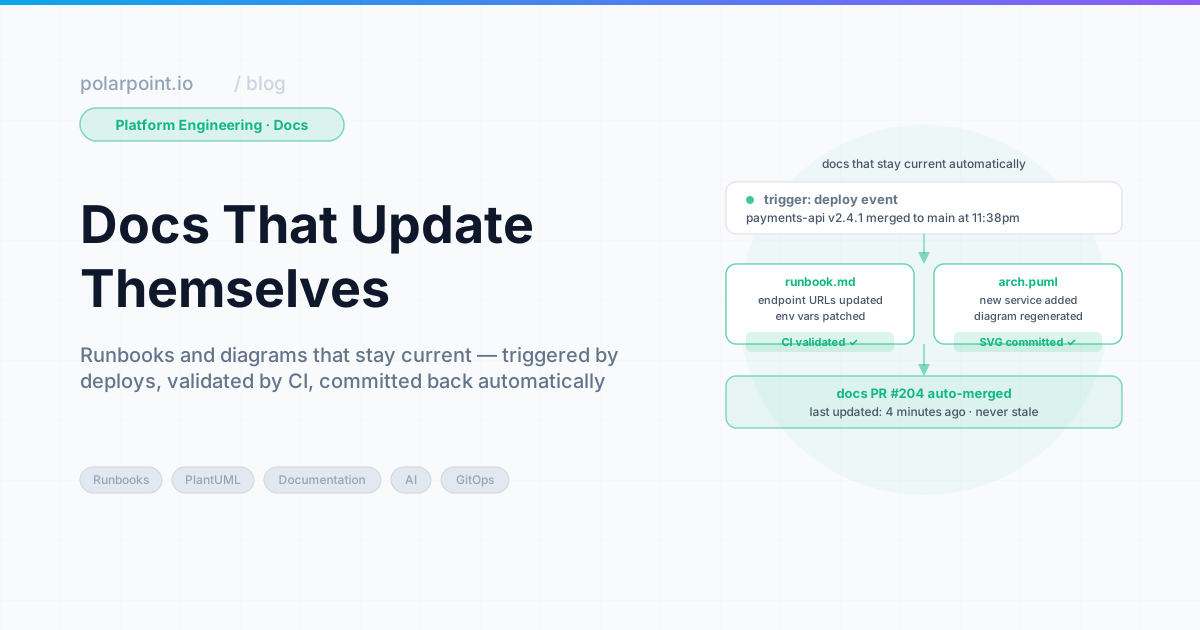
From Alert to Root Cause: HolmesGPT in Production

Banner image Banner image

You know the moment. PagerDuty fires at 2am. You're pulling up kubectl, squinting at pod logs, trying to remember which namespace this service actually lives in. Someone's pinging Slack. The on-call channel is filling up. You spend the first twelve minutes just getting oriented — what's broken, where, and why — before you've even formed a hypothesis.

HolmesGPT collapses that twelve minutes into eleven seconds. Not by replacing your judgement. By doing the orientation work for you.

AI Convention Files in Practice: Azure DevOps

Banner image Banner image

AI Convention Files in Practice: Azure DevOps

The taxonomy post covered every AI convention file type — AGENTS.md, SKILL.md, .prompt.md, and the rest. This post puts them to work with Azure DevOps.

Every example below uses real WIQL queries, references actual ADO fields, and follows patterns extracted from a production agents.md that populates sprint review decks from ADO work items.


How agents talk to Azure DevOps

An AGENTS.md file defines what the agent should do. An MCP server provides the runtime connection to ADO. The agent reads the workflow from AGENTS.md, then calls the ADO MCP server to execute WIQL queries and retrieve work item data.

ADO agents workflow ADO agents workflow

The ADO MCP server exposes tools such as wiql_query, get_work_item, and list_iterations. The agent never needs raw HTTP calls — it invokes these tools through the MCP protocol, and the server handles authentication, pagination, and field mapping.


What gets automated (and what does not)

Not everything in a sprint review can come from a query. Migrations, new platform capabilities, infrastructure redesigns — that work spans multiple sprints with epics and milestones, and reporting on it is narrative. What shipped, what slipped, what the team learnt. An agent cannot write that.

Operational work is different. Access provisioning, pipeline fixes, Azure resource configuration, troubleshooting — these arrive as Requests, get resolved, and pile up. Individually they are routine. In aggregate they tell a story: which categories dominate, how resolution times trend, whether the same teams keep submitting. That is numbers, and numbers come from WIQL.

The agents in this post target operational work. They query ADO, run the calculations, and drop the results into a Marp sprint review deck. Project slides stay in the same deck as fixed templates — same layout every sprint, content filled in by hand.

In ADO terms: operations work typically lives under a shared Area Path (like Engineering\Platform Consulting) with a Request work item type. Projects live under their own Area Paths with Feature, User Story, and Task types.


Use case 1: Sprint review deck automation

A single agents.md file orchestrates multiple agents that query ADO, categorise completed work, calculate metrics, and update a Marp presentation deck — no manual data gathering needed.

The agent definition

## Agent: Update Request Metrics Summary

Task: Update deck.md with request metrics from the current sprint

Steps:
1. Query ADO for all Requests in area path from last 2 weeks
2. Calculate metrics:
   - Count by category (Access, Infrastructure, Pipeline, Azure Config)
   - Average resolution time (ClosedDate - CreatedDate)
   - SLA compliance % (resolved within 24 hours)
   - Unique requestors and repeat request %
3. Show calculated metrics to the user
4. Ask: "Update deck.md with these metrics? (yes/no)"
5. If approved, update the metrics table and key insights
6. Report what was updated

The WIQL query

SELECT [System.Id], [System.Title], [System.Tags],
       [System.CreatedDate], [System.ClosedDate], [System.CreatedBy]
FROM WorkItems
WHERE [System.WorkItemType] = 'Request'
  AND [System.AreaPath] = @AreaPath
  AND [System.State] = 'Done'
  AND [System.ClosedDate] >= @StartDate
  AND DATEDIFF(day, [System.ClosedDate], GETDATE()) <= 14
ORDER BY [System.ClosedDate] DESC

@AreaPath is defined in the agent configuration — typically in the agents.md header or passed as a parameter when the agent runs. This keeps the queries portable across teams and organisations.

What the agent produces

The agent calculates metrics from the query results and updates the deck:

Category Count %
Access & Permissions 10 26%
Pipeline & CI/CD 8 21%
Infrastructure Provisioning 7 18%
Environment Configuration 5 13%
Secrets & Certificates 4 10%
Troubleshooting 3 8%
Other 1 3%

Key metrics: 38 requests completed, 1.4 day average resolution, 89% SLA compliance.

The human confirms before any file is written. The agent explains what changed and suggests running make diagrams to regenerate presentation PNGs.


Use case 2: Requestor pattern analysis

A companion agent analyses who is requesting work, identifying top requesting teams and spotting patterns that suggest automation opportunities.

## Agent: Update Requestor Patterns

Steps:
1. Query ADO for all Requests from last 2 weeks
2. Extract requesting team from Custom.RequestedTeamName
3. Group by team and count requests
4. Get top 5 requesting teams
5. For each team, identify:
   - Most common request types
   - Repetitive patterns (automation candidates)
6. Update the PlantUML bar chart with actual data
SELECT [System.Id], [System.Title], [System.CreatedBy],
       [System.Tags], [Custom.RequestedTeamName]
FROM WorkItems
WHERE [System.WorkItemType] = 'Request'
  AND [System.AreaPath] = @AreaPath
  AND [System.CreatedDate] >= @StartDate
  AND DATEDIFF(day, [System.CreatedDate], GETDATE()) <= 14

The agent updates a PlantUML bar chart data array directly — no placeholder values, just real numbers from ADO.


Use case 3: Sprint-over-sprint trend comparison

This agent compares the current sprint against the previous one to identify improvements and regressions.

## Agent: Key Insights & Improvements

Steps:
1. Query current sprint (last 2 weeks) AND previous sprint (2-4 weeks ago)
2. Compare:
   - Average resolution time change
   - SLA compliance change
   - Repeat request pattern change
   - Volume by category trends
3. Identify positive trends (with percentages)
4. Identify areas for improvement
5. Suggest specific, data-driven actions
6. Update the Key Insights slide

The previous sprint query:

SELECT [System.Id], [System.Title], [System.Tags],
       [System.CreatedDate], [System.ClosedDate]
FROM WorkItems
WHERE [System.WorkItemType] = 'Request'
  AND [System.AreaPath] = @AreaPath
  AND [System.State] = 'Done'
  AND [System.ClosedDate] >= @PreviousStartDate
  AND DATEDIFF(day, [System.ClosedDate], @StartDate) <= 14

The agent produces data-driven insights: "Resolution time improved 18% (1.5 days → 1.2 days). SLA compliance up from 85% to 91%. Infrastructure Setup requests increased 40% — consider self-service template."


Use case 4: Release checklist with ADO gates

A SKILL.md that verifies all release criteria are met by querying ADO boards and pipelines.

---
name: ado-release-checklist
description: Verify release readiness using ADO pipeline and board data
argument-hint: Provide the release version number
---
# ADO Release Checklist

1. Query ADO for open bugs with priority 1-2 in the release scope
2. Check pipeline status for the release branch
3. Verify all test plans have passed
4. Confirm no blocked work items remain
5. Check that release notes work item is marked Done
6. Report pass/fail for each gate
-- Open blockers check
SELECT [System.Id], [System.Title], [System.State]
FROM WorkItems
WHERE [System.WorkItemType] IN ('Bug', 'Issue')
  AND [Microsoft.VSTS.Common.Priority] <= 2
  AND [System.State] <> 'Closed'
  AND [System.IterationPath] = @ReleasePath

Use case 5: SLO compliance report

A prompt that generates an SLO report from ADO data, suitable for weekly stakeholder updates.

---
description: Generate SLO compliance report from ADO request data
agent: agent
tools: ['search', 'editFiles']
---
Query the last 30 days of Request work items from ADO.
Calculate resolution time percentiles (p50, p90, p99).
Compare against SLO targets:
- p50 < 4 hours
- p90 < 24 hours
- p99 < 72 hours
Generate a markdown table and trend summary.

Use case 6: Incident runbook population

An agent that pulls recent incident data from ADO and updates the team's runbook with resolution patterns.

## Agent: Incident Runbook Updater

Steps:
1. Query ADO for Incidents closed in the last 30 days
2. Group by root cause category
3. For each category with 2+ incidents:
   - Extract common resolution steps from work item descriptions
   - Identify detection patterns (how was it found?)
   - Note mean time to resolution
4. Update the runbook with new entries
5. Flag categories with increasing incident counts
SELECT [System.Id], [System.Title], [System.Description],
       [System.CreatedDate], [System.ClosedDate],
       [System.Tags], [Custom.RootCause]
FROM WorkItems
WHERE [System.WorkItemType] = 'Incident'
  AND [System.State] = 'Closed'
  AND [System.ClosedDate] >= @today - 30
  AND [System.AreaPath] UNDER @AreaPath
ORDER BY [System.ClosedDate] DESC

The master agent pattern

Individual agents are useful on their own. Orchestration makes them better. A master agent runs all the sub-agents in sequence, handles errors, and produces a summary.

## Master Agent: Populate All Diagrams and Slides

Steps:
1. Calculate start date (2 weeks ago from today)
2. Calculate previous sprint start date (4 weeks ago)
3. Ask user for permission to proceed
4. If approved, run Agent: Update Requestor Patterns
5. Run Agent: Update Request Metrics Summary
6. Run Agent: Key Insights & Improvements
7. Report summary of updates made
8. Suggest running 'make diagrams' to regenerate PNGs

Before executing:
- Display the configuration (project, area path, time period)
- Ask: "I will query Azure DevOps and update diagrams and slides.
  Do you want to proceed? (yes/no)"
- Only proceed if user confirms with "yes"

The confirmation gate is critical. Every agent asks before making changes. The human stays in control.


ADO-specific configuration

The agents work with ADO's specific field model:

ADO concept How agents use it
Area Path Scope queries to team boundaries (Engineering\Platform Consulting)
Iteration Path Map to sprint boundaries for time-based analysis
Work Item Type Filter by Request, Bug, Incident, Task
Custom fields Extract team info from Custom.RequestedTeamName
WIQL The query language — SQL-like, supports DATEDIFF, UNDER, @today
Tags Categorise requests for metric grouping

MCP server setup

The Azure DevOps MCP server connects your AI agent to ADO. Add a .vscode/mcp.json to your project:

{
  "inputs": [
    {
      "id": "ado_org",
      "type": "promptString",
      "description": "Azure DevOps organization name (e.g. 'contoso')"
    }
  ],
  "servers": {
    "ado": {
      "type": "stdio",
      "command": "npx",
      "args": ["-y", "@azure-devops/mcp", "${input:ado_org}"]
    }
  }
}

Authentication happens via the browser — the first time a tool runs, it opens a login prompt for your Microsoft account. No PAT required.

To limit loaded tools, use the -d flag with domains: "args": ["-y", "@azure-devops/mcp", "${input:ado_org}", "-d", "core", "work", "work-items"]. Available domains: core, work, work-items, search, test-plans, repositories, wiki, pipelines, advanced-security.


Anti-patterns to avoid

  • No confirmation gates — Agents that write files without asking lead to surprise changes
  • Hardcoded dates — Use @today and DATEDIFF so queries remain dynamic
  • Querying everything — Scope with Area Path and Work Item Type to keep results relevant
  • Skipping the previous sprint — Trend comparison needs two data points; single-sprint metrics lack context
  • Manual data transfer — If you are copy-pasting from ADO into slides, the agent should be doing it

Getting started

  1. Install the ADO MCP server in your editor
  2. Create an agents.md with one agent (start with request metrics)
  3. Run it against a real sprint
  4. Add agents incrementally as you identify more manual data-gathering tasks

The working examples will be available in the ai-capabilities repo.


Further reading

AI Convention Files: The Complete Taxonomy

Banner image Banner image

AI Convention Files: The Complete Taxonomy

Coding agents have moved beyond simple autocomplete. They can plan work, query APIs, update diagrams, and populate sprint review decks. But they need guidance — and that guidance lives in a growing family of markdown files.

If you have used AGENTS.md, you have seen one piece of the puzzle. There are at least ten more — plus two open protocols (MCP and A2A) that extend the picture beyond files into runtime connectivity and agent-to-agent communication. This post covers every file type and protocol, and explains when to reach for each one. Follow-up posts walk through real-world use cases with working examples for Azure DevOps, GitHub, and Jira.


The file types at a glance

AI convention files taxonomy AI convention files taxonomy

Every AI convention file falls into one of four categories, complemented by two runtime protocols:

Category Files / Protocols When loaded
Always-on instructions AGENTS.md, CLAUDE.md, GEMINI.md, copilot-instructions.md, .cursor/rules/*.md Every session
Path-scoped rules .instructions.md, .claude/rules/*.md When working with matching files
On-demand tasks .prompt.md, SKILL.md When you invoke them
Agent personas .agent.md, .claude/agents/*.md When you switch to that agent
Runtime connectivity MCP servers (tools, resources, prompts) When the agent needs external data
Agent-to-agent A2A protocol (Agent Cards, tasks) When agents collaborate across boundaries

Always-on instructions

These files load at the start of every session. They set the baseline for how agents behave in your project.

AGENTS.md

The open standard. Supported by VS Code, Cursor, GitHub Copilot, and Claude Code (via import). Place it in the repo root. The nearest file in the directory tree takes precedence, so you can override per-folder.

Use it for: workflow steps, quality gates, naming conventions, delivery standards.

# AGENTS.md

## Workflow
1. Plan → scope, success criteria, risks
2. Build → implement with tests
3. Document → update runbooks
4. Release → owner sign-off + monitoring

## Standards
- Naming: <team>-<service>-<env>
- Environments: dev → staging → prod

copilot-instructions.md

GitHub Copilot's repo-wide instruction file. Lives at .github/copilot-instructions.md. Can be auto-generated by the Copilot coding agent.

Use it for: language preferences, framework conventions, test patterns. If you already have AGENTS.md, this can reference it or cover Copilot-specific details.

CLAUDE.md

Anthropic's equivalent. Supports @path imports (including @AGENTS.md to share instructions), .claude/rules/ for path-scoped rules, and auto memory that accumulates across sessions.

.cursor/rules/*.md

Cursor project rules with YAML frontmatter (description, globs, alwaysApply). Four types: Project Rules, User Rules, Team Rules, and native AGENTS.md support.


Path-scoped rules

These load only when the agent works with files matching a glob pattern. They keep context lean and relevant.

.instructions.md (VS Code)

Stored in .github/instructions/. Each file has applyTo frontmatter:

---
applyTo: "infra/**/*.tf"
---
# Terraform conventions
- Use modules from the internal registry
- Tag all resources with team and environment
- No inline IAM policies

.claude/rules/*.md (Claude Code)

Same concept, different location. Uses paths frontmatter:

---
paths:
  - "src/api/**/*.ts"
---
# API rules
- Validate all inputs with Zod
- Use standard error response format

On-demand tasks

These are invoked explicitly, not loaded automatically. They are ideal for repeatable tasks that do not need to be in context all the time.

.prompt.md (slash commands)

Stored in .github/prompts/. Invoked with / in chat. Each prompt can specify which agent and tools to use:

---
description: Generate a migration plan for a database schema change
agent: agent
tools: ['search', 'editFiles']
---
Analyse the current schema and generate a migration plan.
Include rollback steps and estimated downtime.

SKILL.md (portable capabilities)

The open standard from agentskills.io. A skill bundles instructions, scripts, examples, and resources into a reusable capability.

Stored in .github/skills/, .claude/skills/, .agents/skills/, or ~/.copilot/skills/ for personal skills. Skills load on demand — the agent reads the name and description, then loads the full content when it decides the skill is relevant.

---
name: sprint-review-populator
description: Populate a Marp sprint review deck with metrics from GitHub or Jira
argument-hint: Provide the sprint date range
---
# Sprint Review Populator

Query the project tracker for completed work items and update
the deck with real metrics...

Agent personas

Custom agents give the AI a persistent persona with specific tool restrictions, model preferences, and handoffs to other agents.

.agent.md (VS Code)

Stored in .github/agents/. Define specialised roles:

---
description: Read-only security reviewer
tools: ['search', 'web']
handoffs:
  - label: Start Implementation
    agent: implementation
    prompt: Fix the security issues identified above.
---
Review code for OWASP Top 10 vulnerabilities.
Focus on injection, broken access control, and cryptographic failures.

Handoffs create guided workflows — a planning agent hands off to an implementation agent, which hands off to a reviewer.

.claude/agents/*.md (Claude Code)

Claude subagents support tool restrictions, model selection, permission modes, lifecycle hooks, MCP server scoping, and persistent memory that accumulates knowledge across sessions.


Runtime connectivity: MCP servers

Convention files tell agents what to do. MCP (Model Context Protocol) servers give them access to do it. MCP is an open standard — supported by VS Code, Cursor, Claude, ChatGPT, and others — that provides a standardised way for AI agents to connect to external tools, data sources, and workflows.

Think of MCP as USB-C for AI agents. Just as USB-C provides a standardised physical connection, MCP provides a standardised protocol connection. An MCP server exposes three primitives:

Primitive Purpose Example
Tools Executable functions the agent can invoke wiql_query, jql_search, graphql_query
Resources Data sources that provide context File contents, database schemas, API docs
Prompts Reusable interaction templates Few-shot examples, system prompts

MCP uses JSON-RPC 2.0 over stdio (local servers) or Streamable HTTP (remote servers). The key participants:

  • MCP Host — the AI application (VS Code, Cursor, Claude Desktop)
  • MCP Client — a component in the host that maintains a connection to one server
  • MCP Server — a program that provides tools, resources, and prompts

For platform engineering, MCP servers are what connect your AGENTS.md workflows to real systems:

{
  "mcpServers": {
    "github": {
      "command": "npx",
      "args": ["-y", "@modelcontextprotocol/server-github"],
      "env": {
        "GITHUB_PERSONAL_ACCESS_TOKEN": "${env:GITHUB_TOKEN}"
      }
    },
    "jira": {
      "command": "npx",
      "args": ["-y", "@anthropic/mcp-server-jira"],
      "env": {
        "JIRA_URL": "https://your-org.atlassian.net",
        "JIRA_API_TOKEN": "${env:JIRA_API_TOKEN}"
      }
    }
  }
}

Without MCP, agents can only work with local files. With MCP, they can query Jira sprints, GitHub Projects, Azure DevOps boards, Kubernetes clusters, databases, and any system with an MCP server.


Agent-to-agent communication: A2A

MCP connects agents to tools. The Agent2Agent Protocol (A2A) connects agents to each other.

A2A is an open protocol (22.9k GitHub stars, v1.0.0 released, Linux Foundation project) that enables agents built by different vendors, on different frameworks, running on different servers, to collaborate — without sharing internal state, memory, or tools.

Where MCP is vertical (agent ↔ tool), A2A is horizontal (agent ↔ agent):

Protocol Direction Purpose
MCP Agent → Tool Connect agents to external systems (GitHub, Jira, ADO, databases)
A2A Agent → Agent Enable agents to discover, delegate, and collaborate with each other

A2A key concepts:

  • Agent Cards — JSON documents that advertise an agent's capabilities, authentication requirements, and connection details. Other agents discover what you can do by reading your Agent Card.
  • Tasks — The unit of work. A client agent sends a task to a remote agent, which works on it and returns artifacts. Tasks have a lifecycle and support long-running operations.
  • Artifacts — The output of completed tasks. Can be text, files, structured JSON, or rich media.

A practical example: a sprint review orchestrator agent could delegate to specialist agents — one queries Jira via MCP, another generates charts, a third formats the presentation — and A2A handles the communication between them.

A2A complements MCP. Use MCP to connect agents to data sources. Use A2A when you need agents to collaborate across organisational or system boundaries.


Choosing the right file

Decision flow Decision flow

  1. Applies to every session?AGENTS.md or copilot-instructions.md
  2. Scoped to specific file paths?.instructions.md or .claude/rules/
  3. A reusable task with scripts?SKILL.md
  4. A lightweight slash command?.prompt.md
  5. A specialised persona with tool restrictions?.agent.md
  6. Need to connect to an external system? → Add an MCP server
  7. Need agents to collaborate across boundaries? → Use A2A

Where this gets practical

The taxonomy above covers the types. Seeing them work together on concrete problems is where it gets interesting — automated sprint review decks populated from GitHub or Jira, incident runbooks triggered by alerts, infrastructure bootstrap sequences.

Those use cases each have their own post:

Each post includes working agent definitions, real queries, and MCP server configuration. The working code will live in the ai-capabilities repo.


Platform engineering examples

Here is how the file types compose for platform teams:

Path-scoped infrastructure standards

.github/instructions/terraform.instructions.md:

---
applyTo: "infra/**/*.tf"
---
- Use modules from the internal registry
- Tag resources: team, environment, cost-centre
- No inline IAM policies

SRE debugging agent

.github/agents/sre-debugger.agent.md:

---
description: Debug production incidents with read-only access
tools: ['search', 'web', 'terminal']
model: claude-sonnet-4-20250514
---
You are an SRE debugger. Analyse logs, metrics, and traces.
Never modify production resources. Suggest fixes but do not apply them.

Release checklist skill

.github/skills/release-checklist/SKILL.md:

---
name: release-checklist
description: Run the platform release checklist and verify all gates
---
# Release Checklist

1. Verify all tests pass in CI
2. Check dependency vulnerabilities
3. Confirm rollback plan exists
4. Verify monitoring dashboards
5. Get owner sign-off


Product and agile examples

These files are not just for platform engineers. Product teams benefit from the same structure.

Story refinement prompt

.github/prompts/refine-story.prompt.md:

---
description: Refine a user story with acceptance criteria and estimates
agent: ask
---
Given the story title and description, generate:
1. Clear acceptance criteria (Given/When/Then)
2. Technical tasks breakdown
3. Rough estimate (S/M/L)
4. Dependencies and risks

Sprint review prep skill

.github/skills/sprint-review-prep/SKILL.md:

---
name: sprint-review-prep
description: Prepare sprint review talking points from completed work
argument-hint: Provide the sprint name or date range
---
Query completed items, group by epic, and generate
a summary suitable for stakeholder presentation.


Cross-tool compatibility

Not every file or protocol works everywhere. Here is the current support matrix:

File / Protocol VS Code Copilot Cursor Claude Code ChatGPT
AGENTS.md Yes Yes Via @AGENTS.md import
copilot-instructions.md Yes
.instructions.md Yes
.prompt.md Yes
.agent.md Yes
SKILL.md Yes
CLAUDE.md Yes Yes
.claude/rules/ Yes
.claude/agents/ Yes Yes
.cursor/rules/ Yes
MCP servers Yes Yes Yes Yes
A2A protocol

AGENTS.md has the broadest file-level support. MCP has the broadest runtime support — it works across VS Code, Cursor, Claude, and ChatGPT. A2A is newer (v1.0.0 released 2025) and client support is still emerging.

Start with AGENTS.md for instructions and MCP for connectivity. Add tool-specific files when you need features that AGENTS.md cannot express (path scoping, tool restrictions, handoffs).


The taxonomy above covers coding-agent convention files — files that live in a project repo and guide agents during development work. Other ecosystems use the same patterns for different purposes.

OpenClaw takes the AGENTS.md / SKILL.md model and applies it to personal AI assistants that operate across messaging channels (WhatsApp, Telegram, Discord, iMessage). OpenClaw adds its own convention files — SOUL.md (identity and tone), MEMORY.md (long-term recall), USER.md (owner context), TOOLS.md (environment-specific notes), and HEARTBEAT.md (proactive background tasks) — that solve problems unique to always-on assistants: session continuity, multi-channel behaviour, and proactive monitoring.

If you are building a personal assistant rather than a coding agent, OpenClaw's file taxonomy is worth studying alongside this one.


How they compose together

In practice, you do not choose one file type and ignore the rest. They layer:

  1. AGENTS.md sets the baseline workflow and standards (works everywhere)
  2. .instructions.md adds path-scoped rules for specific directories
  3. SKILL.md packages reusable capabilities (sprint review, release checklist, incident runbook)
  4. .agent.md defines specialised personas with tool restrictions and handoffs
  5. .prompt.md provides quick slash commands for common tasks
  6. MCP servers provide runtime access to external systems (GitHub, Jira, ADO, databases)
  7. A2A protocol enables cross-boundary agent collaboration

Layers 1–5 are convention files — they tell agents what to do. Layer 6 (MCP) gives agents the ability to act on external systems. Layer 7 (A2A) lets agents delegate to and collaborate with other agents.


Getting started

Pick one:

  • Already using AGENTS.md? Add a SKILL.md for your most repetitive task
  • Want sprint review automation? Read the practice posts for ADO, GitHub, or Jira
  • Need external system access? Add an MCP server for GitHub, Jira, ADO, or your database
  • Need path-scoped rules? Create one .instructions.md for your strictest directory (e.g. infra/)
  • Want agent personas? Create a read-only reviewer .agent.md with limited tools

Start small. Add files as you find real friction, not because the taxonomy says you should.


Further reading

AI Convention Files in Practice: GitHub

Banner image Banner image

AI Convention Files in Practice: GitHub

The taxonomy post covered every AI convention file type. This post puts them to work with GitHub — using GraphQL queries against Issues, Projects V2, Pull Requests, and Actions.

Every example below uses real GraphQL queries and follows patterns suitable for a production agents.md that populates sprint review decks from GitHub project data.


How agents talk to GitHub

An AGENTS.md file defines what the agent should do. A GitHub MCP server provides the runtime connection. The agent reads the workflow, then calls the MCP server to execute GraphQL queries and retrieve project data.

GitHub agents workflow GitHub agents workflow

The GitHub MCP server exposes tools such as graphql_query, list_issues, list_pull_requests, and get_actions_runs. The agent invokes these tools through the MCP protocol — no raw HTTP calls needed.


What gets automated (and what does not)

Not everything in a sprint review can come from a query. Platform migrations, new developer tooling, infrastructure redesigns — that work moves through GitHub Projects V2 iterations with milestones and roadmap views, and reporting on it is narrative. What shipped, what slipped, what the team learnt. An agent cannot write that.

Operational work is different. Access provisioning, pipeline fixes, environment configuration, troubleshooting — these arrive as issues, get closed, and pile up. Individually they are routine. In aggregate they tell a story: which labels generate the most volume, how cycle times trend, whether contributor load is balanced. That is numbers, and numbers come from GraphQL.

The agents in this post target operational work. They query GitHub, run the calculations, and drop the results into a Marp sprint review deck. Project slides stay in the same deck as fixed templates — same layout every sprint, content filled in by hand.

In GitHub terms: operations work uses labels like request, support, or ops on a shared repository. Projects track through GitHub Projects V2 with iteration fields, status columns, and tracked issues for epics.


Use case 1: Sprint review deck automation

The same pattern as the ADO version, adapted for GitHub Projects V2. The agent queries completed items from a project iteration, categorises them by label, and updates a Marp deck.

The agent definition

## Agent: Update Sprint Metrics from GitHub

Task: Update deck.md with sprint metrics from GitHub Projects V2

Steps:
1. Query GitHub for items completed in the current iteration
2. Calculate metrics:
   - Count by label category (bug, feature, infra, security)
   - Average cycle time (created → closed)
   - Items completed vs planned (velocity)
   - Unique contributors
3. Show calculated metrics to the user
4. Ask: "Update deck.md with these metrics? (yes/no)"
5. If approved, update the metrics table and key insights
6. Report what was updated

The GraphQL query

query SprintItems($projectId: ID!, $iterationId: String!) {
  node(id: $projectId) {
    ... on ProjectV2 {
      items(first: 100) {
        nodes {
          content {
            ... on Issue {
              title
              number
              state
              createdAt
              closedAt
              labels(first: 10) {
                nodes { name }
              }
              author { login }
              assignees(first: 5) {
                nodes { login }
              }
            }
            ... on PullRequest {
              title
              number
              state
              createdAt
              mergedAt
              author { login }
            }
          }
          fieldValueByName(name: "Iteration") {
            ... on ProjectV2ItemFieldIterationValue {
              title
              startDate
              duration
            }
          }
          fieldValueByName(name: "Status") {
            ... on ProjectV2ItemFieldSingleSelectValue {
              name
            }
          }
        }
      }
    }
  }
}

What the agent produces

Category Count %
Features 12 36%
Bug Fixes 8 24%
Infrastructure 6 18%
Security 4 12%
Documentation 3 9%

Key metrics: 33 items completed, 2.1 day average cycle time, 94% velocity (33/35 planned).


Use case 2: Contributor activity analysis

The GitHub equivalent of ADO's requestor patterns — analysing who is contributing and how work is distributed.

## Agent: Contributor Activity Analysis

Steps:
1. Query GitHub for merged PRs and closed issues in current iteration
2. Group by author/assignee
3. Calculate per-contributor:
   - PRs merged
   - Issues closed
   - Average review turnaround
4. Identify review bottlenecks (PRs waiting > 24 hours)
5. Update the activity summary in the deck
query ContributorActivity($owner: String!, $repo: String!, $since: DateTime!) {
  repository(owner: $owner, name: $repo) {
    pullRequests(
      states: [MERGED]
      orderBy: { field: UPDATED_AT, direction: DESC }
      first: 100
    ) {
      nodes {
        title
        author { login }
        createdAt
        mergedAt
        reviews(first: 10) {
          nodes {
            author { login }
            submittedAt
          }
        }
        additions
        deletions
      }
    }
  }
}

Use case 3: Sprint-over-sprint trend comparison

Comparing the current iteration against the previous one using GitHub Projects V2 iteration fields.

## Agent: Sprint Trend Comparison

Steps:
1. Query current iteration items (status: Done)
2. Query previous iteration items (status: Done)
3. Compare:
   - Velocity change (items completed)
   - Cycle time trend
   - Label distribution shift
   - New contributor count
4. Identify positive trends with percentages
5. Flag areas needing attention
6. Update the Key Insights slide

The agent compares iterations by name:

query IterationComparison($projectId: ID!) {
  node(id: $projectId) {
    ... on ProjectV2 {
      field(name: "Iteration") {
        ... on ProjectV2IterationField {
          configuration {
            iterations {
              id
              title
              startDate
              duration
            }
            completedIterations {
              id
              title
              startDate
              duration
            }
          }
        }
      }
    }
  }
}

Use case 4: Release notes generation

A SKILL.md that generates release notes from merged PRs and closed issues between two tags.

---
name: github-release-notes
description: Generate release notes from merged PRs between two Git tags
argument-hint: Provide the previous and current tag (e.g. v1.2.0 v1.3.0)
---
# GitHub Release Notes Generator

1. List commits between the two tags
2. Find all merged PRs associated with those commits
3. Group PRs by label:
   - 🚀 Features (label: enhancement)
   - 🐛 Bug Fixes (label: bug)
   - 🔧 Infrastructure (label: infra)
   - 🔒 Security (label: security)
   - 📝 Documentation (label: docs)
4. For each PR, extract title, number, and author
5. Generate markdown release notes
6. Check for breaking changes (label: breaking-change)
7. Include contributor acknowledgements
query PRsBetweenTags($owner: String!, $repo: String!, $base: String!, $head: String!) {
  repository(owner: $owner, name: $repo) {
    ref(qualifiedName: $head) {
      compare(headRef: $base) {
        commits(first: 100) {
          nodes {
            message
            associatedPullRequests(first: 1) {
              nodes {
                title
                number
                author { login }
                labels(first: 5) {
                  nodes { name }
                }
              }
            }
          }
        }
      }
    }
  }
}

Use case 5: SLO compliance from issue response times

A prompt that calculates SLO compliance from GitHub issue response and resolution times.

---
description: Generate SLO compliance report from GitHub issue data
agent: agent
tools: ['search', 'editFiles']
---
Query the last 30 days of issues labelled 'support' or 'request'.
Calculate time-to-first-response (issue created → first comment by team member).
Calculate resolution time (issue created → issue closed).
Compare against SLO targets:
- First response: p50 < 2 hours, p90 < 8 hours
- Resolution: p50 < 24 hours, p90 < 72 hours
Generate a markdown table with percentile breakdown and trend.

Use case 6: Actions pipeline health report

An agent that analyses GitHub Actions workflow runs for reliability and performance.

## Agent: Pipeline Health Report

Steps:
1. Query GitHub Actions for workflow runs in the last 14 days
2. Calculate per-workflow:
   - Success rate (%)
   - Average duration
   - Failure patterns (most common failure step)
   - Flaky test detection (intermittent failures)
3. Compare against previous 14-day window
4. Update the pipeline health slide in the deck
5. Flag any workflow with < 90% success rate
query WorkflowRuns($owner: String!, $repo: String!) {
  repository(owner: $owner, name: $repo) {
    object(expression: "main") {
      ... on Commit {
        checkSuites(first: 50) {
          nodes {
            conclusion
            workflowRun {
              workflow { name }
              createdAt
              updatedAt
              runNumber
            }
            checkRuns(first: 20) {
              nodes {
                name
                conclusion
                startedAt
                completedAt
              }
            }
          }
        }
      }
    }
  }
}

The master agent pattern

## Master Agent: Populate Sprint Review from GitHub

Steps:
1. Calculate current iteration dates
2. Ask user for permission to proceed
3. If approved, run Agent: Sprint Metrics
4. Run Agent: Contributor Activity
5. Run Agent: Sprint Trend Comparison
6. Run Agent: Pipeline Health Report
7. Report summary of updates made
8. Suggest running 'make diagrams' to regenerate PNGs

Before executing:
- Display the configuration (org, repo, project, iteration)
- Ask: "I will query GitHub and update diagrams and slides.
  Do you want to proceed? (yes/no)"
- Only proceed if user confirms

GitHub-specific configuration

GitHub concept How agents use it
Projects V2 Track iterations, status fields, and sprint boundaries
Labels Categorise issues and PRs for metric grouping
Milestones Alternative to iterations for release-based tracking
GraphQL API Rich querying with nested fields — more flexible than REST
Actions Pipeline health and deployment frequency metrics
CODEOWNERS Map reviewers to areas for workload analysis

MCP server setup

The GitHub MCP server is GitHub's official server. The fastest setup is the remote server, which uses OAuth — no tokens to manage:

{
  "servers": {
    "github": {
      "type": "http",
      "url": "https://api.githubcopilot.com/mcp/"
    }
  }
}

This works in VS Code 1.101+ with Copilot. For editors that do not support remote MCP, use the local Docker-based server with a PAT:

{
  "servers": {
    "github": {
      "command": "docker",
      "args": [
        "run", "-i", "--rm",
        "-e", "GITHUB_PERSONAL_ACCESS_TOKEN",
        "ghcr.io/github/github-mcp-server"
      ],
      "env": {
        "GITHUB_PERSONAL_ACCESS_TOKEN": "${input:github_token}"
      }
    }
  }
}

To limit loaded tools, set GITHUB_TOOLSETS (e.g. repos,issues,pull_requests,actions). See the toolset documentation for the full list.


Anti-patterns to avoid

  • REST when you need GraphQL — GitHub's REST API requires many round trips; GraphQL gets nested data in one call
  • Ignoring project field types — Projects V2 uses typed fields (iteration, single select, text); query the right type
  • Hardcoded iteration names — Use the iteration field configuration to discover current and previous iterations dynamically
  • Skipping Actions data — Pipeline health is visible early signal; include it in sprint reviews
  • Not filtering by label — Without label-based categorisation, metrics lack the granularity stakeholders need

Getting started

  1. Install the GitHub MCP server in your editor
  2. Create an agents.md with one agent (start with sprint metrics)
  3. Set up a GitHub Project V2 with iteration fields if you have not already
  4. Run the agent against a real iteration
  5. Add agents incrementally

The working examples will be available in the ai-capabilities repo.


Further reading

AI Convention Files in Practice: Jira

Banner image Banner image

AI Convention Files in Practice: Jira

The taxonomy post covered every AI convention file type. This post puts them to work with Jira — using JQL queries against sprints, boards, components, and fix versions.

Every example below uses real JQL queries and follows patterns suitable for a production agents.md that populates sprint review decks from Jira project data.


How agents talk to Jira

An AGENTS.md file defines what the agent should do. A Jira MCP server provides the runtime connection. The agent reads the workflow, then calls the MCP server to execute JQL queries and retrieve issue data.

Jira agents workflow Jira agents workflow

The Jira MCP server exposes tools such as jql_search, get_issue, get_sprint, and get_board. The agent invokes these tools through the MCP protocol — no raw HTTP calls or API tokens in your agent definitions.


What gets automated (and what does not)

Not everything in a sprint review can come from a query. Platform migrations, IDP rollouts, infrastructure redesigns — that work moves through Epics and fix versions, and reporting on it is narrative. What shipped, what slipped, what the team learnt. An agent cannot write that.

Operational work is different. Access requests, pipeline failures, environment provisioning, certificate rotations — these arrive as Service Requests, get resolved, and pile up. Individually they are routine. In aggregate they tell a story: which components generate the most load, how resolution times trend, whether the same teams keep coming back. That is numbers, and numbers come from JQL.

The agents in this post target operational work. They query Jira, run the calculations, and drop the results into a Marp sprint review deck. Project slides stay in the same deck as fixed templates — same layout every sprint, content filled in by hand.

In Jira terms: operations work lives in a shared project with types like Service Request or Support, grouped by component. Projects use Epics tracked through sprints and fix versions.


Use case 1: Sprint review deck automation

The agent queries resolved issues from the active sprint, categorises by component, and updates a Marp deck.

The agent definition

## Agent: Update Sprint Metrics from Jira

Task: Update deck.md with sprint metrics from the active Jira sprint

Steps:
1. Query Jira for issues resolved in the active sprint
2. Calculate metrics:
   - Count by component (API, Frontend, Infrastructure, Security)
   - Average resolution time (created → resolved)
   - Story points completed vs committed (velocity)
   - Unique assignees
3. Show calculated metrics to the user
4. Ask: "Update deck.md with these metrics? (yes/no)"
5. If approved, update the metrics table and key insights
6. Report what was updated

The JQL query

project = "PLAT"
  AND sprint in openSprints()
  AND status = Done
  AND resolved >= -14d
ORDER BY resolved DESC

For more granular filtering:

project = "PLAT"
  AND sprint = "Sprint 24.06"
  AND status changed to Done
  AND component in (API, Frontend, Infrastructure, Security)
ORDER BY component ASC, resolved DESC

What the agent produces

Component Count Story Points %
API 10 21 30%
Frontend 8 18 24%
Infrastructure 7 15 21%
Security 4 8 12%
Documentation 3 5 9%
DevOps 1 2 3%

Key metrics: 33 issues resolved, 69 story points completed (92% of committed 75), 2.3 day average resolution.


Use case 2: Team workload analysis

The Jira equivalent of requestor patterns — analysing assignee distribution and identifying workload imbalances.

## Agent: Team Workload Analysis

Steps:
1. Query Jira for issues resolved in the active sprint
2. Group by assignee
3. Calculate per-assignee:
   - Issues resolved
   - Story points completed
   - Average resolution time
4. Identify workload imbalances (> 2x average)
5. Check for unassigned resolved issues
6. Update the workload summary in the deck
project = "PLAT"
  AND sprint in openSprints()
  AND status = Done
  AND assignee is not EMPTY
ORDER BY assignee ASC

Use case 3: Sprint-over-sprint velocity comparison

Comparing the current sprint against the previous one using Jira's sprint functions.

## Agent: Velocity Trend Comparison

Steps:
1. Query current sprint issues (status: Done)
2. Query previous sprint issues (status: Done)
3. Compare:
   - Story points completed (velocity)
   - Issue count
   - Average cycle time
   - Component distribution shift
   - Carry-over items (not completed in previous sprint)
4. Identify positive trends with percentages
5. Flag areas needing attention
6. Update the Velocity Trends slide
-- Current sprint
project = "PLAT" AND sprint in openSprints() AND status = Done

-- Previous sprint
project = "PLAT" AND sprint in closedSprints()
  AND sprint not in openSprints()
  AND status = Done
ORDER BY resolved DESC

For named sprints:

project = "PLAT" AND sprint = "Sprint 24.05" AND status = Done

Use case 4: Release notes from fix versions

A SKILL.md that generates release notes from a Jira fix version.

---
name: jira-release-notes
description: Generate release notes from a Jira fix version
argument-hint: Provide the fix version name (e.g. v2.4.0)
---
# Jira Release Notes Generator

1. Query issues with the specified fixVersion
2. Verify all issues are in Done status
3. Flag any non-Done issues as blockers
4. Group issues by type:
   - 🚀 Features (type: Story)
   - 🐛 Bug Fixes (type: Bug)
   - 🔧 Tasks (type: Task)
   - 📖 Sub-tasks (type: Sub-task)
5. For each issue, extract:
   - Key, summary, component, assignee
   - Labels for additional context
6. Generate markdown release notes
7. Check for issues labelled 'breaking-change'
8. Include contributor acknowledgements from assignee list
project = "PLAT"
  AND fixVersion = "v2.4.0"
ORDER BY issuetype ASC, component ASC

Use case 5: SLO compliance from resolution times

A prompt that calculates SLO compliance from Jira issue resolution data.

---
description: Generate SLO compliance report from Jira issue data
agent: agent
tools: ['search', 'editFiles']
---
Query the last 30 days of issues with type 'Service Request' or 'Support'.
Calculate resolution time percentiles (p50, p90, p99).
Use the 'resolutiondate' and 'created' fields for time calculations.
Compare against SLO targets:
- p50 < 4 hours (Priority: Highest)
- p50 < 24 hours (Priority: High)
- p90 < 72 hours (Priority: Medium/Low)
Generate a markdown table grouped by priority with trend arrows.
project = "PLAT"
  AND issuetype in ("Service Request", Support)
  AND resolved >= -30d
ORDER BY priority ASC, resolved DESC

Use case 6: Epic progress dashboard

An agent that summarises epic progress for stakeholder reviews.

## Agent: Epic Progress Dashboard

Steps:
1. Query Jira for active epics in the project
2. For each epic:
   - Count total child issues
   - Count completed child issues
   - Sum story points (completed vs total)
   - Calculate completion percentage
   - Find the earliest and latest due dates
3. Rank epics by completion percentage
4. Flag at-risk epics (< 50% complete with < 25% time remaining)
5. Update the Epic Progress slide in the deck
-- Active epics
project = "PLAT"
  AND issuetype = Epic
  AND status != Done
ORDER BY priority ASC

-- Child issues for a specific epic
"Epic Link" = PLAT-123 AND status = Done

The master agent pattern

## Master Agent: Populate Sprint Review from Jira

Steps:
1. Identify the active sprint name
2. Ask user for permission to proceed
3. If approved, run Agent: Sprint Metrics
4. Run Agent: Team Workload Analysis
5. Run Agent: Velocity Trend Comparison
6. Run Agent: Epic Progress Dashboard
7. Report summary of updates made
8. Suggest running 'make diagrams' to regenerate PNGs

Before executing:
- Display the configuration (project, board, sprint)
- Ask: "I will query Jira and update diagrams and slides.
  Do you want to proceed? (yes/no)"
- Only proceed if user confirms

Jira-specific configuration

Jira concept How agents use it
Projects Scope queries by project key (project = "PLAT")
Sprints Use openSprints(), closedSprints(), or named sprints
Components Categorise issues for metric grouping (API, Frontend, Infra)
Fix Versions Map to release milestones for release notes generation
Story Points Calculate velocity and sprint commitment accuracy
JQL The query language — supports functions like openSprints(), -14d, was, changed
Boards Scrum or Kanban views that scope sprint data

MCP server setup

The Atlassian MCP server is a remote server hosted by Atlassian that connects to Jira, Confluence, and Compass. For VS Code and other clients that support remote MCP:

{
  "servers": {
    "atlassian": {
      "type": "http",
      "url": "https://mcp.atlassian.com/v1/mcp"
    }
  }
}

Authentication uses OAuth 2.1 — a browser window opens to authorise your Atlassian account. All actions respect your existing Jira permissions.

For desktop clients that do not support remote MCP natively (e.g. Claude Desktop, Cursor), use the mcp-remote proxy:

{
  "mcpServers": {
    "atlassian": {
      "command": "npx",
      "args": ["-y", "mcp-remote", "https://mcp.atlassian.com/v1/sse"]
    }
  }
}

To reduce discovery calls and save tokens, set defaults in your AGENTS.md:

When connected to atlassian-rovo-mcp:
- Use Jira project key = PLAT
- Use cloudId = "https://your-site.atlassian.net"
- Use maxResults: 10 for all JQL search operations

Anti-patterns to avoid

  • Querying by date instead of sprint — Jira sprints have boundaries; use sprint in openSprints() instead of date ranges to capture carry-overs correctly
  • Ignoring story points — Issue count alone does not reflect effort; include story points in velocity calculations
  • Not using components — Without component-based grouping, sprint metrics lack actionable granularity
  • Skipping epic context — Individual issue metrics miss the bigger picture; include epic progress for stakeholders
  • Hardcoded sprint names — Use openSprints() and closedSprints() functions for dynamic sprint identification

Getting started

  1. Install the Jira MCP server in your editor
  2. Create an agents.md with one agent (start with sprint metrics)
  3. Ensure your Jira project has components and story points configured
  4. Run the agent against a real sprint
  5. Add agents incrementally

The working examples will be available in the ai-capabilities repo.


Further reading

Sprint Reviews with Marp: Presentations as Code

Banner image Banner image

Sprint Reviews with Marp: Presentations as Code

Sprint review decks have a shelf life of about two weeks. You build one, present it, then build the next one — mostly from scratch. The metrics change, the charts update, the talking points shift. But the structure stays the same.

That repetition is the problem. Manually pulling numbers from Azure DevOps, rebuilding bar charts, updating summary tables — it takes time and introduces mistakes. If the deck is a PowerPoint file, diffs are meaningless and merge conflicts are impossible to resolve.

Marp solves the structural half: slides written in Markdown, version-controlled in Git, rendered to HTML, PDF, or PowerPoint. AGENTS.md solves the data half: Copilot agents that query ADO and write the numbers directly into the deck.

This post walks through both — the deck format and the automation layer on top of it.


What gets automated (and what does not)

Platform engineering has two sides, and they show up differently in a sprint review.

The first is platform development — building the internal developer platform itself. New self-service capabilities, migration tooling, golden paths, reference architectures. That work is project-shaped: it has objectives, milestones, design decisions, and demos. A sprint review slide for a platform development initiative needs narrative. What shipped, what slipped, what the team learnt, and a walkthrough of the thing that was built. An agent cannot write any of that. But the slide template can stay fixed: same layout, same sections, filled in by the team each sprint.

The second is BAU and operations — the run-the-business side. Access provisioning, pipeline troubleshooting, infrastructure requests, environment configuration, incident support. That work is ticket-shaped: it arrives as service requests, gets triaged, worked, and closed. The metrics matter more than the individual items. Request counts by category, resolution time trends, SLA compliance, top requesting teams — the numbers change every sprint, the format does not. Agents query the tracker, run the calculations, and write the results straight into the deck.

Most platform teams do both. The sprint review deck reflects that split. Operations metrics are populated by agents.md agents. Platform development sections use fixed templates for objectives, initiative updates, and demos. The whole structure lives in version control.


What Marp does

Marp is a Markdown-based presentation framework. You write slides in a .md file, add a YAML frontmatter block for configuration, and use --- to separate slides. The Marp CLI converts the Markdown to HTML, PDF, or PPTX.

A minimal slide deck:

---
marp: true
theme: default
paginate: true
---

# Slide One

Content goes here.

---

# Slide Two

More content.

That produces a two-slide deck with pagination. No drag-and-drop, no binary format, no GUI.

Why this matters for sprint reviews

  • Diffs work. When you update metrics, git diff shows exactly what changed — "Total requests: 42 → 47". PowerPoint diffs are opaque.
  • Templates carry forward. The slide structure persists across sprints. You update the data, not the layout.
  • Build pipeline. make html produces a browser preview. make pdf produces a print-ready output. make pptx produces a PowerPoint for stakeholders who need one. One source, three formats.
  • No context switching. The deck lives in VS Code alongside the agents.md that populates it.

Deck structure

A production sprint review deck uses frontmatter to configure the theme, transitions, and language:

---
title: "Platform Engineering Sprint Review"
marp: true
theme: copernicus
transition: fade
size: "16:9"
lang: en-GB
paginate: true
header: "Platform Engineering"
---

The theme: copernicus directive loads a custom CSS theme from a themes/ directory — in this case one of the MarpX themes. This keeps branding consistent without embedding styles in every slide.

Slide content

Slides use standard Markdown — headers, bullet lists, tables, images. Marp adds a few directives for layout control:

<!-- _class: title -->

# Sprint Review
## DD Month YYYY

![bg right:40%](images/external/banner.png)

The _class: title directive applies a CSS class to that slide only. bg right:40% places a background image on the right side of the slide.

Tables render natively:

| Category              | Count | % of Total |
|-----------------------|-------|------------|
| Access & Permissions  | 12    | 28%        |
| Pipeline & CI/CD      | 9     | 21%        |
| Azure Resources       | 7     | 16%        |

No chart plugins, no embedded objects — plain text that any editor can open.


PlantUML charts in slides

Static tables work for summaries. For visual metrics — category distributions, resolution time trends, team volumes — PlantUML charts generate PNGs that slot directly into slides.

A bar chart for request distribution:

@startchart
title Request Category Distribution

bar "Category" [
  "Access & Perms" 12,
  "Pipeline" 9,
  "Azure Config" 7,
  "Infra Setup" 6,
  "APIM" 4,
  "DR" 2,
  "Other" 2
] #3498db labels

@endchart

Running PlantUML converts this to a PNG with a transparent background:

java -jar ~/tools/plantuml-snapshot.jar diagrams/request-distribution.puml -o .

The slide references the generated image:

## Request Distribution

![Request categories](diagrams/request-distribution.png)

The chart data is plain text in a .puml file. When the agent updates the numbers, git diff shows "Access & Perms" 12"Access & Perms" 15. Try that with an embedded Excel chart.

Chart types used

The sprint review deck uses six PlantUML charts:

Chart Type Shows
Request distribution Horizontal bar Category breakdown
Resolution time trends Line Daily averages over 14 days
Request complexity Bar Simple / Medium / Complex split
Request lifecycle SLA Horizontal bar Stage timings in hours
Requestor patterns Horizontal bar Top 5 requesting teams
Top teams volume Horizontal bar Team request volumes

All six are generated with make diagrams, which runs PlantUML across every .puml file in the diagrams/ directory.


How AGENTS.md populates the deck

The taxonomy post covered what AGENTS.md files do. The ADO practice post showed WIQL query patterns. This deck uses both.

An agents.md file sits alongside deck.md in the repo. It defines nine agents, each responsible for a specific section of the deck. The workflow:

  1. Open agents.md in VS Code
  2. Ask Copilot: "Run Master Agent: Populate All Diagrams and Slides"
  3. The master agent runs each sub-agent in sequence
  4. Each sub-agent queries ADO via MCP, then writes the results into deck.md or a .puml file
  5. Run make diagrams to regenerate PNGs
  6. Run make html to preview

Agent examples

Agent 5 — Requestor Patterns queries ADO for all Requests in the current sprint, groups by requesting team, counts totals, and updates diagrams/requestor-patterns.puml with the top five teams:

Steps:
1. Query ADO for all Requests from last 2 weeks
2. Extract requesting team from Custom.RequestedTeamName
3. Group by team, count requests
4. Update bar data array in requestor-patterns.puml

The WIQL query:

SELECT [System.Id], [System.Title], [Custom.RequestedTeamName]
FROM WorkItems
WHERE [System.WorkItemType] = 'Request'
  AND [System.AreaPath] UNDER @AreaPath
  AND [System.CreatedDate] >= @StartDate

The @AreaPath parameter is defined once in the agents.md configuration block, so the same agents work across different teams without editing every query.

Agent 6 — Request Metrics Summary does arithmetic: counts by category, calculates SLA compliance percentages, finds the peak request day, then writes a Markdown table into the "Operations Overview" slide of deck.md.

Agent 8 — Key Insights compares the current sprint against the previous one. It calculates resolution time changes, SLA shifts, and volume trends, then updates the "Key Insights & Improvements" slide with data-backed bullet points.

The master agent

A master agent orchestrates the others:

Steps:
1. Calculate start date (2 weeks ago)
2. Ask user for permission to query ADO
3. Run Agent 5: Update Requestor Patterns
4. Run Agent 6: Update Request Metrics Summary
5. Run Agent 8: Update Key Insights
6. Report summary of updates
7. Suggest running 'make diagrams'

Each agent asks for confirmation before writing. The master agent handles sequencing and error recovery — if one agent fails (say, ADO returns no data for a category), it reports the issue and moves to the next.

Marp sprint review pipeline Marp sprint review pipeline


The build pipeline

The Makefile (macOS/Linux) and make.bat (Windows) handle the full pipeline:

# Generate all outputs
make all        # diagrams + HTML + PDF + PPTX

# Individual targets
make diagrams   # PlantUML → PNG
make html       # Marp → HTML (fast preview)
make pdf        # Marp → PDF
make pptx       # Marp → PowerPoint

make html produces a self-contained HTML file you can open in a browser. Slide transitions work. Navigation works. Presenter notes show up in presenter mode (P key). It runs in under two seconds.

make pptx produces a real PowerPoint file for stakeholders who need to open it in Office. The formatting isn't pixel-perfect — Marp-to-PPTX conversion has limitations — but it's close enough for most uses.


Sprint workflow

A typical two-week cycle:

  1. Sprint start — Run the master agent to populate the deck with data from the previous sprint (or stub in the current sprint dates).
  2. During the sprint — No deck work needed. Focus on delivery.
  3. Sprint end — Run the master agent again. It pulls fresh ADO data — completed requests, resolution times, SLA figures — and writes everything into deck.md and the .puml files.
  4. Review prepmake all generates HTML for presenting and PDF/PPTX for distribution. Add any manual commentary (demo notes, shout-outs) directly in deck.md.
  5. Present — Open the HTML in a browser. Use F for full-screen, P for presenter mode.
  6. Archive — Commit and push. The deck is versioned. Next sprint, reset the data and start again.

Total manual effort: running the master agent and adding commentary. The charts, tables, and metrics fill themselves.


Getting started

To set up a similar deck:

  1. Install Marp CLI: npm install -g @marp-team/marp-cli
  2. Install PlantUML: Download the snapshot JAR to ~/tools/plantuml-snapshot.jar
  3. Create deck.md: Start with the frontmatter block from above, add --- separators for slides
  4. Create agents.md: Define agents that query your tracker (ADO, GitHub, Jira) and write results into deck.md
  5. Add a Makefile: Wire up marp and plantuml commands
  6. Run the workflow: Agent → data → make all → present

The AI Convention Files taxonomy covers the full set of file types available. The ADO practice post has WIQL query patterns you can adapt.


Example repos

Complete working examples for each tracker, with deck.md, agents.md, PlantUML diagrams, and build pipeline:

Each repo uses the same neutral deck structure and MarpX copernicus theme. The only difference is the agents.md — each is wired to its tracker's query language.


Further reading

OpenClaw Convention Files: AI Assistants Beyond Code

Banner image Banner image

OpenClaw Convention Files: AI Assistants Beyond Code

The taxonomy post covered convention files for coding agents — AGENTS.md, SKILL.md, .prompt.md, and their relatives. Those files live in a project repo and guide agents during development work.

OpenClaw uses the same approach for a different problem: personal AI assistants that operate across messaging channels. An OpenClaw agent can reply to WhatsApp messages, monitor Discord servers, check email, control smart home devices, and run background tasks — all from a single gateway process on your own hardware.

The convention files that power this are different from the coding-agent ones, because the problems are different. A coding agent needs workflow steps and quality gates. A personal assistant needs identity, memory across sessions, and rules about when to speak in group chats.


The file types

OpenClaw convention files taxonomy OpenClaw convention files taxonomy

File Purpose When loaded
AGENTS.md Behavioural baseline — safety, workflow, skills, session rules Every session start
SOUL.md Identity, tone, and boundaries — who the agent is Every session start
USER.md Owner context — who the agent is helping Every session start
MEMORY.md Long-term recall — curated facts, preferences, decisions Main session only (not group chats)
memory/YYYY-MM-DD.md Daily logs — raw notes from each session Today + yesterday on startup
TOOLS.md Environment specifics — device names, SSH hosts, voice preferences When a skill needs it
SKILL.md Per-skill instructions — one per tool/capability When the skill is invoked
HEARTBEAT.md Background task checklist — what to check during idle polls On heartbeat poll
BOOTSTRAP.md First-run identity setup — read once, then deleted First session only

Three of these (AGENTS.md, SOUL.md, USER.md) load on every session start, before the agent responds to anything. The rest load on demand.


AGENTS.md — the behavioural baseline

OpenClaw's AGENTS.md shares the name with the coding-agent standard but serves a broader role. It covers:

  • Safety defaults — no directory dumps, no destructive commands without asking, no partial replies to messaging surfaces
  • Session startup — read SOUL.md, USER.md, and recent memory files before responding
  • Shared spaces — rules for group chat behaviour, including when to stay quiet
  • Memory system — how daily logs and long-term memory work together
  • Tools & skills — where skill instructions live and how to use TOOLS.md

A stripped-down version:

# AGENTS.md

## Safety defaults
Don't dump directories or secrets into chat.
Don't run destructive commands unless explicitly asked.

## Session start (required)
Read SOUL.md, USER.md, and today+yesterday in memory/.
Do it before responding.

## Memory
Daily notes: memory/YYYY-MM-DD.md
Long-term: MEMORY.md — curated memories, loaded in main session only.
Capture decisions, preferences, constraints, open loops.

## Tools & skills
Tools live in skills; follow each skill's SKILL.md when you need it.
Keep environment-specific notes in TOOLS.md.

The key difference from a coding-agent AGENTS.md: OpenClaw's version must handle multi-channel behaviour. A coding agent works in one editor session. An OpenClaw agent might be in a private WhatsApp chat, a Discord server, and monitoring email — simultaneously.


SOUL.md — identity and personality

This is the file that does not exist in the coding-agent world. SOUL.md defines who the agent is — not what it does, but how it thinks and communicates.

From OpenClaw's template:

# SOUL.md

## Core Truths
Be genuinely helpful, not performatively helpful.
Skip the "Great question!" and "I'd be happy to help!" — just help.

Have opinions. You're allowed to disagree, prefer things,
find stuff amusing or boring.

Be resourceful before asking. Try to figure it out.
Read the file. Check the context. Search for it.
Then ask if you're stuck.

## Boundaries
Private things stay private. Period.
When in doubt, ask before acting externally.
You're not the user's voice — be careful in group chats.

## Vibe
Be the assistant you'd actually want to talk to.
Concise when needed, thorough when it matters.
Not a corporate drone. Not a sycophant. Just… good.

A couple of things worth noting:

The "have opinions" line. Most coding-agent instructions deliberately suppress personality — you want a consistent, neutral tool. OpenClaw takes the opposite approach. A personal assistant that sounds like a press release is worse than useless when you are messaging it at 11pm asking about dinner plans.

The file belongs to the agent. SOUL.md can be updated by the agent itself, not just the owner. If the agent's personality evolves over time, it records that. The instruction is: "If you change this file, tell the user."


MEMORY.md and daily logs — session continuity

Every AI agent has the same fundamental problem: it wakes up fresh each session with no memory of what happened before. Coding agents solve this with project files and git history — the code is the memory. Personal assistants need something else.

OpenClaw splits memory into two tiers:

Daily logs (memory/YYYY-MM-DD.md) — raw notes from each session. Decisions made, things discussed, tasks completed. The agent creates these automatically and reads today plus yesterday on startup.

Long-term memory (MEMORY.md) — curated facts that matter across days and weeks. Preferences, recurring patterns, important context. The agent periodically reviews daily logs and distills them into MEMORY.md, like a human reviewing their journal.

The security boundary matters: MEMORY.md only loads in the main session (direct chat with the owner). In group chats or shared channels, it stays unread. Personal context should not leak to strangers.

# MEMORY.md — Long-term Memory

ONLY load in main session (direct chats with your human).
DO NOT load in shared contexts (Discord, group chats).
Contains personal context that shouldn't leak.

Write significant events, thoughts, decisions, opinions, lessons.
This is curated memory — the distilled essence, not raw logs.

One strong opinion from OpenClaw's docs: no mental notes. If the agent wants to remember something, it writes it to a file. "Mental notes don't survive session restarts. Files do." That applies equally well to coding agents.


TOOLS.md — environment-specific notes

Skills are shared and reusable. Your specific setup is not. TOOLS.md keeps them separate.

# TOOLS.md

### Cameras
- living-room → Main area, 180° wide angle
- front-door → Entrance, motion-triggered

### SSH
- home-server → 192.168.1.100, user: admin

### TTS
- Preferred voice: "Nova" (warm, slightly British)
- Default speaker: Kitchen HomePod

This separation is practical. You can update or share skills without leaking your infrastructure details. And your device names and SSH aliases do not clutter skill definitions that are meant to be generic.


HEARTBEAT.md — proactive behaviour

Coding agents are reactive — they wait for you to ask something. OpenClaw agents can be proactive.

The gateway sends periodic heartbeat polls to the agent. When a heartbeat arrives, the agent reads HEARTBEAT.md and decides what to do:

# HEARTBEAT.md

Check:
- Emails: urgent unread messages?
- Calendar: events in next 24h?
- Mentions: Twitter/social notifications?
- Weather: relevant if human might go out?

The agent rotates through these checks 2-4 times per day, tracks what it last checked in memory/heartbeat-state.json, and only reaches out when something warrants it. Late night (23:00-08:00) stays quiet unless something is urgent.

OpenClaw also distinguishes heartbeats from cron jobs:

Mechanism When to use
Heartbeat Batch multiple checks together, timing can drift, needs conversational context
Cron Exact timing required, isolated from main session, one-shot reminders

Group chat behaviour

This is where OpenClaw's convention files diverge most from coding agents. A coding agent talks to one person in an editor. An OpenClaw agent might be in a Discord server with dozens of people.

OpenClaw's AGENTS.md has explicit rules:

Respond when:

  • Directly mentioned or asked a question
  • You can add genuine value
  • Something witty fits naturally
  • Correcting important misinformation

Stay silent when:

  • Casual banter between humans
  • Someone already answered the question
  • Your response would just be "yeah" or "nice"
  • The conversation flows fine without you

The guiding principle: "Humans in group chats don't respond to every single message. Neither should you. Quality over quantity."

There is also guidance on reactions (emoji reactions are lightweight social signals — use them like a human would) and a "triple-tap" warning: don't respond multiple times to the same message with different reactions.


How it compares to coding-agent files

Concern Coding agents OpenClaw
Identity Not needed — agent is a tool SOUL.md — agent has personality
Memory Git history, project files MEMORY.md + daily logs
Scope One repo, one session Multiple channels, always-on
Proactivity Reactive only Heartbeats and cron
Multi-user Single developer Group chats with strangers
Privacy Project-level (.gitignore) Session-level (main vs group)
Environment Editor context TOOLS.md (devices, SSH, voices)
Bootstrapping Not needed BOOTSTRAP.md (first-run)

The shared concept is the same: markdown files that define agent behaviour, loaded at predictable times, with clear ownership. The differences come from what the agent is doing — editing code vs living in your pocket.


What coding agents can learn

A few of OpenClaw's ideas port well to development workflows:

Memory as files, not context. The "no mental notes" rule matters for long coding sessions too. If an agent discovers something about your codebase, it should write it down — in a memory file, a comment, a doc — not hold it in context that disappears when the session ends.

Explicit safety defaults. OpenClaw's AGENTS.md starts with safety. Coding agents often rely on tool restrictions (.agent.md in VS Code) but rarely state behavioural safety rules as plainly as "Don't run destructive commands unless explicitly asked."

Heartbeat-style proactive checks. A CI/CD agent that periodically checks pipeline health, dependency vulnerabilities, or stale branches — without being asked — would be worth having.


Getting started with OpenClaw

  1. Install: npm install -g openclaw@latest
  2. Onboard: openclaw onboard --install-daemon
  3. Create your workspace: mkdir -p ~/.openclaw/workspace
  4. Copy the templates: AGENTS.md, SOUL.md, TOOLS.md
  5. Connect a channel (Telegram is fastest)
  6. Start chatting

The workspace is just a directory with markdown files. Back it up as a private git repo if you want version history on your agent's memory and personality.


Further reading

Agentic policy management: Kyverno, MCP, and closed-loop multi-cluster governance

Banner image Banner image

Agentic policy management: Kyverno, MCP, and closed-loop multi-cluster governance

The Kyverno MCP and Kagent session at KubeCon EU 2026 was interesting for one reason above all others: it treated policy management as an operational workflow problem, not just a policy authoring problem.

Most teams already know how to write policies. The harder problem is running them across many clusters, proving they still work, troubleshooting interactions, and doing all of that without burning platform engineers on repetitive manual checks.

That is where the talk moved the conversation forward.

The visual map

Agentic policy governance loop Agentic policy governance loop

The real bottleneck is operational overhead

The session described a familiar multi-cluster reality:

  • production and non-production clusters span regions and versions
  • policy state is spread across reports, logs, events, and ad hoc kubectl sessions
  • proving a policy is still effective often requires manual negative testing
  • troubleshooting policy interactions depends too heavily on senior-engineer memory

In other words, the policy engine is usually not the slowest part. The operator workflow is.

This is the same pattern we saw in other strong platform talks this year: the main scalability issue is often not the underlying runtime, but the human operating model wrapped around it.

What the architecture is really doing

The talk combined three layers.

1. Kyverno remains the enforcement and lifecycle engine

Kyverno is still the trusted policy foundation. That matters, because agentic automation is only useful if the underlying enforcement layer is deterministic and auditable.

The speakers positioned Kyverno as more than an admission controller. It now spans a broader policy lifecycle:

  • validation
  • mutation
  • generation
  • image verification
  • reporting
  • exemptions
  • cleanup and deletion workflows

That is an important framing shift. Governance is not just block-or-allow anymore. It is a full operational loop.

2. MCP and Kagent provide the action layer

The second layer is an agentic control surface that can translate a request like:

  • show me the latest policy violations on production clusters
  • install the relevant policies and give me the report
  • audit this cluster against Pod Security Standards

into actual cluster operations.

The point is not chat for its own sake. The point is compressing scattered, specialist operational steps into bounded workflows that can be run consistently.

3. Skills package institutional knowledge

The strongest idea in the session was the use of reusable policy skills.

This is how teams stop operational knowledge from being trapped in:

  • a senior engineer's head
  • old Slack threads
  • half-remembered runbooks
  • ten different docs pages

A skill becomes a reusable unit of governance behavior. It knows how to install Kyverno, run an audit, collect reports, or troubleshoot a class of problem. That is more valuable than a generic assistant because it turns policy operations into shareable platform capability.

Why this matters beyond Kyverno

This talk was nominally about Kyverno, MCP, and Kagent, but the pattern is bigger than the toolchain.

Platform teams increasingly need closed-loop operations:

  1. detect state
  2. compare it to intent
  3. take bounded action
  4. report what changed
  5. preserve auditability and approvals

That is the real architecture pattern here.

If you strip away the project names, the session was really about converting governance from manual inspection into productized operational flow.

The security warning was the right one

The speakers were careful not to oversell autonomy.

An agent that can act across clusters is not just another dashboard. It is a privileged operator. That means the security model has to be stronger, not weaker.

The talk highlighted the right controls:

  • isolation between execution contexts
  • strong identity and approval boundaries
  • network lockdown
  • trusted skill sources and supply chain controls
  • human approval for sensitive remote actions
  • comprehensive logging and audit trails

This is the same lesson showing up across the better AI-platform discussions at KubeCon: governed automation wins, not unconstrained automation.

What platform teams should do with this now

If you manage policy across multiple clusters, there are four practical takeaways.

1. Measure operator effort, not just policy coverage

It is easy to count the number of policies. It is harder, and more important, to measure how much manual work is required to validate and operate them.

2. Turn repeated governance tasks into reusable workflows

If your team keeps repeating the same checks, audits, and remediation steps, those are candidates for skills, automation, or both.

3. Keep enforcement deterministic, make operations smarter

The right split is simple:

  • deterministic policy engine underneath
  • bounded intelligent orchestration above it

Do not reverse that order.

4. Treat agentic governance as privileged infrastructure

If an agent can read state, change policy, install tooling, or act across clusters, it belongs inside the same trust and audit model as other high-privilege operational systems.

The broader KubeCon pattern

This session fit neatly into the wider event theme.

The strongest KubeCon talks this year were all about reducing platform friction without giving up control:

  • Backstage becoming a multi-surface operating layer
  • TAG DevEx focusing on measurable, scoped friction reduction
  • self-service environment platforms killing ticket queues with policy guardrails
  • Kyverno and Kagent moving governance toward closed-loop execution

That is the pattern worth paying attention to. Platform engineering is becoming less about exposing raw infrastructure and more about packaging safe operational behavior.

References