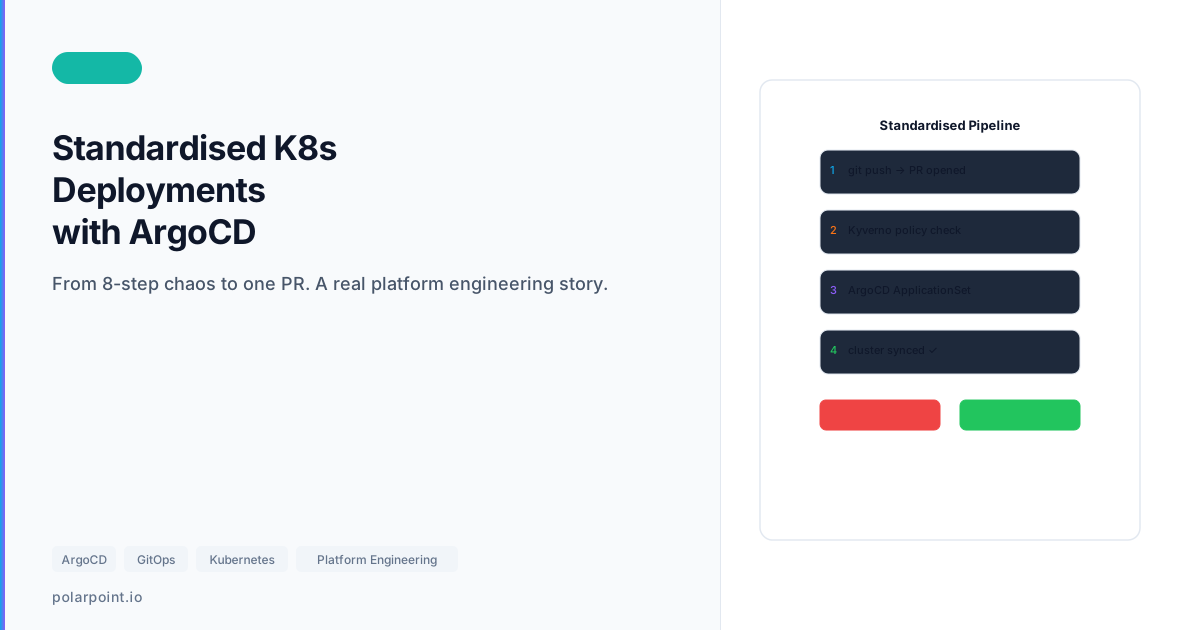
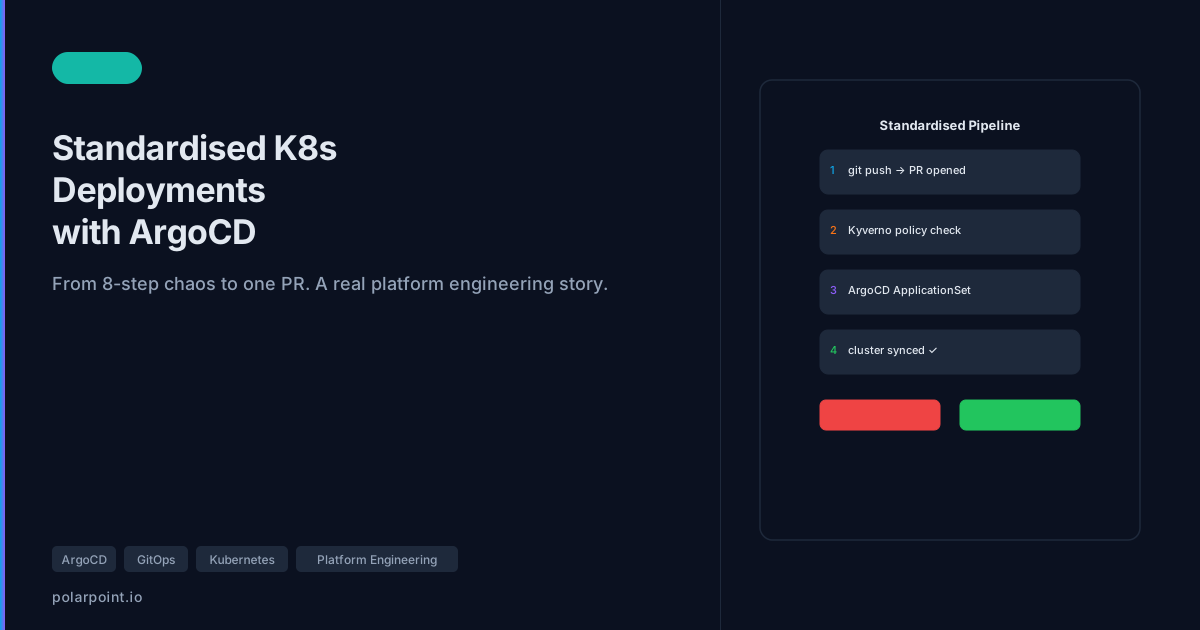
How I Standardised Kubernetes Deployments with ArgoCD
Why this exists
We had multiple teams shipping to multiple clusters, and every team invented their own deployment pattern. It worked - until it didn’t. Rollbacks were manual, promotions were inconsistent, and there was no single place to reason about “what is actually running.”
This post shows the approach we use to make deployments boring, repeatable, and traceable. It mixes a short narrative with a practical guide you can apply.
What we standardised on
- Single interface: everything deploys through ArgoCD Applications
- Environment overlays: dev → staging → prod are explicit
- Project + RBAC boundaries: no cross‑team bleed
- Promotion in Git: PRs and tags, not click‑ops
- Consistent health + rollouts: same signals everywhere


Architecture (repo + layout)
App-of-Apps is the structural foundation
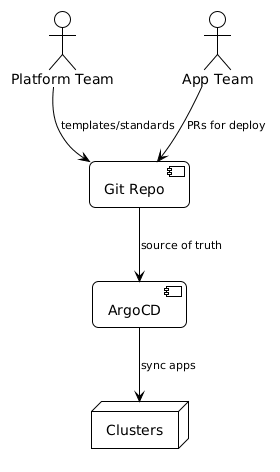
The root App-of-Apps Application is the single highest-leverage change you can make. One ArgoCD Application manages the rest. New team apps get added to apps/workloads/ — ArgoCD detects the new entry and creates the child application automatically. No manual ArgoCD UI work needed.
We keep a platform apps repo with a root App‑of‑Apps and a consistent layout:
Root app example:
# repo/gitops/app-of-apps/root-app.yaml
apiVersion: argoproj.io/v1alpha1
kind: Application
metadata:
  name: platform-root
  namespace: argocd
spec:
  project: platform
  source:
    repoURL: https://github.com/polarpoint-io/platform-apps
    targetRevision: main
    path: apps
  destination:
    server: https://kubernetes.default.svc
    namespace: argocd
  syncPolicy:
    automated:
      prune: true
      selfHeal: true
1) ArgoCD Projects + RBAC (don’t skip)
Projects define where apps can deploy and who can touch them.
# repo/gitops/standardised/projects/platform-project.yaml
apiVersion: argoproj.io/v1alpha1
kind: AppProject
metadata:
  name: platform
  namespace: argocd
spec:
  sourceRepos:
    - https://github.com/polarpoint-io/platform-apps
  destinations:
    - namespace: platform-*
      server: https://kubernetes.default.svc
  roles:
    - name: team-readonly
      policies:
        - p, proj:platform:team-readonly, applications, get, platform/*, allow
    - name: team-admin
      policies:
        - p, proj:platform:team-admin, applications, *, platform/*, allow
Why it matters: without Projects, every app can deploy anywhere. That’s how drift becomes security incidents.
2) Environment overlays (dev/staging/prod)
Keep environment diffs explicit and small. Example values:
# repo/gitops/standardised/overlays/values-dev.yaml
replicaCount: 1
resources:
  limits:
    cpu: 200m
    memory: 256Mi
# repo/gitops/standardised/overlays/values-prod.yaml
replicaCount: 3
resources:
  limits:
    cpu: 1000m
    memory: 1Gi
Rule: if it can’t be expressed as an overlay, it doesn’t get deployed.
3) Promotion flow (Git, not clicks)
The click-ops promotion tell
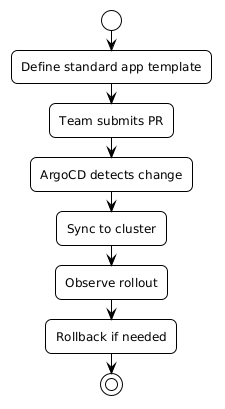
If your promotion process involves someone running kubectl apply or clicking "sync" in the ArgoCD UI without a corresponding Git change, that promotion has no audit trail, no review, and no easy rollback. If you can't git log the promotion, it's click-ops. The ArgoCD app definitions in this post target branches and tags — promotions are commits.
We promote with branches/tags and ArgoCD Applications that point to them:
main→ devrelease/*→ stagingprod→ production (protected)
Example dev/staging/prod apps:
# repo/gitops/standardised/promotion/argocd-app-dev.yaml
spec:
  source:
    targetRevision: main
    helm:
      valueFiles: [values-dev.yaml]
# repo/gitops/standardised/promotion/argocd-app-staging.yaml
spec:
  source:
    targetRevision: release/v1.2.3
    helm:
      valueFiles: [values-staging.yaml]
# repo/gitops/standardised/promotion/argocd-app-prod.yaml
spec:
  source:
    targetRevision: prod
    helm:
      valueFiles: [values-prod.yaml]
4) Health, rollouts, and sync order
We standardise sync waves and health checks so dependencies come up in order.
# repo/gitops/standardised/health/sync-waves.yaml
metadata:
  annotations:
    argocd.argoproj.io/sync-wave: "1"
Standard rules: - readiness/liveness probes on all deployments - consistent timeouts + retries - health overrides for CRDs if needed
Operational impact
- Deployments are auditable Git changes
- Rollbacks are a single commit revert
- Drift is visible instead of hidden
- Teams still ship fast - but on rails
Walkthrough files
Apply this: start with the App-of-Apps pattern
The single highest-leverage change you can make to an ad-hoc ArgoCD setup is introducing an App-of-Apps root. One ArgoCD Application manages the rest. New team apps get added to apps/workloads/ — no manual ArgoCD UI work. The root app detects the new directory entry and creates the child application automatically.
repo/gitops/app-of-apps/root-app.yamlrepo/gitops/standardised/projects/platform-project.yamlrepo/gitops/standardised/overlays/values-dev.yamlrepo/gitops/standardised/overlays/values-staging.yamlrepo/gitops/standardised/overlays/values-prod.yamlrepo/gitops/standardised/promotion/argocd-app-dev.yamlrepo/gitops/standardised/promotion/argocd-app-staging.yamlrepo/gitops/standardised/promotion/argocd-app-prod.yamlrepo/gitops/standardised/health/sync-waves.yaml
Frequently asked questions
How do you handle rollbacks in this setup?
Rollback is a Git revert. Update the targetRevision in the staging or prod ArgoCD Application to point to the previous good tag (release/v1.2.2 instead of release/v1.2.3), open a PR, merge. ArgoCD syncs to the reverted version. The entire rollback decision is in Git history.
What's the right sync wave number for dependencies vs workloads?
Common convention: infrastructure (CRDs, namespaces, secrets) at wave 0 or 1, platform services (cert-manager, ESO, ingress) at wave 2–5, workloads at wave 10+. Leave gaps between waves so you can insert new dependencies without renumbering everything. The exact numbers matter less than the relative ordering.
How do you enforce that teams use the standard overlay structure?
Kyverno policies or OPA gatekeeper rules that validate the presence of required Helm value files and reject Applications targeting non-standard paths. Combined with the Projects RBAC (teams can only deploy to their own namespaces), the structure is enforced at both the Git level (PR reviews) and the cluster level (policy engine).
Can you use Kustomize overlays instead of Helm values for environment differences?
Yes — Kustomize and Helm are both first-class in ArgoCD. The structure is the same: a base/ with the canonical manifest and overlays/dev/, overlays/staging/, overlays/prod/ directories with patches. The ArgoCD Application points to the overlay path for each environment. Choose whichever your team is more comfortable maintaining.
How do you track which version is actually running in production?
ArgoCD's UI and CLI show the current targetRevision and the git SHA of the last synced commit. For a more durable audit trail, add ArgoCD to your observability stack: the argocd_app_info metric includes revision labels. A Grafana dashboard showing current revision by app and environment gives you a fleet-wide deployment snapshot at a glance.