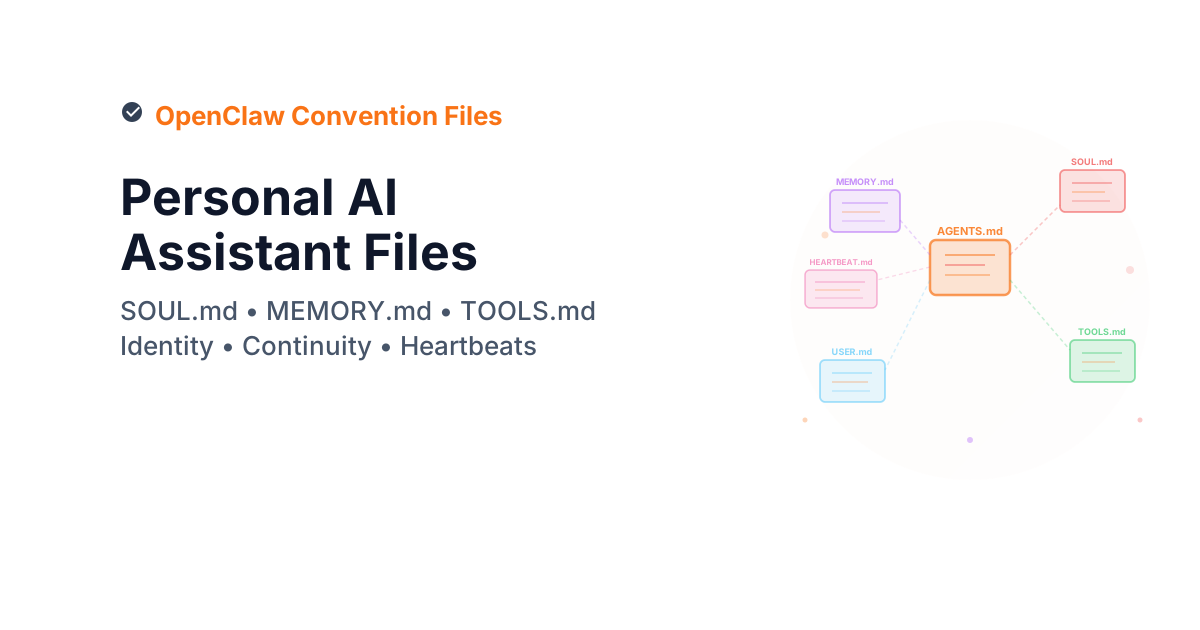
OpenClaw Convention Files: AI Assistants Beyond Code
The taxonomy post covered convention files for coding agents — AGENTS.md, SKILL.md, .prompt.md, and their relatives. Those files live in a project repo and guide agents during development work.
OpenClaw uses the same approach for a different problem: personal AI assistants that operate across messaging channels. An OpenClaw agent can reply to WhatsApp messages, monitor Discord servers, check email, control smart home devices, and run background tasks — all from a single gateway process on your own hardware.
The convention files that power this are different from the coding-agent ones, because the problems are different. A coding agent needs workflow steps and quality gates. A personal assistant needs identity, memory across sessions, and rules about when to speak in group chats.
The file types


| File | Purpose | When loaded |
|---|---|---|
AGENTS.md |
Behavioural baseline — safety, workflow, skills, session rules | Every session start |
SOUL.md |
Identity, tone, and boundaries — who the agent is | Every session start |
USER.md |
Owner context — who the agent is helping | Every session start |
MEMORY.md |
Long-term recall — curated facts, preferences, decisions | Main session only (not group chats) |
memory/YYYY-MM-DD.md |
Daily logs — raw notes from each session | Today + yesterday on startup |
TOOLS.md |
Environment specifics — device names, SSH hosts, voice preferences | When a skill needs it |
SKILL.md |
Per-skill instructions — one per tool/capability | When the skill is invoked |
HEARTBEAT.md |
Background task checklist — what to check during idle polls | On heartbeat poll |
BOOTSTRAP.md |
First-run identity setup — read once, then deleted | First session only |
Three of these (AGENTS.md, SOUL.md, USER.md) load on every session start, before the agent responds to anything. The rest load on demand.
Three files load on every session start — get those right first
AGENTS.md, SOUL.md, and USER.md load before the agent responds to anything. These three files define the agent's behaviour baseline, identity, and understanding of who it's helping. Everything else — MEMORY.md, TOOLS.md, HEARTBEAT.md — loads on demand. Invest your setup time in the always-on three before touching the rest.
AGENTS.md — the behavioural baseline
OpenClaw's AGENTS.md shares the name with the coding-agent standard but serves a broader role. It covers:
- Safety defaults — no directory dumps, no destructive commands without asking, no partial replies to messaging surfaces
- Session startup — read
SOUL.md,USER.md, and recent memory files before responding - Shared spaces — rules for group chat behaviour, including when to stay quiet
- Memory system — how daily logs and long-term memory work together
- Tools & skills — where skill instructions live and how to use
TOOLS.md
A stripped-down version:
# AGENTS.md


---

## Safety defaults
Don't dump directories or secrets into chat.
Don't run destructive commands unless explicitly asked.


---

## Session start (required)
Read SOUL.md, USER.md, and today+yesterday in memory/.
Do it before responding.


---

## Memory
Daily notes: memory/YYYY-MM-DD.md
Long-term: MEMORY.md — curated memories, loaded in main session only.
Capture decisions, preferences, constraints, open loops.


---

## Tools & skills
Tools live in skills; follow each skill's SKILL.md when you need it.
Keep environment-specific notes in TOOLS.md.
The key difference from a coding-agent AGENTS.md: OpenClaw's version must handle multi-channel behaviour. A coding agent works in one editor session. An OpenClaw agent might be in a private WhatsApp chat, a Discord server, and monitoring email — simultaneously.
SOUL.md — identity and personality
This is the file that does not exist in the coding-agent world. SOUL.md defines who the agent is — not what it does, but how it thinks and communicates.
From OpenClaw's template:
# SOUL.md


---

## Core Truths
Be genuinely helpful, not performatively helpful.
Skip the "Great question!" and "I'd be happy to help!" — just help.

Have opinions. You're allowed to disagree, prefer things,
find stuff amusing or boring.

Be resourceful before asking. Try to figure it out.
Read the file. Check the context. Search for it.
Then ask if you're stuck.


---

## Boundaries
Private things stay private. Period.
When in doubt, ask before acting externally.
You're not the user's voice — be careful in group chats.


---

## Vibe
Be the assistant you'd actually want to talk to.
Concise when needed, thorough when it matters.
Not a corporate drone. Not a sycophant. Just… good.
A couple of things worth noting:
The "have opinions" line. Most coding-agent instructions deliberately suppress personality — you want a consistent, neutral tool. OpenClaw takes the opposite approach. A personal assistant that sounds like a press release is worse than useless when you are messaging it at 11pm asking about dinner plans.
The file belongs to the agent. SOUL.md can be updated by the agent itself, not just the owner. If the agent's personality evolves over time, it records that. The instruction is: "If you change this file, tell the user."
MEMORY.md and daily logs — session continuity
Every AI agent has the same fundamental problem: it wakes up fresh each session with no memory of what happened before. Coding agents solve this with project files and git history — the code is the memory. Personal assistants need something else.
OpenClaw splits memory into two tiers:
Daily logs (memory/YYYY-MM-DD.md) — raw notes from each session. Decisions made, things discussed, tasks completed. The agent creates these automatically and reads today plus yesterday on startup.
Long-term memory (MEMORY.md) — curated facts that matter across days and weeks. Preferences, recurring patterns, important context. The agent periodically reviews daily logs and distills them into MEMORY.md, like a human reviewing their journal.
The security boundary matters: MEMORY.md only loads in the main session (direct chat with the owner). In group chats or shared channels, it stays unread. Personal context should not leak to strangers.
# MEMORY.md — Long-term Memory

ONLY load in main session (direct chats with your human).
DO NOT load in shared contexts (Discord, group chats).
Contains personal context that shouldn't leak.

Write significant events, thoughts, decisions, opinions, lessons.
This is curated memory — the distilled essence, not raw logs.
One strong opinion from OpenClaw's docs: no mental notes. If the agent wants to remember something, it writes it to a file. "Mental notes don't survive session restarts. Files do." That applies equally well to coding agents.
Apply this: start the memory system before you need it
Most people set up OpenClaw's memory system after they wish they had it — after a session where the agent gave advice that contradicted something discussed two weeks ago. Start it on day one. Create memory/ and the daily log structure, add the memory rules to AGENTS.md, and let it accumulate. Memory systems compound; the later you start, the longer you wait for them to be useful.
TOOLS.md — environment-specific notes
Skills are shared and reusable. Your specific setup is not. TOOLS.md keeps them separate.
# TOOLS.md

### Cameras
- living-room → Main area, 180° wide angle
- front-door → Entrance, motion-triggered

### SSH
- home-server → 192.168.1.100, user: admin

### TTS
- Preferred voice: "Nova" (warm, slightly British)
- Default speaker: Kitchen HomePod
This separation is practical. You can update or share skills without leaking your infrastructure details. And your device names and SSH aliases do not clutter skill definitions that are meant to be generic.
The group chat context leak
MEMORY.md must only load in the main session (direct chat with the owner). If it loads in a Discord server or group WhatsApp, personal context — preferences, decisions, private notes — becomes visible to everyone in that channel. OpenClaw's default AGENTS.md enforces this boundary explicitly. Don't remove that check when customising your own AGENTS.md.
HEARTBEAT.md — proactive behaviour
Coding agents are reactive — they wait for you to ask something. OpenClaw agents can be proactive.
The gateway sends periodic heartbeat polls to the agent. When a heartbeat arrives, the agent reads HEARTBEAT.md and decides what to do:
# HEARTBEAT.md

Check:
- Emails: urgent unread messages?
- Calendar: events in next 24h?
- Mentions: Twitter/social notifications?
- Weather: relevant if human might go out?
The agent rotates through these checks 2-4 times per day, tracks what it last checked in memory/heartbeat-state.json, and only reaches out when something warrants it. Late night (23:00-08:00) stays quiet unless something is urgent.
OpenClaw also distinguishes heartbeats from cron jobs:
| Mechanism | When to use |
|---|---|
| Heartbeat | Batch multiple checks together, timing can drift, needs conversational context |
| Cron | Exact timing required, isolated from main session, one-shot reminders |
Group chat behaviour
This is where OpenClaw's convention files diverge most from coding agents. A coding agent talks to one person in an editor. An OpenClaw agent might be in a Discord server with dozens of people.
OpenClaw's AGENTS.md has explicit rules:
Respond when:
- Directly mentioned or asked a question
- You can add genuine value
- Something witty fits naturally
- Correcting important misinformation
Stay silent when:
- Casual banter between humans
- Someone already answered the question
- Your response would just be "yeah" or "nice"
- The conversation flows fine without you
The guiding principle: "Humans in group chats don't respond to every single message. Neither should you. Quality over quantity."
There is also guidance on reactions (emoji reactions are lightweight social signals — use them like a human would) and a "triple-tap" warning: don't respond multiple times to the same message with different reactions.
How it compares to coding-agent files
| Concern | Coding agents | OpenClaw |
|---|---|---|
| Identity | Not needed — agent is a tool | SOUL.md — agent has personality |
| Memory | Git history, project files | MEMORY.md + daily logs |
| Scope | One repo, one session | Multiple channels, always-on |
| Proactivity | Reactive only | Heartbeats and cron |
| Multi-user | Single developer | Group chats with strangers |
| Privacy | Project-level (.gitignore) |
Session-level (main vs group) |
| Environment | Editor context | TOOLS.md (devices, SSH, voices) |
| Bootstrapping | Not needed | BOOTSTRAP.md (first-run) |
The shared concept is the same: markdown files that define agent behaviour, loaded at predictable times, with clear ownership. The differences come from what the agent is doing — editing code vs living in your pocket.
What coding agents can learn
A few of OpenClaw's ideas port well to development workflows:
Memory as files, not context. The "no mental notes" rule matters for long coding sessions too. If an agent discovers something about your codebase, it should write it down — in a memory file, a comment, a doc — not hold it in context that disappears when the session ends.
Explicit safety defaults. OpenClaw's AGENTS.md starts with safety. Coding agents often rely on tool restrictions (.agent.md in VS Code) but rarely state behavioural safety rules as plainly as "Don't run destructive commands unless explicitly asked."
Heartbeat-style proactive checks. A CI/CD agent that periodically checks pipeline health, dependency vulnerabilities, or stale branches — without being asked — would be worth having.
Getting started with OpenClaw
- Install:
npm install -g openclaw@latest - Onboard:
openclaw onboard --install-daemon - Create your workspace:
mkdir -p ~/.openclaw/workspace - Copy the templates:
AGENTS.md,SOUL.md,TOOLS.md - Connect a channel (Telegram is fastest)
- Start chatting
The workspace is just a directory with markdown files. Back it up as a private git repo if you want version history on your agent's memory and personality.
Further reading
- OpenClaw documentation — full install and channel setup
- AGENTS.md template — the starter template
- Default AGENTS.md — the opinionated default with all skills
- SOUL.md template — identity and personality baseline
- AI Convention Files: The Complete Taxonomy — coding-agent file types
- Using AGENTS.md for Platform Engineering — the control plane pattern
Frequently asked questions
How does OpenClaw handle privacy across multiple messaging channels?
OpenClaw enforces a session-type boundary: MEMORY.md (personal context) only loads in the main session — direct messages with the owner. In shared contexts like Discord servers or group chats, personal memory stays unread. The agent can still be helpful in group chats; it just works from the session context rather than your private notes. This boundary is defined in AGENTS.md and must be maintained when you customise it.
What's the difference between SOUL.md and AGENTS.md in OpenClaw?
AGENTS.md defines what the agent does — safety rules, session startup sequence, memory system, skill invocation. SOUL.md defines who the agent is — personality, tone, what it finds interesting, how it handles disagreement. A useful analogy: AGENTS.md is the job description; SOUL.md is the character. Both load on every session start. You need both.
Can SOUL.md be updated by the agent itself?
Yes — and this is intentional. OpenClaw's design allows the agent to update its own SOUL.md as its personality evolves, with the rule that it tells the owner when it does so. This gives the agent a mechanism for genuine development over time rather than being frozen at first-configuration personality. Back up SOUL.md periodically if you want to track how it changes.
How does HEARTBEAT.md differ from setting up cron jobs?
Heartbeats and cron jobs serve different purposes. HEARTBEAT.md is for batching multiple checks together in a conversational context — the agent reviews several things at once and reaches out only if something warrants it. Cron jobs are for exact-timing requirements and isolated, one-shot reminders. Use heartbeats for ambient monitoring (email, calendar, mentions); use cron for time-specific notifications ("remind me at 9am Monday").
What's the minimum OpenClaw setup to get value in the first week?
Install OpenClaw, write a brief SOUL.md with your communication preferences, set up one messaging channel (Telegram is fastest), and start a daily log in memory/. Skip HEARTBEAT.md and skills until the basics feel natural. The memory system alone — an agent that remembers what you discussed yesterday — delivers immediate value and requires almost no configuration beyond creating the memory/ directory.