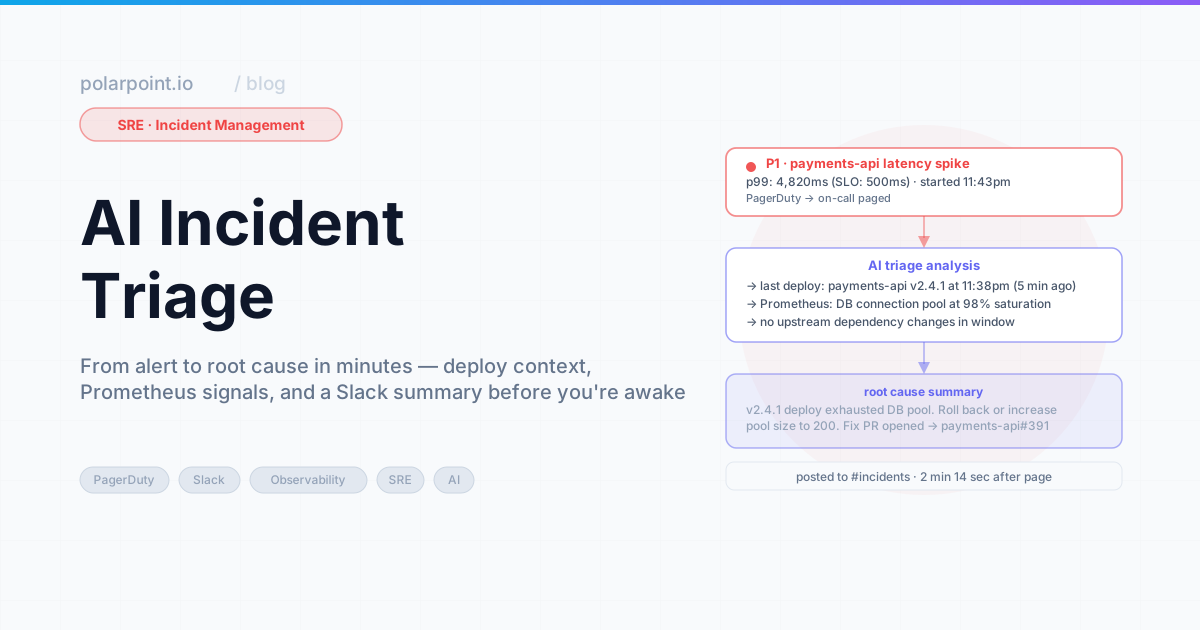
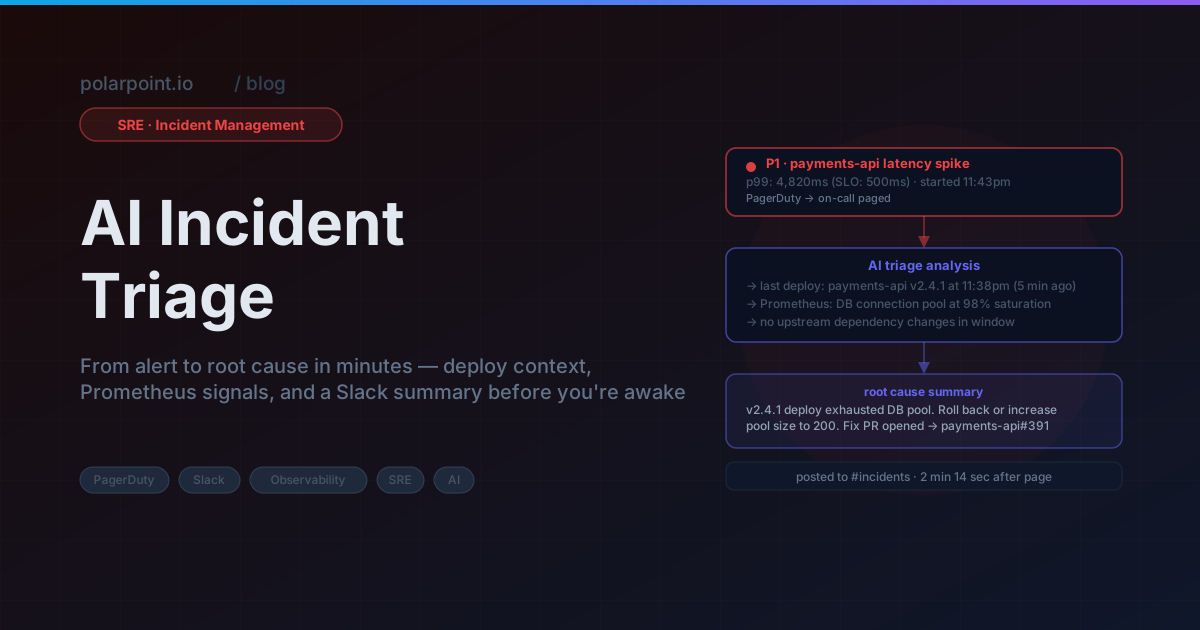
AI Incident Triage: Faster Summaries, Safer Actions
It's 2:47am. The P0 alert just fired and you're squinting at your phone, still half-asleep, already dreading what comes next. You pull the logs. Then the dashboards — there are three of them, obviously. Then the last two deploy notifications. Then Slack, because maybe someone said something useful. By the time you've assembled a rough picture of what's actually happening, it's 3:05am.
Eighteen minutes gone. And honestly? You're not even sure you've found the right thing yet.
That's not on you — it's not a skills problem or an experience problem. Context gathering across multiple systems is just slow. Full stop. Even if you've been on-call for years and know the stack cold, you're still stitching together data points from half a dozen places under pressure at an ungodly hour.
AI doesn't fix incidents. But it absolutely can fix that first eighteen minutes.
Quick takeaways
- Triage and action are two completely different problems — AI is genuinely good at the first one and should be very cautious about the second
- The summary format is not a nice-to-have: lead with blast radius, not log excerpts; the engineer needs the shape of the problem before the detail
- Human approval gates on any remediation action aren't optional, and they're not bureaucracy — they're the whole point
- Under 90 seconds from alert to Slack summary is the goal; if it takes longer, the loop is broken
90 seconds is the target
From PagerDuty alert firing to structured Slack summary appearing: under 90 seconds. That's achievable by parallelising all context queries — logs, deploys, pod status, related Slack messages — rather than running them sequentially. Serial context gathering is the main reason triage loops are slow.
What AI-assisted triage actually looks like
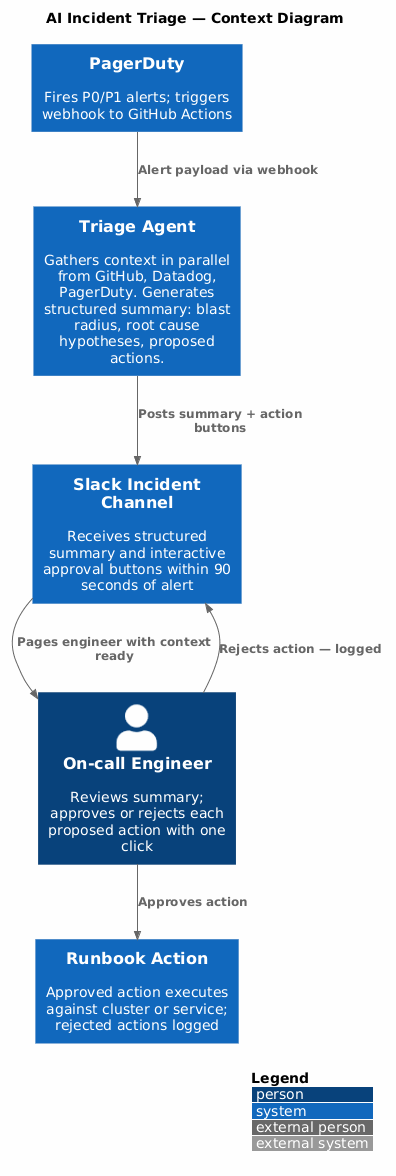
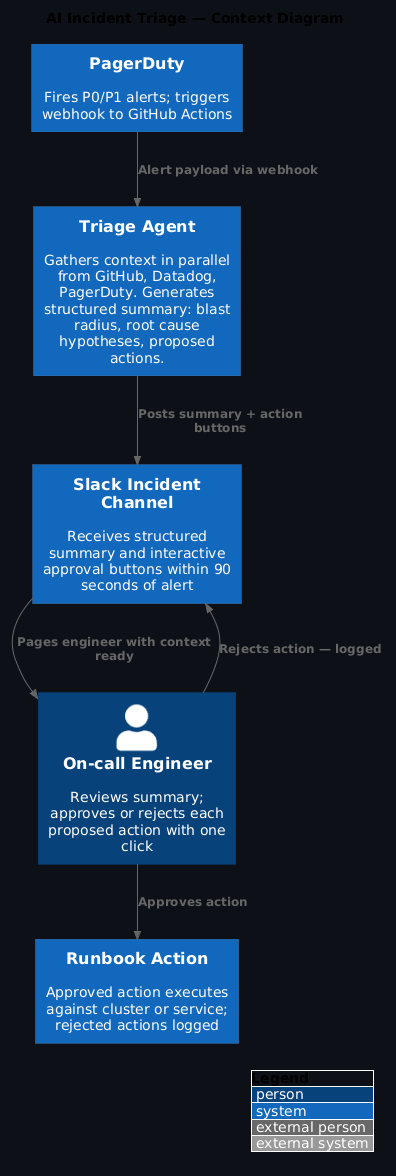
Think about what you actually want at 3am. Not a chatbot you have to figure out how to prompt, half-awake, while the incident is live. You want a thing that already ran — triggered the moment the alert fired — and has a structured summary waiting for you when you open Slack. Here's what that loop looks like:
PagerDuty alert fires
        ↓
Webhook triggers GitHub Actions workflow
        ↓
Agent queries: recent deploys, error rate, affected services, recent commits
        ↓
Agent generates structured summary
        ↓
Summary posted to incident Slack channel with proposed runbook steps
        ↓
Human approves or rejects each action
        ↓
Approved actions executed; rejections logged
The engineer wakes up to a Slack message that already knows what's broken, what changed recently, and what to try first. That's the whole thing.
1) The alert webhook
# .github/workflows/incident-triage.yml
name: Incident Triage

on:
  repository_dispatch:
    types: [pagerduty-alert]

jobs:
  triage:
    runs-on: ubuntu-latest
    steps:
      - uses: actions/checkout@v4

      - name: Gather incident context
        id: gather
        env:
          GITHUB_TOKEN: ${{ secrets.GITHUB_TOKEN }}
          DATADOG_API_KEY: ${{ secrets.DATADOG_API_KEY }}
          PAGERDUTY_TOKEN: ${{ secrets.PAGERDUTY_TOKEN }}
          ALERT_PAYLOAD: ${{ toJson(github.event.client_payload) }}
        run: python scripts/gather-incident-context.py

      - name: Generate triage summary
        id: summarize
        env:
          ANTHROPIC_API_KEY: ${{ secrets.ANTHROPIC_API_KEY }}
          CONTEXT_FILE: /tmp/incident-context.json
        run: python scripts/generate-triage-summary.py

      - name: Post to Slack
        env:
          SLACK_BOT_TOKEN: ${{ secrets.SLACK_BOT_TOKEN }}
          INCIDENT_CHANNEL: "#incidents"
          SUMMARY_FILE: /tmp/triage-summary.json
        run: python scripts/post-incident-summary.py
Apply this: one workflow per alert type
Wire PagerDuty to dispatch different event types per alert category — pagerduty-p0, pagerduty-slo-breach, pagerduty-capacity. This lets each workflow tailor its context gathering to what's actually relevant. A P0 needs Slack history and recent deploys; an SLO breach needs error rate and pod health. Generic context gathering is slower and noisier.
2) Context gathering
The agent needs context from several places at once — and it needs it fast. The key move here is parallelising those queries rather than running them sequentially. Every second of serial waiting is a second the on-call engineer is sitting in the dark:
# scripts/gather-incident-context.py
import asyncio
import json
import os
from datetime import datetime, timedelta, timezone

async def gather_context(alert: dict) -> dict:
    service = alert.get("service_name")
    alert_time = datetime.now(timezone.utc)
    window_start = alert_time - timedelta(minutes=30)

    # Run all queries in parallel
    results = await asyncio.gather(
        get_recent_deploys(service, window_start),
        get_error_rate(service, window_start),
        get_recent_commits(service, window_start),
        get_dependent_services(service),
        get_relevant_runbooks(alert.get("alert_name")),
        return_exceptions=True
    )

    keys = ["recent_deploys", "error_rate", "recent_commits",
            "dependent_services", "runbooks"]

    context = {}
    for key, result in zip(keys, results):
        if isinstance(result, Exception):
            context[key] = f"Error gathering {key}: {result}"
        else:
            context[key] = result

    context["alert"] = alert
    context["window_start"] = window_start.isoformat()
    return context

async def get_recent_deploys(service: str, since: datetime) -> list:
    """Pull recent GitHub deployments for this service."""
    import aiohttp
    headers = {"Authorization": f"token {os.environ['GITHUB_TOKEN']}"}

    async with aiohttp.ClientSession() as session:
        async with session.get(
            f"https://api.github.com/repos/{os.environ['GITHUB_REPO']}/deployments",
            params={"environment": "production", "per_page": 10},
            headers=headers
        ) as resp:
            deploys = await resp.json()
            return [d for d in deploys
                    if d.get("created_at", "") > since.isoformat()]
Worth noting: the agent is only as useful as the runbooks it pulls in. If they're stale, the proposed actions will be wrong. Keeping those accurate automatically is exactly what Docs That Update Themselves covers.
Stale runbooks poison the summary
The triage agent's proposed actions are only as good as the runbooks it references. If a runbook describes a service that was refactored six months ago, the suggested commands will be wrong — and the engineer will discover that at 3am. Runbook accuracy is a prerequisite for reliable AI triage, not an afterthought.
3) The triage summary prompt
Here's the thing most people get wrong about triage summaries: they lead with data instead of meaning. Log excerpts. Raw metric timeseries. Things that require interpretation before they tell you anything. That's exactly backwards for someone who just woke up.
What an engineer actually needs at 3am is: blast radius first (who's affected, how badly), root cause hypothesis second (what probably went wrong), proposed actions third (what to actually do). In that order. Something they can absorb in 30 seconds. The prompt structure below enforces that:
# scripts/generate-triage-summary.py
import anthropic
import json
import os

client = anthropic.Anthropic()

TRIAGE_PROMPT = """You are an SRE triage assistant. You have been given context about an active production incident.

Generate a structured triage summary in this exact format:

## Incident Summary

**Status:** [Active / Degraded / Unknown]
**Blast radius:** [Which services/users are affected and estimated scope]
**Started approximately:** [Time estimate based on error rate data]

## What we know

[3-5 bullet points of key facts from the context - concrete, specific]

## Most likely causes

[2-3 ranked hypotheses with brief evidence for each]

## Proposed actions

List each action as:
- **[Action name]** — [what it does and why] — `[kubectl/bash command if applicable]` — Risk: [Low/Medium/High]

Only propose actions you are confident about. If you are not confident, say so.

## What to check next

[2-3 things that would help confirm or rule out the leading hypothesis]

---
Keep it under 300 words. Engineers are reading this at 3am."""

def generate_summary(context: dict) -> dict:
    response = client.messages.create(
        model="claude-opus-4-6",
        max_tokens=1024,
        system=TRIAGE_PROMPT,
        messages=[{
            "role": "user",
            "content": f"Incident context:\n\n{json.dumps(context, indent=2)}"
        }]
    )

    return {
        "summary": response.content[0].text,
        "proposed_actions": extract_actions(response.content[0].text),
        "context": context
    }
Blast radius first, always
The summary format is opinionated by design: blast radius before root cause, root cause before proposed actions. An engineer who doesn't know yet how many users are affected can't make a sensible decision about how aggressively to act. Get scope established first. Then hypotheses. Then actions.
4) Human-in-the-loop for actions
Every action the agent proposes needs a human to explicitly say yes before anything actually runs. No exceptions. In Slack, that means interactive buttons — one click to approve, one to reject, and a confirmation dialog in between so nobody fat-fingers a rollback at 3am:
# scripts/post-incident-summary.py (excerpt)
def build_slack_blocks(summary: dict) -> list:
    blocks = [
        {
            "type": "section",
            "text": {"type": "mrkdwn", "text": summary["summary"]}
        }
    ]

    for i, action in enumerate(summary.get("proposed_actions", [])):
        if action["risk"] in ("Low", "Medium"):
            blocks.append({
                "type": "actions",
                "elements": [
                    {
                        "type": "button",
                        "text": {"type": "plain_text", "text": f"Run: {action['name']}"},
                        "value": json.dumps({"action_id": i, "command": action["command"]}),
                        "action_id": f"run_action_{i}",
                        "style": "primary" if action["risk"] == "Low" else "danger",
                        "confirm": {
                            "title": {"type": "plain_text", "text": "Confirm action"},
                            "text": {"type": "mrkdwn", "text": f"This will: {action['description']}"},
                            "confirm": {"type": "plain_text", "text": "Run it"},
                            "deny": {"type": "plain_text", "text": "Cancel"}
                        }
                    }
                ]
            })

    return blocks
One hard rule: high-risk actions don't get a button. They show up as text suggestions, with the full command printed out for a human to copy-paste and run themselves. The agent doesn't touch those.
High-risk actions: text only, no button
High-risk proposed actions must appear as text in the Slack message — command printed out, explanation provided — but with no interactive button. The engineer copies and runs it themselves. This is intentional friction. High-risk actions warrant the extra 15 seconds it takes to read the command before running it.
What this is not
Let's be direct about what this isn't, because it matters.
AI triage doesn't replace incident commanders. It won't diagnose a genuinely novel outage — something that has no pattern in the context it can query. It doesn't know about systems it can't see. And it will occasionally be confidently wrong in ways that cost time if you don't read it critically.
What it does, reliably and every single time, is front-load the first 15 minutes of every incident. The engineer still makes every decision. They just make them with better information, faster, and without having to hunt for it while half-asleep.
That's enough. Honestly, that's a lot.
For what happens after triage — actually closing the loop from alert to automated fix — see SLO-Driven Automation.
Frequently asked questions
How does AI incident triage differ from traditional alerting?
Traditional alerting tells you something is wrong. Full stop. AI-assisted triage goes further — it tells you what, probably why, and what to try first. The agent gathers correlated context in parallel (logs, recent deploys, pod status, Slack threads) and has a structured summary ready before the on-call engineer has even unlocked their laptop.
Is it safe to let an AI take action during an incident?
In this pattern, the agent doesn't take autonomous action — it can't. It proposes actions via Slack interactive buttons that a human has to explicitly approve. You get the speed benefit (instant context, instant options) without removing human judgement from the loop. The human is still the one who decides. The agent just does the legwork.
What context should you gather automatically during triage?
At minimum: error rate and latency, unhealthy pod status from Kubernetes, recent deploys from GitHub, and related Slack messages from the incident channel. Gather these in parallel — not serially — before the on-call engineer joins. That parallelisation is what makes the 90-second target achievable.
How do you integrate AI triage with PagerDuty and Slack?
Wire PagerDuty alerts to a GitHub Actions webhook that kicks off the context-gathering workflow. The workflow posts its structured summary and interactive action buttons to the incident Slack channel. The engineer sees it all in the same place where the page fired — no context-switching required.
What happens when the AI triage summary is wrong?
It will be wrong sometimes — especially for novel incidents with unusual patterns. The engineer should treat the summary as a starting hypothesis, not a diagnosis. The structure (blast radius → causes → actions) is still useful even when the content is incomplete. An incorrect hypothesis that gets quickly ruled out is still faster than starting from scratch.
What you get
- Engineers arrive at incidents already knowing the shape of the problem, not staring at a blank slate
- The summary format is designed for speed of understanding, not completeness — those are different goals and this prioritises the right one
- A single Slack click can run a safe remediation step; no terminal needed, no copy-pasting at 3am
- High-risk actions stay manual. Always. The agent never touches prod without a human in the loop
Walkthrough files
.github/workflows/incident-triage.yml— alert webhook → context → summary pipelinescripts/gather-incident-context.py— parallel context gathering from multiple sourcesscripts/generate-triage-summary.py— structured summary prompt and extractionscripts/post-incident-summary.py— Slack interactive message with action buttons
Ready to go beyond triage and close the loop all the way to automated remediation? That's what SLO-Driven Automation covers.