Skip to content

Blog

MCP Goes Stateless: What the 2026-07-28 RC Actually Changes

Banner image Banner image

MCP Goes Stateless: What the 2026-07-28 RC Actually Changes

If you've tried to run an MCP server properly on Kubernetes — not just kubectl apply a toy demo, but actually run it in production with horizontal scaling, rolling updates, and real traffic — you've hit the session problem. Sticky sessions at the load balancer. A Redis store bolted on to share session state across pods. Ingress rewrite rules that parse session IDs because your load balancer needs to route the same client to the same pod every time. It's the kind of infrastructure debt that accumulates quietly until someone tries to scale the thing and it falls apart.

The MCP spec release candidate locked on May 21st, and the headline change is that this whole problem goes away. MCP is now stateless at the protocol layer.

The 6 GitHub Repos That Are Redefining How AI Agents Think, Act, and Talk to Each Other

There's a shift happening on GitHub that's easy to miss if you're filtering by star count alone.

The biggest numbers go to the obvious things — new model releases, ChatGPT wrappers, inference frameworks. But the interesting stuff is happening one layer up. People aren't just asking "which model should I use?" anymore. They're asking: how do I make an agent actually reliable? How do I give it the right skills, the right memory, the right coordination layer? And — increasingly — how do I make multiple agents talk to each other without it becoming a distributed systems nightmare?

These six repos are the honest answer to those questions right now. They span behavioural discipline, workflow methodology, persistence and memory, multi-agent orchestration, knowledge-aware agents, and the open protocol that lets agents from different vendors coordinate without anyone owning the bus. Between them, they've accumulated well over 400,000 GitHub stars in 2026.

The number that changes how you think about the agent stack

Skills, memory, and coordination — not the model itself — account for the biggest performance gaps between production agent systems in 2026. The harness matters more than the model.

Let me walk through each one, what it actually does, and why it matters if you're building or operating AI agents at any scale.


C4 Architecture Diagram C4 Architecture Diagram

How These Repos Fit Together

Before we get into the individual repos, it's worth seeing the whole picture. These aren't six unrelated tools — they represent distinct layers of the agent stack.

Karpathy's skills repo is the discipline layer: the behavioural rules that stop an agent from going off-script. Superpowers is the methodology layer: composable skills that give your coding agent a complete software development workflow. Everything Claude Code is the persistence layer: the memory, project context, and domain-specific agents that survive between sessions. Ruflo is the orchestration layer: coordinating multiple agents so they work as a team rather than independently. Obsidian Copilot is the knowledge layer: giving an agent access to structured, personal knowledge rather than just context window scraps. And A2A is the interoperability layer: the protocol that lets agents from different vendors and systems actually talk to each other.

Stack them in that order and you've got something close to a complete production agent architecture.


1. andrej-karpathy-skills — The Discipline Layer

57k stars · multica-ai/andrej-karpathy-skills

There's a repo on GitHub with a single file in it.

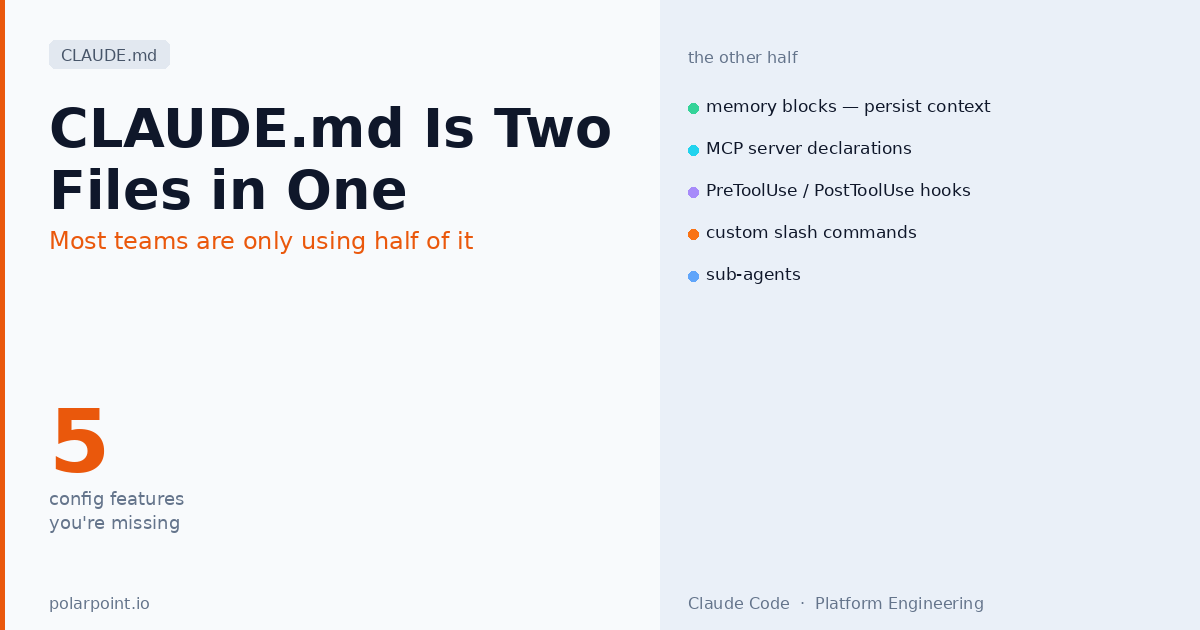
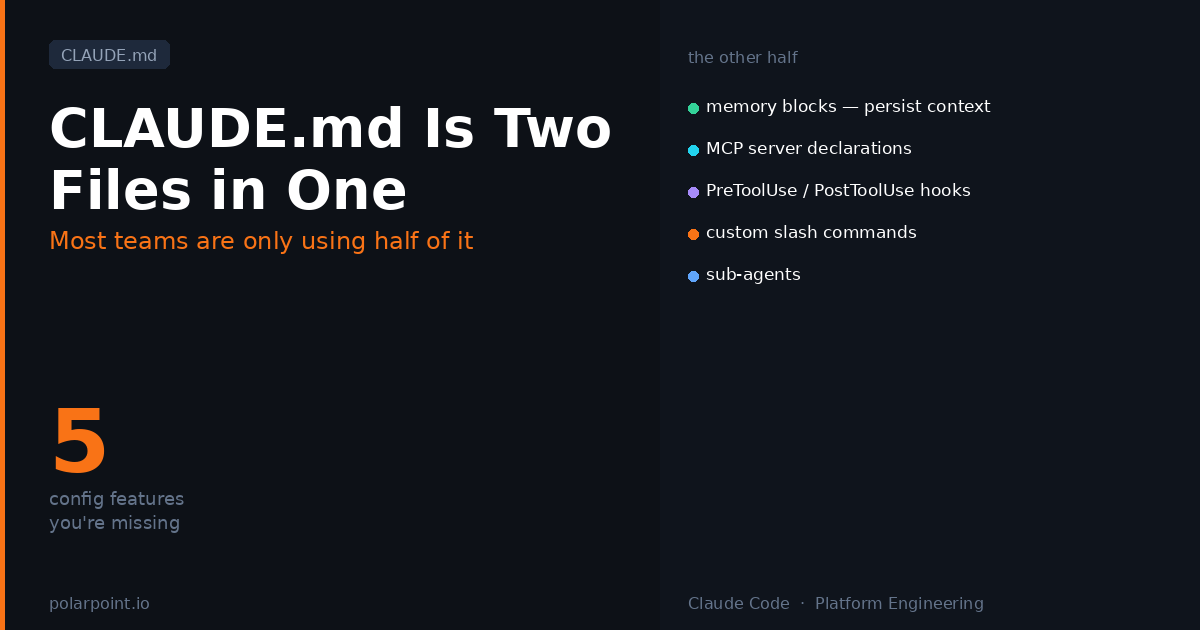
No framework. No library. Just a CLAUDE.md — 65 lines of behavioural rules for AI coding agents, written by Andrej Karpathy and refined by thousands of contributors. It held the #1 spot on GitHub Trending for 28 consecutive days. If you haven't read it, stop here and go read it. It takes four minutes.

The four rules are deceptively simple. Think before coding — don't assume, surface tradeoffs, ask if uncertain. Simplicity first — minimum code that solves the problem, nothing speculative. Surgical changes — touch only what you must, every changed line traces to the user's request. Goal-driven execution — transform tasks into verifiable goals with binary exit conditions so agents can loop independently without constant clarification.

These rules exist because language models, by default, do the opposite of all four. They expand scope. They add "helpful" features. They refactor adjacent code. They continue trying variations when they should stop and ask. CLAUDE.md is the specific counter-force.

What this means for platform agents

Every agent you deploy against production infrastructure needs a version of this. Not the generic file — a version extended for your stack: blast radius awareness, approval tiers, what to touch and what to leave alone. The ai-capabilities repo has a ready-to-extend platform engineering version at templates/CLAUDE.md.

The 65-line file that reduced AI coding mistakes from 41% to 11% isn't magic. It's just the specific constraints that correct for how models behave by default. That's the whole insight.


2. superpowers — The Skills Framework

213k stars · obra/superpowers

Superpowers is what happens when you take the CLAUDE.md idea and build a full methodology around it.

Jesse Vincent built it as a composable skills framework for coding agents — but "skills framework" undersells what it actually is. Superpowers is a complete software development workflow encoded as skills that trigger automatically. The agent doesn't wait for you to invoke them. It checks for relevant skills before any task and applies them as mandatory workflows, not suggestions.

Here's the flow. When you give the agent a task, it doesn't jump into writing code. It runs the brainstorming skill first — asking questions, exploring alternatives, presenting a design in digestible chunks for your sign-off. Once you approve, writing-plans kicks in and breaks the work into bite-sized tasks, each with exact file paths, complete code, and verification steps. Then subagent-driven-development dispatches fresh subagents per task with a two-stage review (spec compliance, then code quality) after each one. Test-driven development is enforced throughout. The finishing-a-development-branch skill handles merge decisions and cleanup.

What makes it genuinely different: it works across every major coding agent. Claude Code, Codex, Gemini CLI, Cursor, Copilot — Superpowers installs as a plugin in each harness. The skills are harness-agnostic, which means your team can use whatever agent they prefer without forking your workflow conventions.

The subagent pattern

The subagent-driven-development skill is the one worth understanding in detail. Each task gets a fresh agent with no accumulated context from previous tasks — this is intentional. Accumulated context leads to cascading assumptions. Fresh agents stay on-spec. The two-stage review (does it match the plan? is the code quality acceptable?) happens before the next task starts. This is how Superpowers enables hours of autonomous work without deviation.

The skills library covers testing (red-green-refactor TDD enforced, not suggested), debugging (4-phase root cause process), collaboration (brainstorming, planning, parallel agents, code review in both directions), and meta skills like writing-skills for extending the framework. It's a methodology, not a tool.


3. ruflo — The Orchestration Layer

40k+ stars · ruvnet/ruflo

Ruflo answers a question that Superpowers doesn't: what happens when you need multiple agents working in parallel, coordinating across tasks, sharing memory, and — in the latest versions — federating across machines?

Built by Reuven Cohen, Ruflo started as an orchestration layer on top of Claude Code but has grown into something more general. It deploys agents as coordinated swarms with a self-learning memory layer that routes tasks, learns from successful patterns, and coordinates agents in the background. The latest v3.6 release adds agent federation: two or more Ruflo instances on different machines can communicate without exposing data — which starts to look a lot like proper A2A before the A2A protocol spec existed.

The numbers are striking. 84.8% solve rate on SWE-bench. 75% API cost reduction compared to using Claude Code directly. More than 40,000 stars and 6,000 commits. It's not a toy.

The A2A connection

Ruflo's federation model and the A2A protocol (repo #5) are solving the same problem from different directions. Ruflo builds coordination into the orchestration layer. A2A standardises the protocol so agents from different systems can coordinate. If you're building multi-agent infrastructure, you'll want both: Ruflo for internal coordination, A2A for cross-system interoperability. They're complementary, not competing.

For platform teams, Ruflo is the answer to "we want agents handling multiple concurrent infrastructure tasks without them conflicting." Drift detection, resource provisioning, incident triage — these don't have to run sequentially. With Ruflo's swarm model, they can run in parallel with explicit coordination. The self-learning hooks mean the orchestration improves over time without manual intervention.


4. obsidian-copilot — The Memory Layer

6.2k stars · logancyang/obsidian-copilot

This one has the smallest star count of the six. It's also the most underrated.

Obsidian Copilot is an AI agent that lives inside your Obsidian vault — the note-taking tool built on linked markdown files. But the interesting thing isn't the interface. It's what the vault becomes when you wire an agent into it: a structured, persistent, inspectable knowledge graph that the agent can read, write, and reason over.

Most agent memory is ephemeral — the context window fills up and older context falls off. What you end up with in practice is agents that know a lot right now and nothing next session. Obsidian Copilot flips this. The vault is the memory. The agent reads notes, writes notes, follows links between notes, and builds up a knowledge base that persists across every session and is completely transparent to you in plain markdown.

The agentic features have grown significantly in 2026: vault search, web search, YouTube summarisation, a Composer V2 with precise in-file editing tools, and long-term memory as an explicit tool the agent can use starting from v3.1.0. There's even a planned Obsidian CLI integration that will give the agent desktop-level vault operations.

Why the knowledge graph matters for agents

Context window management is one of the hardest problems in practical agent design. If the agent can only work with what fits in the window, you're constantly curating what to include and what to drop. If the agent has a searchable, linked knowledge graph it can query at will, the curation problem shrinks dramatically. The agent asks for what it needs rather than being given everything upfront. That's a fundamentally more scalable pattern.

For knowledge workers, researchers, and anyone who thinks in connected notes rather than linear documents, this is the agent that actually fits the way their work is organised. And for platform teams: if your runbooks, ADRs, and internal documentation live in a linked knowledge base, this pattern scales directly.


5. A2A — The Interoperability Protocol

22k+ stars · a2aproject/A2A

The other five repos solve problems within a single agent system. A2A solves the problem between systems.

A2A — Agent-to-Agent — is an open protocol, originally contributed by Google and now hosted by the Linux Foundation, that lets AI agents built by different vendors discover each other, delegate tasks, and coordinate work without a shared codebase or a vendor-owned message bus. As of April 2026, it's in active production use at more than 150 organisations.

The protocol works through an Agent Card — a JSON manifest that an agent publishes describing its capabilities, input schemas, and authentication requirements. Any A2A-compatible agent can discover another agent's card, understand what it can do, and delegate tasks to it using a standardised lifecycle: task creation, execution, progress streaming, and completion or failure handling. The delegating agent doesn't need to know anything about the implementation on the other side.

Think about what this enables. Your ArgoCD-aware agent can delegate to a Crossplane provisioning agent without you building a custom integration between them. Your incident triage agent can delegate a policy check to an OPA agent from a completely different team. Vendor-built agents (GitHub Copilot, Claude, Gemini) can participate in the same workflow as your internal agents. No custom APIs, no bespoke message formats, no vendor lock-in.

A2A and MCP are different things

This comes up constantly. MCP (Model Context Protocol) connects an agent to tools — APIs, databases, functions it can call. A2A connects an agent to other agents — delegates tasks to systems that have their own reasoning, their own models, their own tool access. You'll likely use both: MCP to give your agents platform tooling access, A2A to let those agents coordinate with agents in other systems.

For platform teams, A2A is the protocol you adopt before you need it, not after. Once you have multiple agent systems — which happens faster than you'd expect — retrofitting coordination is painful. Designing your agent interfaces as A2A-compatible from the start means your internal agents can interoperate with vendor agents, partner systems, and future tools you haven't built yet.


6. Everything Claude Code — The Persistence Layer

~100K stars · affaan-m/everything-claude-code

Claude Code has one glaring problem: it forgets everything between sessions. Team conventions, project-specific patterns, architectural decisions you've made — gone when you close the terminal. Superpowers gives you the workflow discipline. But discipline doesn't help if the agent doesn't know what your codebase is, what your team standards are, or what you've already decided.

Everything Claude Code (ECC) is the fix. Created by Affaan Mustafa after winning an Anthropic hackathon in September 2025, it layers a structured memory system, 30 specialised agents, 136 skills, 60 slash commands, and automated hook workflows on top of the base Claude Code agent. The v1.9.0 release in March 2026 added a selective-install architecture (you pull only the agents and skills you actually need) and support for 12 language ecosystems.

The key mechanism is a persistent memory layer that stores team conventions, project context, security scan results, and previous session outputs in structured files. When you start a new Claude Code session, ECC pre-loads the relevant context automatically. The agent walks in knowing what the project is, what patterns to follow, and what decisions have already been made.

The 30 agents aren't generic. There's a security agent that runs automated scanning before every commit, a documentation agent that keeps internal docs in sync with code changes, performance optimisation agents for specific language ecosystems, and architecture review agents that check new code against your documented patterns. You install the ones that match your stack.

ECC + Superpowers is the combination most teams end up at

Superpowers gives the workflow structure (the how: brainstorm before building, fresh subagents per task, spec compliance review). ECC gives the persistent context (the what: your project's conventions, your team's decisions, your codebase's patterns). They're complementary, not competing. Most mature Claude Code setups run both.

Why it hit 100K stars: Because the memory problem is universal. Every team using Claude Code hits the same wall — the agent is great in session one and increasingly unreliable by session three because it keeps re-deriving decisions you've already made. ECC solves that at the framework level rather than making every engineer manually curate context at the start of every session.

The platform engineering angle: ECC ships a dedicated infrastructure agent that understands IaC patterns, Kubernetes manifests, and CI/CD workflows. Pair it with the Karpathy rules and your platform-specific CLAUDE.md extensions, and you've got a coding agent that stays on-pattern across the entire team — not just in the sessions where someone manually explains your conventions.


The Pattern

Look at what these six repos have in common.

All of them treat the agent's environment as more important than the model. Karpathy's rules constrain behaviour. Superpowers provides structure. Ruflo manages coordination. Obsidian Copilot provides persistent memory. A2A defines the interface. None of them are about which LLM you use. The model is almost incidental.

That's the real shift in 2026. Twelve months ago, most of the GitHub activity was about models and inference. Now it's about the layer that wraps the model — the skills, the memory, the coordination, the protocol. The harness is the product.

If you're building an internal developer platform and you're thinking about where AI fits into it, these six repos show you the architectural vocabulary. Discipline layer, skills framework, orchestration layer, memory layer, interoperability protocol, persistence layer. Each one solves a distinct problem. Together they describe what a production-grade AI agent stack actually looks like.


What This Actually Looks Like in Practice

The architecture talk is useful, but let's get concrete. Here are five real workflows — one per role — that show how these repos translate into things people actually need to get done. None of these require you to be an engineer.


Product Owner: writing a PRD from scratch

You're a product owner. You've got a rough idea, a few customer interviews, and a half-finished Miro board. You need a proper PRD before the sprint planning session tomorrow.

This is where Obsidian Copilot earns its place. Your vault already has your interview notes, your competitor research, your previous PRD templates. You ask the agent to draft a PRD for the new feature. It searches the vault for related context — past decisions, open questions from previous planning, what the engineering team flagged as constraints last quarter. It pulls that in automatically rather than you curating it by hand.

Then Superpowers' brainstorming skill kicks in — the agent asks clarifying questions before it writes a single sentence. What's the user problem? What are the constraints? What does success look like in 90 days? You answer, it validates your understanding back, you approve the shape of it. Then it writes. The output follows your vault's PRD template (because that template is already in there as a note), includes links back to the source interviews, and flags three open questions it couldn't answer from existing context.

The Obsidian vault as your second brain

The difference between a generic AI-generated PRD and one that's actually useful is context — your product history, your team's constraints, your customers' words. Obsidian Copilot pulls that in from your vault automatically. The richer your vault, the better the output. This is why the memory layer is the most underrated part of the stack.


Engineering Lead: spinning up a feature branch

You've got a ticket. It's well-specified — scope, acceptance criteria, which files are in and out of bounds. You fire up your coding agent with Superpowers installed.

The agent doesn't jump into writing code. brainstorming activates first — it restates the spec back to you, flags two ambiguities it noticed, and proposes a design in chunks short enough to actually read. You approve. using-git-worktrees creates an isolated branch so this work can't bleed into anything else running in parallel. writing-plans breaks the implementation into 2–5 minute tasks, each with exact file paths and verification steps. Then subagent-driven-development dispatches fresh subagents per task, reviews each one before moving to the next, and runs test-driven-development throughout.

Two hours later you have a PR with a clean diff, a description that echoes the spec, and every changed line traceable to a specific sentence in the ticket. finishing-a-development-branch handles the merge decision and cleans up the worktree.

Why this beats just asking the agent to implement the ticket

The difference is the structure. Without Superpowers, an agent will implement the ticket — and it'll probably overreach, make assumptions, and produce a diff nobody wants to review carefully. With Superpowers, the workflow enforces the planning step, the scope constraint, and the verification before you see any output. The agent did two hours of work, but the result reads like a careful engineer did it.


Platform Engineer: parallel infrastructure tasks without conflicts

You need to run drift detection across three clusters, provision a new namespace for the data team, and rotate credentials — all while keeping those agents from stepping on each other.

This is the Ruflo use case. You configure a swarm: three agents with explicit task ownership, coordination hooks that prevent conflicting writes, and a shared memory layer that routes tasks based on learned patterns from previous runs. The drift agent checks cluster state against Git and opens targeted fix PRs. The provisioning agent creates the namespace and wires it up via Crossplane. The credential rotation agent runs against your secrets manager. All in parallel. All isolated. All feeding back into the same coordination layer.

When a task completes or fails, Ruflo's hooks route the result to the right place — a Slack notification, a PR, a follow-up task. You watch the summary rather than babysitting three terminal windows.

Add A2A to the mix

If your credential rotation agent is a vendor-built security tool rather than something you wrote, A2A is how you wire it in without building a custom integration. Publish an Agent Card for your Ruflo swarm. The vendor agent discovers it, delegates the rotation task via the standardised A2A lifecycle, and reports back. No custom API, no bespoke message format.


Researcher / Knowledge Worker: building a living literature review

You're tracking a fast-moving research area — say, agent memory architectures, or the regulatory landscape for AI in healthcare. You need something that stays current, not a one-shot document that's stale in three weeks.

Obsidian Copilot + a web search tool gives you a living review. You set up a note structure in your vault: a hub note for the topic, linked notes per paper or source, a synthesis note that the agent updates as new material comes in. When you ask the agent to add a new paper, it reads the paper, checks your existing notes for related work, updates the synthesis note with the new finding, and flags any contradictions with what's already there.

The vault becomes a knowledge graph the agent actively maintains. You read and edit in Obsidian. The agent does the indexing and synthesis. After a month, you have a structured, cross-linked literature review that an agent can query to answer specific questions — rather than a folder of PDFs nobody can find anything in.

This pattern scales beyond research

Legal teams tracking case law. Finance teams following regulatory changes. Marketing teams watching competitor moves. Any domain where you're accumulating knowledge over time and need to reason over it later fits this pattern. The knowledge graph is the product; the agent is the librarian.


CTO / Engineering Director: cross-system agent coordination

You've got a GitHub Copilot deployment for your dev team, an internal Claude-based triage agent for incidents, and a security scanning agent your vendor provides. Right now they don't talk to each other. When an incident involves a code change, someone manually bridges the three systems.

A2A is how you fix this. Each system publishes an Agent Card describing what it can do. Your incident triage agent discovers the GitHub Copilot agent's card, delegates the "find the commit that introduced this regression" task to it via standard A2A task lifecycle, waits for the result, then hands that to the security agent to check for CVEs. The whole chain runs on a standard protocol — no custom webhooks, no shared API keys, no bespoke integration code between each pair.

The agents are from three different vendors. They run on three different infrastructures. They coordinate as if they were one system.

Start with the Agent Card, not the integration

The instinct when you want two systems to talk is to build a custom integration. Resist it. If either system is A2A-compatible (or can be made A2A-compatible), publishing an Agent Card is a fraction of the work and gives you a reusable interface for every future integration. Design the interface once; every A2A-compatible agent gets it for free.


FAQ

Do these all only work with Claude?

No. Karpathy's CLAUDE.md works with any coding agent that reads context files (most of them do). Superpowers explicitly supports Claude Code, Codex, Gemini CLI, Cursor, and Copilot. Ruflo started as Claude-focused but the orchestration patterns are increasingly general. Obsidian Copilot supports any OpenAI-compatible API backend, including Ollama for local models. A2A is explicitly vendor-agnostic — it was designed from the start to work across any agent system.

Is A2A ready for production?

Yes, with caveats. The protocol is stable and in use at 150+ organisations. The implementation quality varies by vendor. Check which A2A versions your chosen agent runtimes support before designing your coordination architecture around specific features. The spec is evolving — the Linux Foundation governance means it moves more deliberately than a single-vendor standard would.

How does Superpowers relate to CLAUDE.md?

CLAUDE.md is the behavioural layer — it defines how an agent should make decisions. Superpowers is the workflow layer — it defines what steps an agent follows to get work done. They're complementary. Superpowers actually ships its own CLAUDE.md and AGENTS.md as part of the framework. You'd typically use both together: CLAUDE.md for the "how do I decide" layer, Superpowers skills for the "what do I do next" layer.

Can I use Ruflo with agents other than Claude?

The core orchestration concepts translate, but Ruflo's current implementation is tightest with Claude Code and Codex. Federation via A2A is the cleaner path if you need cross-vendor agent coordination — that's what A2A was designed for.

Where does MCP fit in this picture?

MCP gives agents their tools — the ability to call APIs, query databases, run commands. These six repos build the layer above that: how agents behave, coordinate, remember, and interoperate. You'll want MCP for the tool access layer and these repos for everything that sits on top of it.


Where to Start

If you're building agent workflows from scratch, start with Karpathy's CLAUDE.md as your discipline foundation, then layer Superpowers on top for workflow structure. If you're moving to multi-agent systems, Ruflo gives you internal coordination today; add A2A compatibility as you build external interfaces. If memory and knowledge management is your constraint, Obsidian Copilot shows you the pattern even if you implement it differently.

The six repos together describe the problem space. The right starting point depends on which layer is your current bottleneck.


Which coding tool do you use?

These frameworks aren't all equally compatible with every coding assistant. Here's where each one lands across the four most popular tools — so you know what you're getting before you commit to an integration.

Repo Claude Code GitHub Copilot Cursor Windsurf
andrej-karpathy-skills ✅ Native — CLAUDE.md is its home ⚠️ Adapt content to Copilot custom instructions ✅ Port to .cursorrules ✅ Port to .windsurfrules
superpowers ✅ Native Anthropic marketplace plugin ✅ Copilot CLI harness (v5.0+) .cursor-plugin/ harness ⚠️ No official harness yet — use .windsurfrules manually
everything-claude-code ✅ Native (built specifically for Claude Code) ❌ Claude Code–specific hooks and memory system ✅ Supported (skills and slash commands port across) ⚠️ Partial — skills work, hook workflows don't
ruflo ✅ Native (built for Claude Code first) ❌ Copilot lacks the agent orchestration model Ruflo needs¹ ✅ Supported ✅ Supported
obsidian-copilot ➖ Obsidian plugin — IDE-agnostic ➖ Obsidian plugin — IDE-agnostic ➖ Obsidian plugin — IDE-agnostic ➖ Obsidian plugin — IDE-agnostic
A2A ⚠️ Participate as protocol client via custom wiring ✅ GitHub/Microsoft are A2A contributors; Copilot agent supports it ⚠️ Participate as protocol client ⚠️ Participate as protocol client

Key: ✅ Official integration or native support · ⚠️ Works with manual adaptation · ❌ Not compatible · ➖ Not applicable (tool operates independently of your IDE)

A few notes worth highlighting:

Superpowers is the standout for multi-tool teams — it's the only framework here with explicit multi-harness support baked in. The same skills folder works across Claude Code, Cursor, Codex, and Copilot CLI with no content duplication. If half your team uses Cursor and half use Claude Code, Superpowers is the only framework on this list that doesn't force you to maintain separate skill sets.

ECC is the most Claude Code–specific repo of the six. The hook system that drives its memory and automated scanning is tightly coupled to Claude Code's plugin architecture. You get the most out of it with Claude Code; the skills and slash commands translate to Cursor reasonably well, but you lose the persistence and hook automation.

¹ Ruflo for Copilot users: The structural gap is real — Ruflo's swarm orchestration requires persistent background coordination that Copilot's current architecture doesn't expose. If you're on Copilot and need multi-agent orchestration, the closest alternatives are GitHub Copilot Workspace (Microsoft's own built-in multi-step agent, limited but native) or OpenHands (formerly OpenDevin — model-agnostic, runs against any OpenAI-compatible backend so it can coordinate the same underlying GPT-4o models Copilot uses). Ruflo itself also now supports multi-model via its web UI (OpenAI, Gemini, Qwen), so running Ruflo with GPT-4o directly — outside of Copilot's IDE integration — is a workable path for teams that need the orchestration capability.

The Obsidian Copilot row isn't a weakness — it's a feature. The knowledge graph pattern is IDE-independent because it lives entirely outside your IDE. Your vault is your memory layer regardless of what coding tool you're using that day.


Useful starting points

All of these repos are worth starring and tracking. The specific files to read first:

Repo Start here What it gives you
andrej-karpathy-skills CLAUDE.md 65-line behavioural foundation for any agent
superpowers skills/README Full skills library and workflow methodology
everything-claude-code INSTALL.md — use selective install 30 agents, 136 skills, persistent session memory
ruflo docs/USERGUIDE.md Multi-agent orchestration and swarm setup
obsidian-copilot Plugin README Agent memory architecture via knowledge graph
A2A Protocol spec + samples Agent discovery, task delegation, interop pattern

For the platform engineering versions of CLAUDE.md and AGENTS.md — extended with blast radius awareness, approval tiers, and audit trail requirements — see the ai-capabilities repo.

The Four Rules That Make AI Agents Actually Trustworthy

Banner image Banner image

The Four Rules That Make AI Agents Actually Trustworthy

There's a repo on GitHub with over 100,000 stars and a single file in it.

No framework. No library. Just a CLAUDE.md — 65 lines of behavioural rules for AI coding agents, written by Andrej Karpathy and refined by thousands of contributors. It held the #1 spot on GitHub Trending for 28 consecutive days. And according to the engineers who've actually measured it, applying the four rules cuts AI coding mistakes from 41% down to 11%.

The number that made 100,000 engineers take notice

Karpathy's four rules reduced AI coding error rates from 41% to 11% across real production codebases. That's not a benchmark — it's a before/after from teams who added a 65-line file to their repo root.

The repo is called andrej-karpathy-skills, and if you haven't read it yet, stop here and go read it. It'll take four minutes.

Back? Good. Here's what struck me about it.

Those rules aren't just about code quality. They're about trust. And if you're a platform engineer who's been quietly worrying that the AI agents you're deploying might one day do something you didn't expect — rewrite a file you didn't ask them to touch, open a PR that goes further than it should, make a "helpful" change that breaks something adjacent — this document is the answer you've been looking for.

Let me walk through the four rules and show you exactly why they matter beyond the IDE.


How CLAUDE.md Fits Into Your Agent Workflow

Before we get into the rules, here's the architectural picture. CLAUDE.md isn't a tool — it's a discipline layer that sits between you and your agent, constraining how it behaves across every action it takes.

C4 Architecture Diagram — CLAUDE.md as the discipline layer in an agentic workflow

The key insight is that CLAUDE.md gets loaded into context before the agent does anything else. It's not a suggestion — it's the first thing the agent reads. Everything that follows gets filtered through those four rules. That's why 100,000 engineers put it in their repos.

Rule 1: Think Before Coding (or Acting)

Karpathy's first rule is blunt: don't assume. If the agent is uncertain, it should stop and say so. If multiple interpretations exist, surface them — don't silently pick one. If something is unclear, name it and ask.

This sounds obvious. It's almost never what happens by default.

The agents most of us deploy start doing the moment they have a task. That's the whole appeal — you give them a job and they get on with it. But there's a silent assumption baked into every agentic action: that the agent understood the intent correctly. And when it didn't? You find out later, usually from a diff that shows a change you didn't ask for, or a Slack message from a teammate asking why their config changed.

Here's the practical fix. In every agent workflow you design, build in an explicit planning step before any action is taken. Not a loop — a pause. Ask the agent to state what it understood the task to be, what it assumes is in scope, and what it'll leave alone. If it's using a tool that touches infrastructure — opening a PR, modifying a ConfigMap, calling an API — that statement should be visible somewhere before the action executes.

You don't need to make this interactive for every task. A structured output written to a log, a brief comment at the top of the PR, a plan.md file committed alongside the change — any of these work. The goal is that you can read it and immediately know whether the agent understood correctly.

If it didn't, you catch it there. Not three steps later.

Apply this in your AGENTS.md

Add a ## Before acting section to your AGENTS.md that requires agents to state their understanding of each task before executing. The walkthrough AGENTS.md at the end of this post includes a ready-to-use template.


Rule 2: Simplicity First

The second rule: minimum code that solves the problem. Nothing speculative. No abstractions for single-use code. No "flexibility" that wasn't requested.

Karpathy includes a check that I keep coming back to: "Would a senior engineer say this is overcomplicated? If yes, simplify."

For platform agents, this translates into something I'd call scope discipline. Every agent has a natural tendency to be helpful in ways you didn't ask for. You ask it to write a runbook section and it rewrites the whole document. You ask it to add a tag and it refactors the tagging structure. You ask it to diagnose a slow query and it proposes a schema change.

Each of these might be genuinely useful. That's not the point. The point is that the scope expanded without your consent.

The fix isn't to make agents dumber — it's to make their scope explicit at task creation time. In the repo-native AI workflow pattern, this means writing issue templates that spell out what's in scope and what isn't. The agent reads the issue, does exactly that thing, and opens a PR. The PR description echoes back what was in scope. If the agent noticed something adjacent that might be worth doing, it mentions it in a comment — it doesn't do it.

This is the "minimum viable change" principle applied to agentic work. It's not about limiting capability. It's about keeping diffs readable, keeping trust high, and keeping the feedback loop short.

The scope creep tell

If your agent's PR touches files that aren't mentioned in the task description, scope discipline has broken down. The walkthrough GitHub issue template has explicit "in scope / out of scope" fields that force this boundary at task creation time.


Rule 3: Surgical Changes

This one's my favourite because it describes the failure mode so precisely.

"Don't improve adjacent code, comments, or formatting. Don't refactor things that aren't broken. Match existing style, even if you'd do it differently."

And then this: "The test: every changed line should trace directly to the user's request."

That last sentence is a contract. If you can't point to the line in the user's request that caused a particular change, that change shouldn't be there.

For platform engineers, this rule has teeth when you're running agents that touch shared infrastructure. The agent that detects GitOps drift and opens a fix PR — does every line in that PR trace to the drift that was detected? Or did it also "clean up" some formatting, adjust a label it noticed was inconsistent, add a comment it thought would be helpful?

The drift detection pattern we use produces targeted PRs by design: the agent identifies the delta between live state and desired state and fixes exactly that delta. Nothing else. The diff is small. The reviewer knows what to look for. The PR merges quickly.

Agents that reach beyond their scope produce PRs nobody trusts enough to merge quickly, which defeats the whole point.

The surgical change test

Before merging any agent PR, ask: can every changed line be traced back to a specific sentence in the task description? If not, the agent over-reached. This isn't a failure — it's a signal that the task description needed tighter scope.

Surgical also applies to what agents leave behind. Karpathy's rule covers orphans: imports, variables, functions that your changes made unused should be removed — but pre-existing dead code should be left alone unless you were specifically asked to clean it up. The equivalent in infrastructure: if the agent's change made a resource reference obsolete, remove that reference. But don't audit and remove all the other stale references you noticed on the way through.

One thing at a time. On purpose.


Rule 4: Goal-Driven Execution

The final rule is the most operationally important one.

"Transform tasks into verifiable goals. Strong success criteria let you loop independently. Weak criteria require constant clarification."

Karpathy's example is sharp: "Fix the bug" is weak. "Write a test that reproduces the bug, then make it pass" is strong. The difference is that the strong version has a binary exit condition. The agent knows exactly when it's done.

This matters enormously for unattended agents. If an agent is running on a cron, responding to an alert, or triggered by a webhook — there's nobody watching. The agent needs to know what "done" looks like without asking. And if it hits something unexpected, it needs to know when to stop and escalate rather than continuing to try variations.

In the SLO-driven automation pattern, the success criteria are defined up front in the remediation catalogue: this action is complete when the SLO burn rate drops below the threshold within N minutes. If that doesn't happen, the agent escalates. It doesn't keep trying. The pre-approved catalogue defines what success looks like for each remediation action, so the agent can loop independently on the happy path and hand off cleanly when it can't reach the exit condition.

This is also where the agentic change management tier model connects. Tier 1 actions (low risk, pre-approved) have clear success criteria and run unattended. Tier 2 and 3 actions require human approval precisely because the success criteria are fuzzier — the agent can't verify correctness without a human in the loop. The tier model is really just a structured answer to: "how much do we trust this agent to know when it's done?"


Why These Four Rules Specifically

You might be thinking: these are pretty general. Don't all good engineering practices boil down to something like this?

Sort of. But here's what's different about Karpathy's framing.

These rules are written against the grain of how language models behave by default. A model that hasn't been given these constraints will naturally expand scope, add "helpful" features, refactor adjacent code, and continue trying variations rather than stopping and asking. The defaults are wrong for production use. These rules exist to correct them.

That's why 57,000 engineers starred this file. Not because the ideas are novel, but because they're the specific counter-forces you need to apply to get agents that behave like careful, disciplined colleagues rather than enthusiastic interns who haven't learned to ask before they do things.

If you're designing agentic workflows for your platform team, these four rules should be the first thing you embed — in your AGENTS.md, in your task templates, in your PR review process, in your remediation catalogue. Before you think about which tools the agent has access to, think about what constraints govern how it uses them.

The capability is almost never the problem. The discipline layer usually is.


FAQ

Is CLAUDE.md just for coding agents?

No, though that's where it originated. The four rules — think before acting, minimum scope, surgical changes, verifiable success criteria — apply to any agentic workflow where an AI is taking actions with real-world consequences. Infrastructure agents, doc update agents, triage agents: all of them benefit from these constraints.

Should I copy Karpathy's CLAUDE.md directly into my repo?

The file itself says "merge with project-specific instructions as needed" — which is the right framing. Use it as a base and extend it with context specific to your stack, your conventions, and your tolerance for autonomous action. The walkthrough CLAUDE.md at the end of this post is already extended for platform engineering teams specifically.

Does this mean agents should ask for permission constantly?

No — that's the opposite of useful. The goal is to design tasks clearly enough that the agent doesn't need to ask. The planning step in Rule 1 isn't interactive clarification; it's the agent stating its interpretation before acting so you can catch misunderstandings in the log rather than in the diff. For routine, well-scoped tasks, a well-constrained agent should be able to run completely unattended.

How do you enforce these rules technically?

You can't fully enforce them through prompting alone — the rules need to be backed by workflow design. Scope discipline comes from good task templates. Surgical changes come from code review and PR conventions. Goal-driven execution comes from pre-defined success criteria in your remediation catalogue or task definitions. The CLAUDE.md is the statement of intent; your tooling and process are what make it hold.


Karpathy's CLAUDE.md is worth keeping open in a tab while you design your next agentic workflow. Not because it'll tell you what tools to use or how to structure your pipelines — but because it'll keep asking you the question that matters most: does this agent know exactly what it's supposed to do, and exactly when to stop?

If you can answer yes to both, you've got something you can trust.


Walkthrough files

Everything from this post is ready to drop into your repository. All three files are in the ai-capabilities repo.

File What it is
templates/CLAUDE.md Production-ready CLAUDE.md extended for platform engineering — adds blast radius awareness, approval tiers, and audit trail requirements on top of Karpathy's four core rules
examples/karpathy-claude-md.md AGENTS.md routing map for agents in your repo — defines what's Tier 1 (autonomous), Tier 2 (draft PR), and Tier 3 (synchronous approval), plus which tools agents can use and what's explicitly out of scope
templates/github-issue-agent-task.md GitHub issue template that enforces Rule 4 at task creation — forces explicit scope, success criteria, approval tier, and rollback plan before an agent picks up any task

Drop templates/CLAUDE.md into your repository root as CLAUDE.md. Add examples/karpathy-claude-md.md as your AGENTS.md. Put the issue template in .github/ISSUE_TEMPLATE/agent-task.md. That's the minimum viable discipline layer.


For the workflow patterns that put these rules into practice at scale, start with Repo-Native AI Workflows for the task structure layer, Agentic Change Management for the governance tier model, and SLO-Driven Automation for what goal-driven execution looks like when the stakes are a production SLO breach.

A2A and MCP Are Not Competing — They're the Stack

Banner image Banner image

A2A and MCP Are Not Competing — They're the Stack

If you've been watching the MCP space, you've probably seen A2A mentioned in the same breath and wondered whether Google just launched a competing standard. They didn't. A2A and MCP divide the problem cleanly: MCP is how an agent talks to tools and data. A2A is how one agent talks to another. Once you see it that way, the question isn't "which one?" — it's "when do you need both?"

You Can't Debug What You Can't See: OTel GenAI Conventions for Agent Workloads

Banner image Banner image

You Can't Debug What You Can't See: OTel GenAI Conventions for Agent Workloads

A model call fails silently. Your agent stops mid-chain and returns an empty result. The logs show an HTTP 200. You have no idea which tool call caused it, what the model was given, how many tokens it burned, or where the latency actually went. This is what most teams running agents in production are dealing with right now. OpenTelemetry's GenAI semantic conventions are the fix — and the OTel Operator for Kubernetes means you can get this instrumentation without touching application code.

Your Platform Repo Needs an AGENTS.md. Here's What Goes In It.

Banner image Banner image

Your Platform Repo Needs an AGENTS.md. Here's What Goes In It.

There are now 60,000+ public repos with an AGENTS.md. Every major AI coding agent — Claude Code, OpenAI Codex CLI, Cursor, GitHub Copilot, Gemini CLI, Aider — reads it before touching your code. It's the file that tells an AI what it can do, what it can't touch, and how your repo actually works. And almost none of those 60,000 files are written for a Kubernetes platform repo. That gap is going to cost someone an incident.

MCP Servers in Kubernetes: The ToolHive Operator

Banner image Banner image

It's 11pm and you're copy-pasting the same JWT validation middleware into your fourth MCP server this month. The first one took a while to get right — figuring out token expiry, getting the scope checks in the right order, making sure the audit log fired even on errors. The second was mostly copy-paste. Third was definitely copy-paste. And now here you're doing it again, and somewhere in the back of your head you know that if you ever need to change something about how auth works, you're going to have to find it in four different places.

Sound familiar? That's the pattern MCP servers fall into without an operator. You roll the security layer once, it works, then you roll it again for the next server, and again, and the fleet grows and the bespoke middleware accumulates and one day a CVE means you're patching four codebases at 7am.

MCP in the Real World covered the code patterns you need — JWT validation, per-tool permission scoping, structured audit logging, prompt injection defences. All of that is genuinely necessary. But you shouldn't have to write it for every server.

The ToolHive Kubernetes operator is the answer to that problem. You declare an MCPServer resource. The operator creates the Deployment, Service, ServiceAccount, Role, and RoleBinding. Auth, secret injection, and lifecycle management are configured in YAML once, not reimplemented in code repeatedly.

Your Second Brain, Now With an AI Inside It

Banner image Banner image

There's a drawer in my office I'm not proud of. Half-filled notebooks, sticky notes with context I've lost, printed articles I never re-read. A physical archive of things I meant to think about. Sound familiar?

Tiago Forte wrote a whole book about this feeling. Building a Second Brain starts from the same place — the exhausting gap between how much we consume and how much we actually retain and use. His answer was PARA: a system for organising everything you capture so it stays findable, actionable, and connected. For a lot of people (myself included) it was the first knowledge management approach that actually stuck.

But Forte's book was published in 2022. Before the current generation of LLMs became genuinely useful tools. And reading it now, knowing what a capable language model can do, you can see exactly where the system was still leaving work on the table.

For years, Obsidian and PARA gave me a digital version of that drawer — but a good one. Organised. Searchable. Linkable. The kind of system where a note from six months ago actually shows up when you need it.

But there was still friction. Processing the inbox. Deciding where something lives. Connecting the note I just wrote to the project it belongs to. The thinking part. The part that takes energy at the end of a long day when you just want to dump and run.

That's the part an LLM can do.

Spec-Driven Development with Convention Files

Banner image Banner image

Spec-Driven Development with Convention Files

A colleague spent forty minutes debugging a Terraform change that had been planned — and partially applied — in a chat thread the previous week. Nobody remembered the exact prompt, the reasoning had evaporated, and the agent's recommendation no longer matched the current state. The fix itself took five minutes. The archaeology took the rest.

That is the problem with AI-assisted work that lives in chat threads. The intent, the plan, the decisions, and the evidence all disappear the moment the conversation scrolls out of view.

Liatrio's Spec-Driven Development (SDD) workflow tackles this by keeping every stage of AI-assisted work in markdown artefacts that live in Git. Four prompts — specify, plan, implement, validate — turn a vague request into a reviewed spec, an audited task list, committed proof artefacts, and a final validation report. Everything is versioned, reviewable, and auditable.

If you already use convention files such as AGENTS.md, .prompt.md, .instructions.md, and .agent.md, the SDD prompts slot in naturally. This post explains how.


The spec step is where most AI-assisted work quietly fails

Vague requirements handed to an AI agent produce confident, well-formatted output that doesn't solve the actual problem. SDD-1's clarification-before-planning step forces the scope to be explicit before any code is written. If the spec takes 20 minutes to get right, the implementation takes hours less. That's the trade-off: front-load clarity, back-load execution.


What SDD does

SDD is four markdown prompts. No dependencies, no tooling, no installation required. You paste a prompt into your AI assistant — or install them as slash commands — and the AI follows a structured workflow.

Step Prompt What it produces
1 · Specify SDD-1-generate-spec.md Scope check, clarification questions, specification with demo criteria
2 · Plan SDD-2-generate-task-list-from-spec.md Parent tasks, subtasks, baseline commit, planning audit gate
3 · Implement SDD-3-manage-tasks.md Single-threaded execution, checkpoints, proof artefacts before each commit
4 · Validate SDD-4-validate-spec-implementation.md Coverage matrix, proof verification, PASS/FAIL gates

Every artefact lands in docs/specs/[NN]-spec-[feature-name]/, giving you a lightweight, file-based backlog that travels with the repo.

The highest-leverage work happens in steps 1 and 2. When the spec is clear and the plan is audited, the implementation and validation steps are far more likely to run without human rescue.


Where SDD fits in the convention file taxonomy

SDD mapped to convention files SDD mapped to convention files

Convention files already solve "how should agents behave in this repo?" SDD addresses a different question: "how should agents approach a specific piece of work from start to finish?"

The mapping is straightforward:

Convention file Role in SDD
AGENTS.md Sets the baseline — naming conventions, quality gates, workflow steps. SDD prompts inherit this context.
.instructions.md Path-scoped rules for language, framework, or infrastructure conventions. Applied automatically during the implement step.
.prompt.md The SDD prompts themselves. Install them as slash commands in .github/prompts/.
.agent.md Optional agent personas — a spec reviewer that only reads, an implementer with full tool access.
SKILL.md Reusable capabilities the implementation step can invoke — e.g. a skill for running database migrations or generating Helm charts.

AGENTS.md and .instructions.md are always loaded. They form the standing instructions. The SDD .prompt.md files are invoked on demand — one per step. Agent personas are optional but useful for teams that want separation between planning and execution.


Adapting SDD prompts for your repos

The raw SDD prompts from Liatrio work out of the box, but they work better when they reference your repo's conventions. Here is how to wire them together.

1. Install the prompts as slash commands

The simplest approach uses Liatrio's slash-command-manager:

uvx --from git+https://github.com/liatrio-labs/slash-command-manager \
  slash-man generate \
  --github-repo liatrio-labs/spec-driven-workflow \
  --github-branch main \
  --github-path prompts/

This installs /SDD-1-generate-spec, /SDD-2-generate-task-list-from-spec, /SDD-3-manage-tasks, and /SDD-4-validate-spec-implementation as native slash commands in your editor.

Alternatively, copy each prompt into .github/prompts/ and they become VS Code .prompt.md slash commands automatically:

.github/prompts/
├── SDD-1-generate-spec.prompt.md
├── SDD-2-generate-task-list-from-spec.prompt.md
├── SDD-3-manage-tasks.prompt.md
└── SDD-4-validate-spec-implementation.prompt.md

2. Wire AGENTS.md into the spec step

Your AGENTS.md already defines workflow steps, quality gates, and naming standards. Reference it from the spec prompt so that SDD-1 inherits your conventions:

# AGENTS.md


---

## Workflow
1. Plan → scope, success criteria, risks
2. Build → implement with tests
3. Document → update runbooks
4. Release → owner sign-off + monitoring


---

## Quality gates
- Every change has an owner
- Risks documented before build
- Docs updated before release


---

## Standards
- Naming: <team>-<service>-<env>
- Environments: dev → staging → prod


---

## Spec-driven development
- Use `/SDD-1-generate-spec` for any change that spans more than one file
- Specs live in `docs/specs/`
- No implementation starts without an audited task list (SDD-2 gate)

That last section is the key addition. It tells agents (and humans) when to use the SDD workflow and where artefacts go.

3. Add path-scoped rules for the implement step

.instructions.md files apply automatically when the agent touches files matching a glob. During SDD-3 (implement), these keep the agent aligned with your language and framework conventions without repeating them in the SDD prompts:

---
applyTo: "infra/**/*.tf"
---
# Terraform conventions
- Use modules from the internal registry
- Tag all resources with team and environment
- No inline IAM policies
---
applyTo: "k8s/**/*.yaml"
---
# Kubernetes conventions
- All manifests use kustomize overlays
- No hardcoded image tags — use digest references
- Resource limits required on all containers

4. Add agent personas (optional)

For teams that want to separate planning from execution, add agent personas:

---
# .github/agents/spec-reviewer.agent.md
description: Reviews specs for completeness, ambiguity, and missing demo criteria
tools: ['search']
---
Review the spec at the path provided. Check for:
- Clear scope boundaries (what is in scope, what is not)
- Testable demo criteria
- Identified risks and mitigations
- Consistency with the AGENTS.md workflow

Do not propose implementation. Flag gaps only.
---
# .github/agents/implementer.agent.md
description: Implements tasks from an SDD task list
tools: ['search', 'editFiles', 'terminalLastCommand']
---
Implement the next incomplete task from the task list.
Follow the AGENTS.md conventions and any .instructions.md
rules that apply to the files being changed.

Before committing, create proof artefacts in the proofs directory.

SDD and operational workflows

If you have used our AGENTS.md approach for operational automation — querying work trackers, populating sprint review decks, updating dashboards — you might wonder how SDD fits alongside it.

The short answer: they are complementary and cover different shapes of work.

SDD prompts AGENTS.md operational agents
Work shape Project-shaped: a feature, a migration, a new API endpoint Ticket-shaped: recurring BAU tasks, data population, report generation
Trigger Engineer invokes /SDD-1-generate-spec when starting a piece of work Agent definition runs when the Copilot agent is asked to execute it
Artefacts Specs, task lists, proof documents, validation reports Updated PlantUML diagrams, Marp slides, dashboard metrics
Data source The codebase itself + human intent External systems (Jira, GitHub Issues, Azure DevOps)
Quality gate Planning audit + validation coverage matrix Human confirmation before each query

For platform engineering teams, SDD covers the development side — golden paths, self-service tooling, migration scripts, new capabilities. Operational agents cover the BAU side — sprint review decks, request metrics, team dashboards.

Both patterns live in the same repo, coexisting without conflict:

.github/
├── prompts/
│   ├── SDD-1-generate-spec.prompt.md
│   ├── SDD-2-generate-task-list-from-spec.prompt.md
│   ├── SDD-3-manage-tasks.prompt.md
│   └── SDD-4-validate-spec-implementation.prompt.md
├── agents/
│   ├── spec-reviewer.agent.md
│   └── implementer.agent.md
├── instructions/
│   ├── terraform.instructions.md
│   └── kubernetes.instructions.md
└── copilot-instructions.md

AGENTS.md              ← workflow + naming + gates
agents.md              ← operational agent definitions (tracker queries, deck population)
docs/specs/            ← SDD artefacts

Apply this: add an SDD section to your AGENTS.md today

The smallest useful change is a single paragraph in your existing AGENTS.md: when to invoke SDD-1, where specs go, and the gate rule (no implementation without an audited task list). That alone changes agent behaviour for any change that spans more than one file — without requiring anyone to learn a new tool. The prompts do the rest.


What makes this approach work

Three things separate repos that use SDD effectively from repos where the prompts gather dust:

The spec step catches scope creep early. SDD-1 validates whether the work is too large, too small, or appropriately sized. Too large and it suggests splitting. Too small and it suggests implementing directly. This single check prevents the most common failure mode: a vague requirement that balloons during implementation.

The planning audit creates accountability. SDD-2 generates a task list and then audits it against the spec. If the tasks do not cover the demo criteria, or if they introduce scope the spec did not describe, the audit flags it. Implementation does not start until the audit passes and the engineer approves remediations.

Proof artefacts prevent "it works on my machine." SDD-3 requires proof artefacts — markdown files documenting what was done, what was tested, and what the results were — before each commit. These are not trophies. They are evidence that feeds the validation step and gives reviewers something concrete to check.


Context rot is real — the emoji markers exist for a reason

SDD's emoji markers (SDD1️⃣, SDD2️⃣, etc.) detect when the AI has lost the plot in a long conversation. When the marker disappears from responses, the agent has likely drifted from the prompt. This isn't a theoretical problem — long SDD-3 sessions (implement) are particularly vulnerable because they accumulate context fast. If the marker vanishes, start a fresh session with the current task list rather than trying to recover the thread.


Context rot and verification markers

SDD includes an unusual feature: emoji markers (SDD1️⃣, SDD2️⃣, SDD3️⃣, SDD4️⃣) at the start of AI responses. These detect context rot — the silent degradation of AI performance as input context grows longer.

Context rot does not announce itself with errors. The agent simply stops following instructions. When the marker appears, it suggests the agent is still tracking the prompt. When the marker disappears, you know to check whether the agent has lost the thread.

This is a lightweight, no-tooling approach to a real problem. If you have run long conversations with AI agents, you have experienced context rot — you just may not have had a name for it.


Practical patterns worth borrowing

Even if you do not adopt SDD wholesale, several patterns are worth extracting for your own convention files:

Clarification-before-planning. SDD-1 can generate a questions file with recommended answers and justification notes before writing the spec. Your AGENTS.md can adopt this: "For changes spanning more than three files, the agent must list open questions and recommended answers before proposing a plan."

Audit gates. SDD-2's planning audit is a quality gate that runs before implementation. Any AGENTS.md can include a similar rule: "No implementation starts until the plan has been reviewed against the acceptance criteria."

Proof-before-commit. SDD-3 requires proof artefacts before each commit. Even without the full SDD workflow, you can add to AGENTS.md: "For significant changes, create a proof file in docs/decisions/ before committing."

Single-threaded execution. SDD-3 enforces working on one task at a time. This reduces work-in-progress and avoids the tangled state that comes from partially completed parallel tasks.


Getting started

The quickest path:

  1. Read the SDD prompts — they are plain markdown, and the workflow logic is transparent
  2. Install them as slash commands or copy into .github/prompts/
  3. Add a "Spec-driven development" section to your AGENTS.md
  4. Try it on one feature and see whether the spec-then-plan-then-build cadence reduces rework

The prompts are Apache 2.0 licensed and work with any AI assistant. They are not a product — they are a workflow encoded in markdown. Adapt them, extend them, or simply borrow the patterns that fit.


Further reading


Frequently asked questions

Does SDD work with any AI assistant or only specific tools?

SDD prompts are plain markdown files — they work with any AI assistant that can read a prompt file: VS Code Copilot, Claude Code, Cursor, or even a browser-based chat session where you paste the prompt. The slash-command installer targets VS Code specifically. If you use a different editor, copy the four .prompt.md files into your .github/prompts/ directory — most editors with Copilot support pick them up automatically.

How does SDD handle a feature that turns out to be much larger than the spec suggested?

SDD-1 has an explicit scope check: if the work is too large, it suggests splitting into multiple specs. If you discover scope creep during SDD-3 (implement), the right move is to stop, create a new spec for the expanded scope, and add it to the backlog. Continuing to implement beyond the original spec boundary corrupts the task list audit trail and makes the validation step (SDD-4) meaningless.

Do I need to use all four SDD steps, or can I pick just the parts that help?

You can use individual steps. The spec step (SDD-1) alone — getting a written, reviewed scope before writing any code — is valuable even without the rest. The planning audit (SDD-2) is the second most valuable in isolation. Steps 3 and 4 build on the artefacts from 1 and 2, so they work best when the earlier steps have been completed. Most teams find they naturally adopt all four once they experience the reduction in rework.

How does SDD interact with an existing sprint planning process?

SDD operates at the implementation level, not the planning level. Sprint planning decides what to work on; SDD governs how that work proceeds once a developer picks it up. The spec artefact in docs/specs/ can serve as the implementation spec that links to the original ticket or story. Some teams create the SDD-1 spec during sprint planning as the definition of ready for a story — that's a natural integration point.

What's the right scope threshold for using SDD vs just writing code directly?

Liatrio's guidance: SDD-1 for anything that spans more than one file. That's a reasonable default. The clarification-before-planning step costs 10-20 minutes; if the change is genuinely one-file simple, you've lost nothing by doing it quickly. If the change turns out to be more complex than it looked, you've caught that before implementation started. Err toward using SDD-1 — the spec step is low-cost even when the work is simple.

AI in CI/CD: Safer Gates, Smarter Reviews

Banner image Banner image

AI in CI/CD: Safer Gates, Smarter Reviews

You know that moment when CI goes red, and before you've even clicked into the logs you already suspect it's that flaky database test again? Most CI failures fall into three buckets: flaky tests, dependency problems, and actual bugs. The problem is your CI output treats all three identically. Same red X, same block on merge, same engineer pulled out of flow to investigate something that was going to pass on retry anyway.

AI in CI isn't about replacing tests. It's about making the signal clearer. When CI fails, an engineer should know within 30 seconds whether this is worth their attention or whether it's a known transient failure. That's a classification problem. And AI is genuinely good at classification.

The same AI-first approach applies when failures get past the pipeline entirely — AI Incident Triage covers what to do after a bad deploy reaches production.