Skip to content

Blog

FluxCD 2.8 GA: Helm v4, Server-Side Apply, and a Release Inventory That Actually Works

Banner image Banner image

You know that moment when you're staring at a HelmRelease that says Ready: True and you're still not quite sure what's actually running in the cluster? You've got the chart, you've got the values, but the definitive answer to "what Kubernetes resources did this release create?" has always required either running helm get manifest or squinting at the chart templates until something clicked. It's a gap. And it matters more than it sounds because drift detection, auditing, and debugging all depend on being able to compare what Flux says it deployed against what's actually there.

FluxCD 2.8, released in February 2026, fixes that with the HelmRelease resource inventory — .status.inventory now tracks every resource a release created. That's the headline for me. But there's more: Helm v4 is now the default, which brings server-side apply and kstatus health checking, and the way those work has implications for how upgrades and health assessment behave. Not scary changes, but worth understanding before you upgrade.

Gemini API Flex vs Priority: The Tier Decision You're Probably Getting Wrong

Banner image Banner image

Here's a scenario I've seen play out more than once. A platform team starts building AI pipelines — embeddings, document classification, a bit of customer-facing chat. They use the default API tier for everything because it works and they're moving fast. Then the bill arrives. It's not just higher than expected — it's three times what it needed to be. They were running nightly batch jobs through the same tier as live user requests, paying premium pricing for work nobody was watching.

The flip side happens too. A cost-conscious team spots the 50% saving on Flex tier, switches everything across in an afternoon, and calls it a win. Then peak hours hit, and customer-facing chat starts throwing 4xx errors at random. Support tickets pile up. The Flex tier is doing exactly what it's designed to do — prioritising capacity for higher tiers when things get busy. But nobody told the team that.

Here's what I actually believe: tier selection isn't a billing detail. It's an architecture decision, and it deserves the same care you'd give to any other reliability tradeoff. The good news is the mental model is simple once you have it. One question does most of the work: will a human notice if this takes three times longer? If yes, pay for Priority or Standard. If no, use Flex and pocket the saving.

Gemma 4 at the Edge: Agentic Skills in Production

Banner image Banner image

Most conversations about running AI agents start with "which cloud provider?" That's the wrong starting question for a growing number of use cases. Sometimes the data can't leave the building. Sometimes there's no reliable connection. Sometimes you're deploying to a Jetson Orin on a factory floor where a 200ms API round-trip is unacceptable, let alone a network timeout.

Google's Gemma 4, released in April 2026 under Apache 2.0, is the first open model family I've seen that makes genuinely capable agentic workloads viable at the edge without heroic engineering. Not "we ran inference locally" viable — actually capable of planning, tool use, and multi-step task execution, on hardware that fits in a laptop bag. That changes something.

GitOps + AI Drift Detection: Catch It Before Prod

Banner image Banner image

You know that moment when someone patches a ConfigMap at 2am, the fix works, everyone goes back to sleep, and nobody opens a PR? Three weeks later the next deploy reverts it. The incident repeats. And nobody immediately knows why, because the change lived only in the cluster, never in Git.

That's drift. And honestly, it's not a discipline problem — it's a systems problem. Every team that gives engineers direct cluster access alongside automated sync will hit this eventually. The gap between what Git says and what's actually running is invisible until it hurts.

AI makes that gap visible. Not by adding more dashboards, but by turning drift detection into an automated loop that classifies what it finds and opens a targeted PR when something needs fixing.

C4 Architecture Diagram

Quick takeaways

  • Drift is rarely all-or-nothing — most clusters have harmless and risky divergence coexisting at any given moment
  • Classification matters more than detection — knowing which drift to act on is the genuinely hard part
  • Fix PRs should be targeted, not bulk — one drift, one PR, one reviewer who actually has the context
  • The loop runs on a schedule, not just on deploy — because drift doesn't wait for you to ship

What drift actually looks like

ArgoCD will tell you an Application is OutOfSync. What it won't tell you is whether that's because:

  • someone patched a resource directly (risky — it'll silently revert on the next sync, and surprise everyone)
  • a controller updated status fields (harmless — this is expected behaviour, leave it alone)
  • a Helm chart generated slightly different output because a values file changed (worth reviewing, but not panicking about)
  • a sidecar injector added annotations at admission (harmless — Istio and Linkerd do this constantly)

The OutOfSync noise problem

Without classification, every OutOfSync looks the same. Teams start ignoring the alerts. Real drift hides in the noise. And then the 2am ConfigMap situation happens again. Detection without classification is worse than useless — it trains your team to treat real signals as noise.


The detection loop

Run this on a schedule — every 30 minutes in non-prod, every 15 in prod. Set it and let it run.

1. Query ArgoCD for OutOfSync Applications
2. For each application: run kubectl diff against live cluster
3. Feed the diff to an AI classifier
4. Classifier labels each diff: harmless / needs-review / risky
5. For risky or needs-review: open a targeted PR with the fix
6. Post a summary to Slack

Apply this: why PRs, not auto-sync

Auto-sync reverts drift immediately. But it doesn't capture why it happened. The PR approach creates a record of what diverged and forces an actual conversation: is the cluster wrong, or is Git wrong? Sometimes Git is wrong. You want that question asked, and you want the answer in writing.


1) Querying ArgoCD for drift

#!/bin/bash
# scripts/detect-drift.sh

ARGOCD_SERVER=${ARGOCD_SERVER:-"argocd-server.argocd.svc"}
OUT_OF_SYNC=$(argocd app list --output json \
  --server $ARGOCD_SERVER \
  | jq -r '.[] | select(.status.sync.status == "OutOfSync") | .metadata.name')

for APP in $OUT_OF_SYNC; do
  echo "Checking drift for: $APP"
  argocd app diff $APP --server $ARGOCD_SERVER > /tmp/drift-$APP.diff
done

2) AI classification of the diff

# scripts/classify-drift.py
import anthropic
import sys

client = anthropic.Anthropic()

CLASSIFIER_PROMPT = """
You are a Kubernetes drift classifier. You will receive a kubectl diff showing
the difference between Git state (desired) and live cluster state (actual).

Classify each changed resource as one of:
- HARMLESS: controller-managed fields, status updates, injected annotations
- NEEDS_REVIEW: values changed by Helm or config, could be intentional or drift
- RISKY: manual edits to spec fields, security settings, resource limits, replicas

Output JSON: {"resources": [{"name": "...", "kind": "...", "verdict": "...", "reason": "..."}]}
"""

def classify_drift(diff_content: str, app_name: str) -> dict:
    message = client.messages.create(
        model="claude-opus-4-6",
        max_tokens=1024,
        messages=[{
            "role": "user",
            "content": f"Application: {app_name}\n\nDiff:\n{diff_content}"
        }],
        system=CLASSIFIER_PROMPT
    )
    return message.content[0].text

if __name__ == "__main__":
    app_name = sys.argv[1]
    diff_file = sys.argv[2]
    with open(diff_file) as f:
        diff = f.read()
    print(classify_drift(diff, app_name))

Three classification buckets

HARMLESS (skip), NEEDS_REVIEW (open a GitHub Issue), RISKY (open a PR immediately). Setting a confidence threshold below which you open an Issue instead of a PR keeps the signal clean — reviewers only see PRs for things the classifier is confident about.


3) Opening a targeted fix PR

When the classifier returns RISKY, the agent opens a PR that restores the Git state for that specific resource. Just that resource. Nothing else gets touched, nothing gets auto-applied. The PR is the decision point.

# scripts/open-fix-pr.py
import subprocess
import json
from github import Github

def open_drift_fix_pr(app_name: str, resource: dict, diff: str):
    """Open a PR for a single drifted resource."""
    branch = f"drift-fix/{app_name}/{resource['kind']}-{resource['name']}"

    # Create branch
    subprocess.run(["git", "checkout", "-b", branch], check=True)

    # The fix is recorded in the PR body, not applied as a code change
    # (the sync itself is the fix - this PR is the review gate)
    pr_body = f"""## Drift detected: {app_name}

**Resource:** `{resource['kind']}/{resource['name']}`  
**Verdict:** {resource['verdict']}  
**Reason:** {resource['reason']}

### What changed in the cluster

```diff
{diff}

Review whether the live state represents an intentional change that should be committed to Git, or whether the cluster should be synced back to Git state.

  • If the cluster change was intentional: update the Git config and close this PR
  • If it was accidental: approve this PR to acknowledge, then trigger ArgoCD sync

Generated by drift-detection workflow """

g = Github(os.environ["GITHUB_TOKEN"])
repo = g.get_repo(os.environ["GITHUB_REPO"])

pr = repo.create_pull(
    title=f"[Drift] {app_name}: {resource['kind']}/{resource['name']}",
    body=pr_body,
    head=branch,
    base="main",
    draft=False
)
return pr.html_url

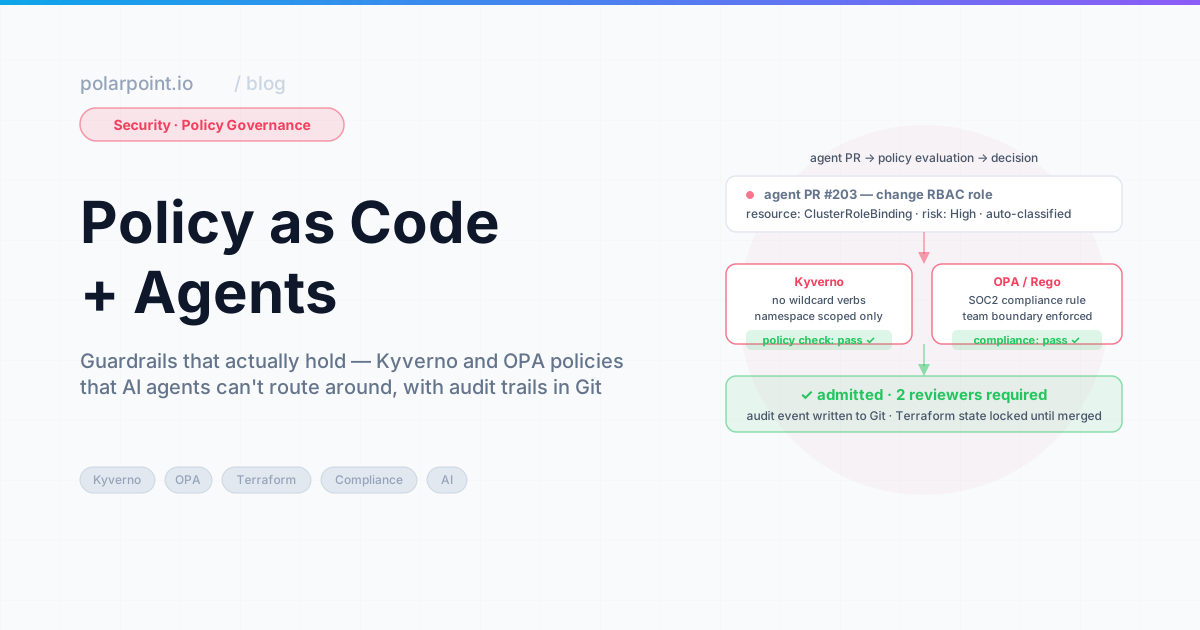
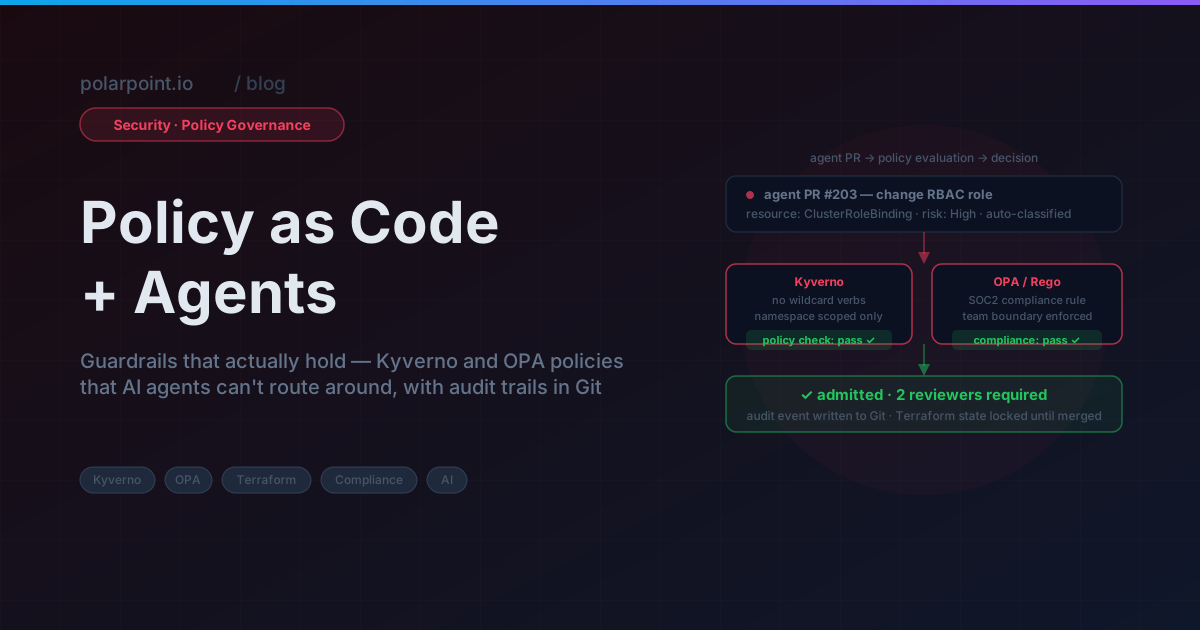
``` If you're wondering what governs these PRs before they merge — Kyverno admission policies, OPA Terraform checks, the whole validation layer — that's covered in Policy as Code + Agents.


4) GitHub Actions workflow

```yaml

.github/workflows/drift-detection.yml

name: GitOps Drift Detection on: schedule: - cron: '/30 * * * ' # every 30 minutes workflow_dispatch: jobs: detect-drift: runs-on: ubuntu-latest steps: - uses: actions/checkout@v4 - name: Install ArgoCD CLI run: | curl -sSL -o /usr/local/bin/argocd \ https://github.com/argoproj/argo-cd/releases/latest/download/argocd-linux-amd64 chmod +x /usr/local/bin/argocd - name: Detect drift env: ARGOCD_AUTH_TOKEN: ${{ secrets.ARGOCD_AUTH_TOKEN }} ARGOCD_SERVER: ${{ secrets.ARGOCD_SERVER }} run: bash scripts/detect-drift.sh - name: Classify and open PRs env: ANTHROPIC_API_KEY: ${{ secrets.ANTHROPIC_API_KEY }} GITHUB_TOKEN: ${{ secrets.GITHUB_TOKEN }} GITHUB_REPO: ${{ github.repository }} run: python scripts/classify-and-pr.py - name: Post summary to Slack if: always() env: SLACK_WEBHOOK: ${{ secrets.SLACK_WEBHOOK }} run: python scripts/post-drift-summary.py ```


What harmless drift looks like (skip these)

Some patterns are always safe to ignore. Hard-code them into your classifier so they never make it into a PR:

  • status.* fields (controller-managed — you didn't write these, you don't own them)
  • metadata.resourceVersion, metadata.uid, metadata.creationTimestamp
  • metadata.annotations["kubectl.kubernetes.io/last-applied-configuration"]
  • Sidecar containers injected by Istio or Linkerd
  • spec.nodeName on Pods

Apply this ignore list from day one

If a field isn't in your Git manifests, a controller added it. That's not your concern. Don't waste reviewer attention on it. Building this ignore list into the classifier prompt is what keeps your PR volume manageable — without it, every Istio-injected annotation becomes a drift alert.


Common objections

"Won't this create too many PRs?"
Only if you have too much drift — which is actually the point. A noisy drift detector is telling you something real: your cluster isn't being managed the way you think it is. Don't silence the noise. Fix what's causing it.

"What if the PR-opener gets it wrong?"
Nothing happens to the cluster because a PR was opened. It's a review gate, not an auto-apply. Engineers look at it, decide, and act. If you want to understand the three-tier approval model for which of these PRs actually needs a human before merging, Agentic Change Management covers that in detail.

"ArgoCD auto-sync already handles this."
It reverts. But it doesn't explain. Auto-sync can't tell you whether the cluster was wrong or Git was wrong — it just picks Git. Sometimes that's right. Sometimes it quietly reverts an intentional hotfix. The PR forces the question to be asked, and gets the answer into the record.


Frequently asked questions

What is GitOps drift and how does it happen?

It's when the live state of your cluster diverges from what Git says it should be. Happens all the time: someone applies a change manually at 2am (bypassing GitOps entirely), a controller overwrites a field it owns, or an external process modifies a resource without anyone creating a corresponding commit. The scary part isn't that it happens — it's that it's invisible until something breaks.

How do you detect drift in ArgoCD automatically?

Query ArgoCD's API for anything with OutOfSync status on a schedule — every 30 minutes is a reasonable starting point. For each out-of-sync resource, pull the diff between desired and live state and run it through an AI classifier. The classifier tells you whether this needs a fix PR or whether you can safely ignore it. That classification step is what separates signal from noise.

What's the difference between harmless and dangerous drift?

Harmless drift is fields Kubernetes manages automatically and you'd never put in a manifest yourself — resourceVersion, uid, creationTimestamp, status fields, HPA-managed replica counts. Dangerous drift is the stuff that matters: manually applied security group changes, RBAC modifications, or config values that silently differ from what's in Git. The risk with dangerous drift is that it reverts on the next sync with no warning.

How do you prevent an AI agent from opening incorrect fix PRs?

Set a confidence threshold and don't open PRs below it. For medium-confidence cases, open a GitHub Issue for human review instead of a PR. And include the full diff plus the model's reasoning in every PR body — reviewers should be able to verify the classification themselves without trusting the agent blindly.

Is this compatible with multi-cluster ArgoCD setups?

Yes. The detection script runs against ArgoCD's API, which can manage multiple clusters. You scope the classifier per cluster by including the cluster name and environment in the classifier prompt — this lets it apply different risk thresholds (staging vs production) and different ignore lists per environment.


What you get

  • Drift is visible within 30 minutes of occurring, not on the next 2am incident
  • Every manual cluster edit creates a PR that forces someone to actually decide what to do
  • The audit trail is in Git, where it belongs and where anyone can find it
  • Engineers stop treating OutOfSync as noise because it's now classified and genuinely actionable

Walkthrough files

  • scripts/detect-drift.sh — query ArgoCD for out-of-sync apps
  • scripts/classify-drift.py — AI classification of kubectl diff output
  • scripts/open-fix-pr.py — targeted PR creation per drifted resource
  • .github/workflows/drift-detection.yml — scheduled detection workflow

For the change management layer that controls how these fix PRs actually get reviewed and merged, see Agentic Change Management.

GitOps Policy‑as‑Code with Argo CD + Kyverno

Banner image Banner image

We caught it in a post-incident review. A deployment had been running in production for three weeks without resource limits — not because anyone removed them deliberately, but because a PR that skipped them went through the GitOps workflow exactly like a compliant one. ArgoCD synced it. The CI pipeline passed. Nobody noticed until a memory spike took the pod down during a load test.

GitOps solves the consistency problem beautifully. Everything in Git, every change a PR, every deploy auditable. What it doesn't solve is the correctness problem. A PR that removes resource limits, exposes a service to the public internet, or skips required labels goes through the exact same workflow as a perfectly compliant one. ArgoCD doesn't know the difference — it syncs what Git says.

Kyverno is how you add the correctness layer. It's a Kubernetes-native policy engine — policies are Kubernetes resources, no Rego required — and it runs in the cluster as an admission controller. Pair it with ArgoCD and you get deployment consistency and policy enforcement, without adding a separate policy system that lives outside your GitOps workflow.

From Alert to Root Cause: HolmesGPT in Production

Banner image Banner image

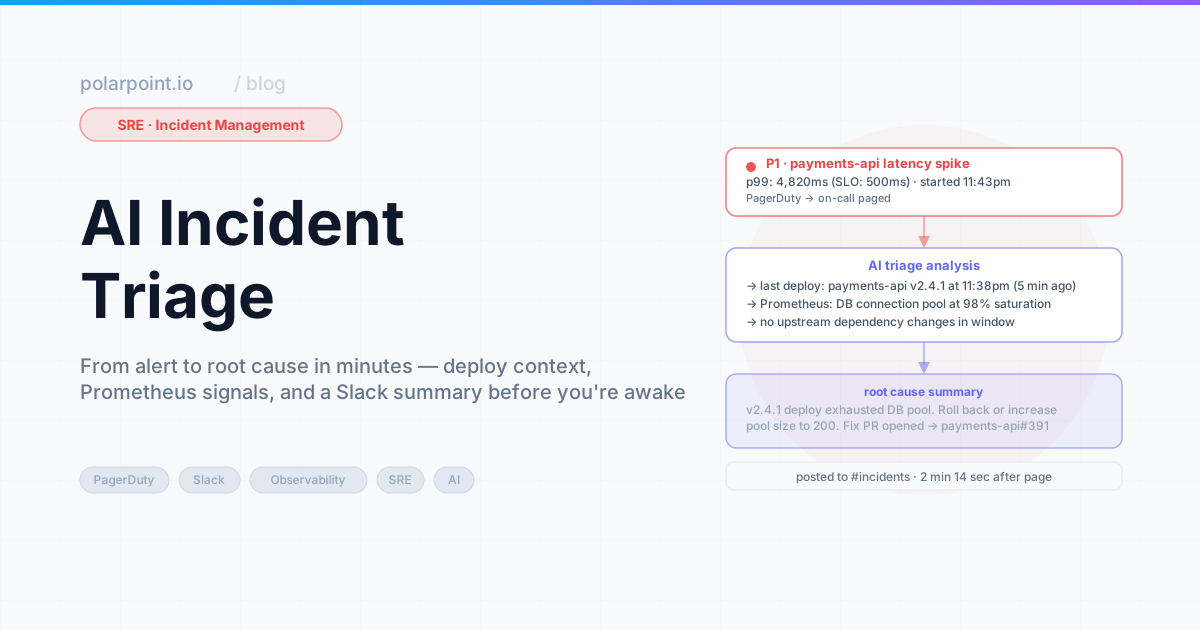
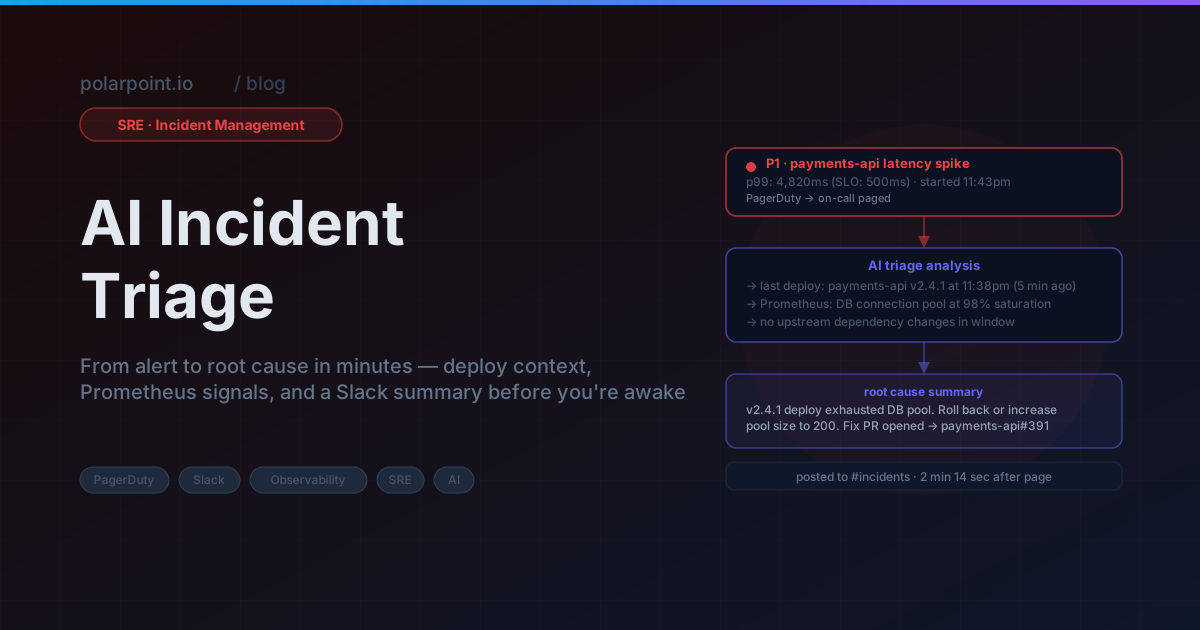
You know the moment. PagerDuty fires at 2am. You're pulling up kubectl, squinting at pod logs, trying to remember which namespace this service actually lives in. Someone's pinging Slack. The on-call channel is filling up. You spend the first twelve minutes just getting oriented — what's broken, where, and why — before you've even formed a hypothesis.

HolmesGPT collapses that twelve minutes into eleven seconds. Not by replacing your judgement. By doing the orientation work for you.

Kubernetes v1.36: Migrate Off ingress-nginx Before You Read the Rest

Banner image Banner image

Here's the thing about ingress-nginx: it's everywhere, it's boring, and it works. That's exactly why this is hard. The CNCF moved it to end-of-life in March 2026. The sig-network team is no longer cutting releases. There will be no security patches. And if you've been running it quietly in the background — which most of us have — it's been accumulating unpatched CVEs since then with nobody upstream doing anything about it. The project repository still exists. The community hasn't vanished overnight. But the organised maintenance is gone, and that means your ingress layer is now in the same category as anything else you'd describe as "unsupported dependency." That's not a comfortable place for traffic handling.

Look, I know migration from ingress-nginx sounds like a weekend you don't have. It's not usually a single Helm value change. But the risk calculus has shifted fundamentally. Before March 2026, a known CVE in ingress-nginx meant "there'll be a patch release in a few days." After March 2026, it means "you're carrying this forever unless you move." That's a different situation, and it deserves a different response than "we'll get to it."

The good news — and there's genuinely good news in v1.36 — is that once you've dealt with the ingress situation, this is a solid release. User Namespaces goes GA. SELinux volume mounting goes GA. DRA device taints graduate to beta. If you're running multi-tenant clusters or SELinux-enforcing nodes, there are real operational wins here. But sort the ingress-nginx situation first.

OpenClaw 2026.4 Release: What Changed

Banner image Banner image

Something I didn't expect: the most useful thing in OpenClaw 2026.4 isn't one of the headline features. It's a fix to a problem that was driving me quietly mad.

My OpenClaw instance runs across two contexts — a work Slack and a personal WhatsApp. After a few weeks, the memory model had blended them into a single soup. It knew about both my team's sprint retrospective and a conversation with my family about where to go on holiday, and every now and then something from one context would surface in the other in a way that felt off. Not wrong, exactly. Just.. the wrong kind of thing to remember for this conversation.

The 2026.4 memory filters fix that. You can now scope what each channel remembers and reads, which sounds like a small thing until you've run an AI assistant across mixed personal and professional channels for a few months.

That said, there's more here than memory: four new stable channels, meaningful run-steering improvements, and the groundwork for Bedrock and NVIDIA inference backends landing in 2026.5. Here's what actually changed and what's worth configuring before you upgrade.

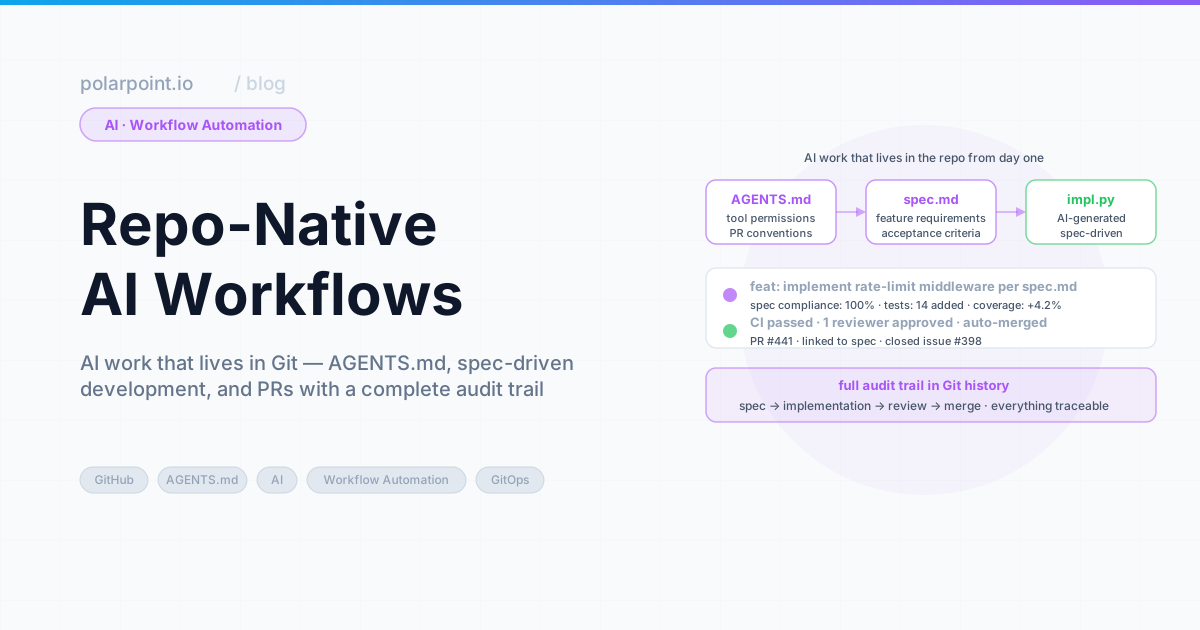
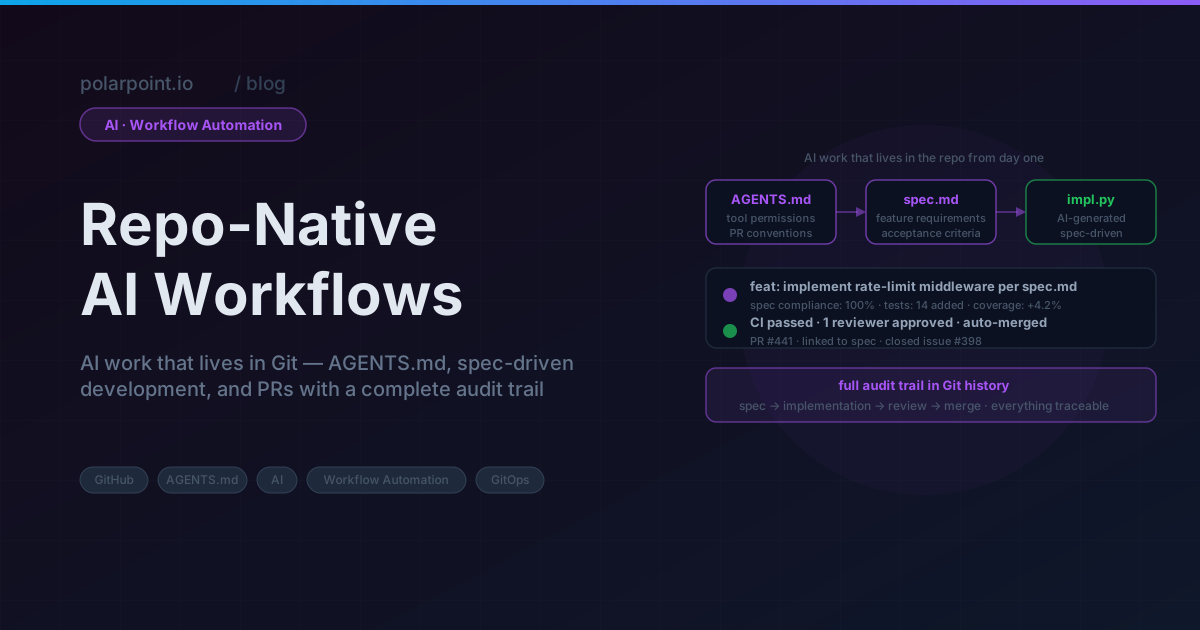
AI Convention Files in Practice: Azure DevOps

Banner image Banner image

AI Convention Files in Practice: Azure DevOps

The taxonomy post covered every AI convention file type — AGENTS.md, SKILL.md, .prompt.md, and the rest. This post puts them to work with Azure DevOps.

Every example below uses real WIQL queries, references actual ADO fields, and follows patterns extracted from a production agents.md that populates sprint review decks from ADO work items.

ADO automation in numbers

Teams running these patterns typically complete sprint review prep in under 5 minutes — compared to 30-60 minutes of manual ADO querying and copy-pasting. The key metric: 38 requests, categorised, calculated, and dropped into slides without touching a spreadsheet.


How agents talk to Azure DevOps

An AGENTS.md file defines what the agent should do. An MCP server provides the runtime connection to ADO. The agent reads the workflow from AGENTS.md, then calls the ADO MCP server to execute WIQL queries and retrieve work item data.

ADO agents workflow ADO agents workflow

The ADO MCP server exposes tools such as wiql_query, get_work_item, and list_iterations. The agent never needs raw HTTP calls — it invokes these tools through the MCP protocol, and the server handles authentication, pagination, and field mapping.

Apply this: scope MCP tools to what agents actually need

The ADO MCP server loads all domain tools by default. Use the -d flag to restrict to core, work, and work-items. Fewer tools means less cognitive overhead for the agent and a smaller permission footprint — especially important when agents run in CI contexts.


What gets automated (and what does not)

Not everything in a sprint review can come from a query. Migrations, new platform capabilities, infrastructure redesigns — that work spans multiple sprints with epics and milestones, and reporting on it is narrative. What shipped, what slipped, what the team learnt. An agent cannot write that.

Operational work is different. Access provisioning, pipeline fixes, Azure resource configuration, troubleshooting — these arrive as Requests, get resolved, and pile up. Individually they are routine. In aggregate they tell a story: which categories dominate, how resolution times trend, whether the same teams keep submitting. That is numbers, and numbers come from WIQL.

The agents in this post target operational work. They query ADO, run the calculations, and drop the results into a Marp sprint review deck. Project slides stay in the same deck as fixed templates — same layout every sprint, content filled in by hand.

In ADO terms: operations work typically lives under a shared Area Path (like Engineering\Platform Consulting) with a Request work item type. Projects live under their own Area Paths with Feature, User Story, and Task types.

The mixed work-type tell

If your Area Path contains both Request items and project Feature/Story items, WIQL queries will silently include project work in operational metrics unless you filter by [System.WorkItemType] = 'Request' explicitly. Validate your query results against a manual count before trusting the numbers in your first sprint review run.


Use case 1: Sprint review deck automation

A single agents.md file orchestrates multiple agents that query ADO, categorise completed work, calculate metrics, and update a Marp presentation deck — no manual data gathering needed.

The agent definition

## Agent: Update Request Metrics Summary

Task: Update deck.md with request metrics from the current sprint

Steps:
1. Query ADO for all Requests in area path from last 2 weeks
2. Calculate metrics:
   - Count by category (Access, Infrastructure, Pipeline, Azure Config)
   - Average resolution time (ClosedDate - CreatedDate)
   - SLA compliance % (resolved within 24 hours)
   - Unique requestors and repeat request %
3. Show calculated metrics to the user
4. Ask: "Update deck.md with these metrics? (yes/no)"
5. If approved, update the metrics table and key insights
6. Report what was updated

The WIQL query

SELECT [System.Id], [System.Title], [System.Tags],
       [System.CreatedDate], [System.ClosedDate], [System.CreatedBy]
FROM WorkItems
WHERE [System.WorkItemType] = 'Request'
  AND [System.AreaPath] = @AreaPath
  AND [System.State] = 'Done'
  AND [System.ClosedDate] >= @StartDate
  AND DATEDIFF(day, [System.ClosedDate], GETDATE()) <= 14
ORDER BY [System.ClosedDate] DESC

@AreaPath is defined in the agent configuration — typically in the agents.md header or passed as a parameter when the agent runs. This keeps the queries portable across teams and organisations.

What the agent produces

The agent calculates metrics from the query results and updates the deck:

Category Count %
Access & Permissions 10 26%
Pipeline & CI/CD 8 21%
Infrastructure Provisioning 7 18%
Environment Configuration 5 13%
Secrets & Certificates 4 10%
Troubleshooting 3 8%
Other 1 3%

Key metrics: 38 requests completed, 1.4 day average resolution, 89% SLA compliance.

The human confirms before any file is written. The agent explains what changed and suggests running make diagrams to regenerate presentation PNGs.


Use case 2: Requestor pattern analysis

A companion agent analyses who is requesting work, identifying top requesting teams and spotting patterns that suggest automation opportunities.

## Agent: Update Requestor Patterns

Steps:
1. Query ADO for all Requests from last 2 weeks
2. Extract requesting team from Custom.RequestedTeamName
3. Group by team and count requests
4. Get top 5 requesting teams
5. For each team, identify:
   - Most common request types
   - Repetitive patterns (automation candidates)
6. Update the PlantUML bar chart with actual data
SELECT [System.Id], [System.Title], [System.CreatedBy],
       [System.Tags], [Custom.RequestedTeamName]
FROM WorkItems
WHERE [System.WorkItemType] = 'Request'
  AND [System.AreaPath] = @AreaPath
  AND [System.CreatedDate] >= @StartDate
  AND DATEDIFF(day, [System.CreatedDate], GETDATE()) <= 14

The agent updates a PlantUML bar chart data array directly — no placeholder values, just real numbers from ADO.

Repetition patterns are your automation backlog

When one team accounts for 30%+ of requests and their top category is always the same (usually access provisioning or environment config), that is a self-service candidate. Run this agent for three sprints before drawing conclusions — one sprint of high volume might just be a project launch.


Use case 3: Sprint-over-sprint trend comparison

This agent compares the current sprint against the previous one to identify improvements and regressions.

## Agent: Key Insights & Improvements

Steps:
1. Query current sprint (last 2 weeks) AND previous sprint (2-4 weeks ago)
2. Compare:
   - Average resolution time change
   - SLA compliance change
   - Repeat request pattern change
   - Volume by category trends
3. Identify positive trends (with percentages)
4. Identify areas for improvement
5. Suggest specific, data-driven actions
6. Update the Key Insights slide

The previous sprint query:

SELECT [System.Id], [System.Title], [System.Tags],
       [System.CreatedDate], [System.ClosedDate]
FROM WorkItems
WHERE [System.WorkItemType] = 'Request'
  AND [System.AreaPath] = @AreaPath
  AND [System.State] = 'Done'
  AND [System.ClosedDate] >= @PreviousStartDate
  AND DATEDIFF(day, [System.ClosedDate], @StartDate) <= 14

The agent produces data-driven insights: "Resolution time improved 18% (1.5 days → 1.2 days). SLA compliance up from 85% to 91%. Infrastructure Setup requests increased 40% — consider self-service template."


Use case 4: Release checklist with ADO gates

A SKILL.md that verifies all release criteria are met by querying ADO boards and pipelines.

---
name: ado-release-checklist
description: Verify release readiness using ADO pipeline and board data
argument-hint: Provide the release version number
---
# ADO Release Checklist

1. Query ADO for open bugs with priority 1-2 in the release scope
2. Check pipeline status for the release branch
3. Verify all test plans have passed
4. Confirm no blocked work items remain
5. Check that release notes work item is marked Done
6. Report pass/fail for each gate
-- Open blockers check
SELECT [System.Id], [System.Title], [System.State]
FROM WorkItems
WHERE [System.WorkItemType] IN ('Bug', 'Issue')
  AND [Microsoft.VSTS.Common.Priority] <= 2
  AND [System.State] <> 'Closed'
  AND [System.IterationPath] = @ReleasePath

Use case 5: SLO compliance report

A prompt that generates an SLO report from ADO data, suitable for weekly stakeholder updates.

---
description: Generate SLO compliance report from ADO request data
agent: agent
tools: ['search', 'editFiles']
---
Query the last 30 days of Request work items from ADO.
Calculate resolution time percentiles (p50, p90, p99).
Compare against SLO targets:
- p50 < 4 hours
- p90 < 24 hours
- p99 < 72 hours
Generate a markdown table and trend summary.

Use case 6: Incident runbook population

An agent that pulls recent incident data from ADO and updates the team's runbook with resolution patterns.

## Agent: Incident Runbook Updater

Steps:
1. Query ADO for Incidents closed in the last 30 days
2. Group by root cause category
3. For each category with 2+ incidents:
   - Extract common resolution steps from work item descriptions
   - Identify detection patterns (how was it found?)
   - Note mean time to resolution
4. Update the runbook with new entries
5. Flag categories with increasing incident counts
SELECT [System.Id], [System.Title], [System.Description],
       [System.CreatedDate], [System.ClosedDate],
       [System.Tags], [Custom.RootCause]
FROM WorkItems
WHERE [System.WorkItemType] = 'Incident'
  AND [System.State] = 'Closed'
  AND [System.ClosedDate] >= @today - 30
  AND [System.AreaPath] UNDER @AreaPath
ORDER BY [System.ClosedDate] DESC

Apply this: run the runbook agent before the retrospective

Pull the last 30 days of Incident data the day before your sprint retrospective. Patterns that felt anecdotal in the moment become undeniable when the numbers show the same root cause appearing four times. The agent gives the retro something concrete to act on.


The master agent pattern

Individual agents are useful on their own. Orchestration makes them better. A master agent runs all the sub-agents in sequence, handles errors, and produces a summary.

## Master Agent: Populate All Diagrams and Slides

Steps:
1. Calculate start date (2 weeks ago from today)
2. Calculate previous sprint start date (4 weeks ago)
3. Ask user for permission to proceed
4. If approved, run Agent: Update Requestor Patterns
5. Run Agent: Update Request Metrics Summary
6. Run Agent: Key Insights & Improvements
7. Report summary of updates made
8. Suggest running 'make diagrams' to regenerate PNGs

Before executing:
- Display the configuration (project, area path, time period)
- Ask: "I will query Azure DevOps and update diagrams and slides.
  Do you want to proceed? (yes/no)"
- Only proceed if user confirms with "yes"

The confirmation gate is critical. Every agent asks before making changes. The human stays in control.


ADO-specific configuration

The agents work with ADO's specific field model:

ADO concept How agents use it
Area Path Scope queries to team boundaries (Engineering\Platform Consulting)
Iteration Path Map to sprint boundaries for time-based analysis
Work Item Type Filter by Request, Bug, Incident, Task
Custom fields Extract team info from Custom.RequestedTeamName
WIQL The query language — SQL-like, supports DATEDIFF, UNDER, @today
Tags Categorise requests for metric grouping

MCP server setup

The Azure DevOps MCP server connects your AI agent to ADO. Add a .vscode/mcp.json to your project:

{
  "inputs": [
    {
      "id": "ado_org",
      "type": "promptString",
      "description": "Azure DevOps organization name (e.g. 'contoso')"
    }
  ],
  "servers": {
    "ado": {
      "type": "stdio",
      "command": "npx",
      "args": ["-y", "@azure-devops/mcp", "${input:ado_org}"]
    }
  }
}

Authentication happens via the browser — the first time a tool runs, it opens a login prompt for your Microsoft account. No PAT required.

To limit loaded tools, use the -d flag with domains: "args": ["-y", "@azure-devops/mcp", "${input:ado_org}", "-d", "core", "work", "work-items"]. Available domains: core, work, work-items, search, test-plans, repositories, wiki, pipelines, advanced-security.


Anti-patterns to avoid

The hardcoded date tell

The most common breakage in ADO agents is hardcoded date ranges. WHERE ClosedDate >= '2026-03-01' means the query silently returns nothing after the sprint window closes. Always use @today and DATEDIFF — the query should work equally well run today or six months from now.

  • No confirmation gates — Agents that write files without asking lead to surprise changes
  • Hardcoded dates — Use @today and DATEDIFF so queries remain dynamic
  • Querying everything — Scope with Area Path and Work Item Type to keep results relevant
  • Skipping the previous sprint — Trend comparison needs two data points; single-sprint metrics lack context
  • Manual data transfer — If you are copy-pasting from ADO into slides, the agent should be doing it

Getting started

Apply this: one agent at a time

Start with the request metrics agent (Use Case 1). Run it against a real sprint before building the rest. If the WIQL query returns sensible data and the deck updates correctly, add the next agent. Incrementally validated is better than five broken agents at once.

  1. Install the ADO MCP server in your editor
  2. Create an agents.md with one agent (start with request metrics)
  3. Run it against a real sprint
  4. Add agents incrementally as you identify more manual data-gathering tasks

The working examples will be available in the ai-capabilities repo.


Frequently asked questions

Do I need a PAT to connect the ADO MCP server?

No. The @azure-devops/mcp server authenticates via browser OAuth — it opens a Microsoft login prompt the first time a tool runs. No Personal Access Token setup required. The session token is cached locally for subsequent calls.

What if my work items use a custom type instead of 'Request'?

Swap the [System.WorkItemType] = 'Request' filter in the WIQL query for your custom type name (e.g. 'Service Task' or 'Support Item'). Everything else in the query stays the same. You may also need to update the @AreaPath to match where those items live in your project hierarchy.

Can these agents run on a schedule rather than manually?

Yes — wrap the agent invocation in a GitHub Actions workflow with a schedule trigger. The challenge is authentication: scheduled runs cannot do interactive OAuth. You'll need a Service Principal or Managed Identity configured in the ADO MCP server. Check the azure-devops-mcp docs for non-interactive auth options.

How do I handle agents that query multiple Area Paths?

Define @AreaPath as a list and use the UNDER operator: [System.AreaPath] UNDER @AreaPath. You can pass multiple paths as a union query or run the same agent definition with different configuration blocks per team. The master agent pattern handles this naturally — parameterise the config block, run once per area path.

What's the difference between using Tags vs Area Path for categorisation?

Area Path is structural — it reflects your ADO project hierarchy and is hard to change. Tags are additive labels anyone can apply to any work item. For categorising operational requests, Tags are more flexible: teams can tag items as access, pipeline, azure-config without changing the ADO project structure. Use Area Path for team ownership scope, Tags for metric grouping.


Further reading

AI Convention Files: The Complete Taxonomy

Banner image Banner image

AI Convention Files: The Complete Taxonomy

Coding agents have moved beyond simple autocomplete. They can plan work, query APIs, update diagrams, and populate sprint review decks. But they need guidance — and that guidance lives in a growing family of markdown files.

If you have used AGENTS.md, you have seen one piece of the puzzle. There are at least ten more — plus two open protocols (MCP and A2A) that extend the picture beyond files into runtime connectivity and agent-to-agent communication. This post covers every file type and protocol, and explains when to reach for each one. Follow-up posts walk through real-world use cases with working examples for Azure DevOps, GitHub, and Jira.


The ecosystem at a glance

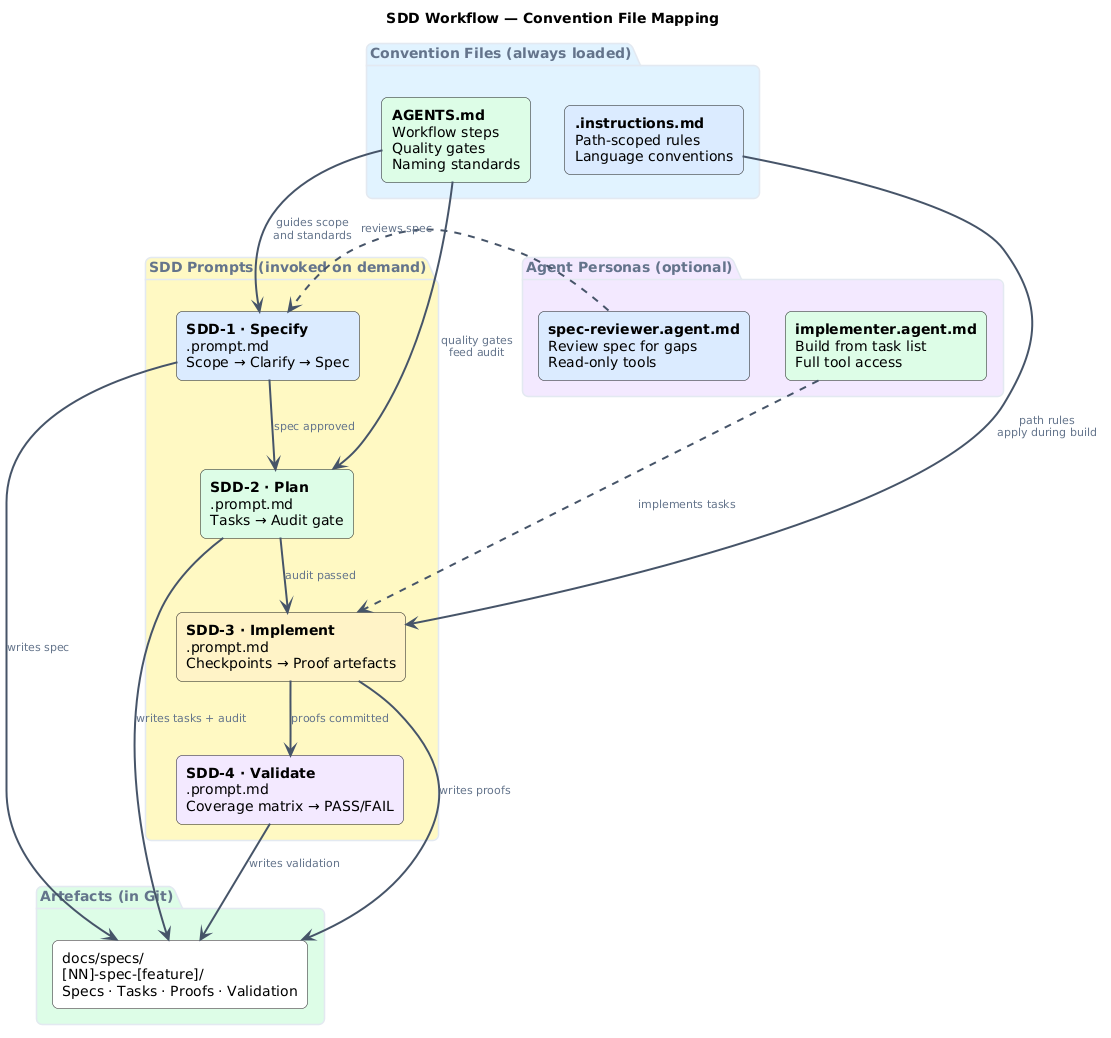
AGENTS.md has the broadest file-level support across VS Code, Cursor, and Claude Code. MCP has the broadest runtime support — it works across VS Code, Cursor, Claude, and ChatGPT. If you can only start with two things: AGENTS.md for instructions, MCP for connectivity.

The file types at a glance

AI convention files taxonomy AI convention files taxonomy

Every AI convention file falls into one of four categories, complemented by two runtime protocols:

Category Files / Protocols When loaded
Always-on instructions AGENTS.md, CLAUDE.md, GEMINI.md, copilot-instructions.md, .cursor/rules/*.md Every session
Path-scoped rules .instructions.md, .claude/rules/*.md When working with matching files
On-demand tasks .prompt.md, SKILL.md When you invoke them
Agent personas .agent.md, .claude/agents/*.md When you switch to that agent
Runtime connectivity MCP servers (tools, resources, prompts) When the agent needs external data
Agent-to-agent A2A protocol (Agent Cards, tasks) When agents collaborate across boundaries

Always-on instructions

These files load at the start of every session. They set the baseline for how agents behave in your project.

AGENTS.md

The open standard. Supported by VS Code, Cursor, GitHub Copilot, and Claude Code (via import). Place it in the repo root. The nearest file in the directory tree takes precedence, so you can override per-folder.

Use it for: workflow steps, quality gates, naming conventions, delivery standards.

# AGENTS.md

## Workflow
1. Plan → scope, success criteria, risks
2. Build → implement with tests
3. Document → update runbooks
4. Release → owner sign-off + monitoring

## Standards
- Naming: <team>-<service>-<env>
- Environments: dev → staging → prod

copilot-instructions.md

GitHub Copilot's repo-wide instruction file. Lives at .github/copilot-instructions.md. Can be auto-generated by the Copilot coding agent.

Use it for: language preferences, framework conventions, test patterns. If you already have AGENTS.md, this can reference it or cover Copilot-specific details.

CLAUDE.md

Anthropic's equivalent. Supports @path imports (including @AGENTS.md to share instructions), .claude/rules/ for path-scoped rules, and auto memory that accumulates across sessions.

.cursor/rules/*.md

Cursor project rules with YAML frontmatter (description, globs, alwaysApply). Four types: Project Rules, User Rules, Team Rules, and native AGENTS.md support.


Path-scoped rules

These load only when the agent works with files matching a glob pattern. They keep context lean and relevant.

.instructions.md (VS Code)

Stored in .github/instructions/. Each file has applyTo frontmatter:

---
applyTo: "infra/**/*.tf"
---
# Terraform conventions
- Use modules from the internal registry
- Tag all resources with team and environment
- No inline IAM policies

.claude/rules/*.md (Claude Code)

Same concept, different location. Uses paths frontmatter:

---
paths:
  - "src/api/**/*.ts"
---
# API rules
- Validate all inputs with Zod
- Use standard error response format

On-demand tasks

These are invoked explicitly, not loaded automatically. They are ideal for repeatable tasks that do not need to be in context all the time.

.prompt.md (slash commands)

Stored in .github/prompts/. Invoked with / in chat. Each prompt can specify which agent and tools to use:

---
description: Generate a migration plan for a database schema change
agent: agent
tools: ['search', 'editFiles']
---
Analyse the current schema and generate a migration plan.
Include rollback steps and estimated downtime.

SKILL.md (portable capabilities)

The open standard from agentskills.io. A skill bundles instructions, scripts, examples, and resources into a reusable capability.

Stored in .github/skills/, .claude/skills/, .agents/skills/, or ~/.copilot/skills/ for personal skills. Skills load on demand — the agent reads the name and description, then loads the full content when it decides the skill is relevant.

---
name: sprint-review-populator
description: Populate a Marp sprint review deck with metrics from GitHub or Jira
argument-hint: Provide the sprint date range
---
# Sprint Review Populator

Query the project tracker for completed work items and update
the deck with real metrics...

Agent personas

Custom agents give the AI a persistent persona with specific tool restrictions, model preferences, and handoffs to other agents.

.agent.md (VS Code)

Stored in .github/agents/. Define specialised roles:

---
description: Read-only security reviewer
tools: ['search', 'web']
handoffs:
  - label: Start Implementation
    agent: implementation
    prompt: Fix the security issues identified above.
---
Review code for OWASP Top 10 vulnerabilities.
Focus on injection, broken access control, and cryptographic failures.

Handoffs create guided workflows — a planning agent hands off to an implementation agent, which hands off to a reviewer.

.claude/agents/*.md (Claude Code)

Claude subagents support tool restrictions, model selection, permission modes, lifecycle hooks, MCP server scoping, and persistent memory that accumulates knowledge across sessions.


Runtime connectivity: MCP servers

Convention files tell agents what to do. MCP (Model Context Protocol) servers give them access to do it. MCP is an open standard — supported by VS Code, Cursor, Claude, ChatGPT, and others — that provides a standardised way for AI agents to connect to external tools, data sources, and workflows.

Think of MCP as USB-C for AI agents. Just as USB-C provides a standardised physical connection, MCP provides a standardised protocol connection. An MCP server exposes three primitives:

Primitive Purpose Example
Tools Executable functions the agent can invoke wiql_query, jql_search, graphql_query
Resources Data sources that provide context File contents, database schemas, API docs
Prompts Reusable interaction templates Few-shot examples, system prompts

MCP uses JSON-RPC 2.0 over stdio (local servers) or Streamable HTTP (remote servers). The key participants:

  • MCP Host — the AI application (VS Code, Cursor, Claude Desktop)
  • MCP Client — a component in the host that maintains a connection to one server
  • MCP Server — a program that provides tools, resources, and prompts

For platform engineering, MCP servers are what connect your AGENTS.md workflows to real systems:

{
  "mcpServers": {
    "github": {
      "command": "npx",
      "args": ["-y", "@modelcontextprotocol/server-github"],
      "env": {
        "GITHUB_PERSONAL_ACCESS_TOKEN": "${env:GITHUB_TOKEN}"
      }
    },
    "jira": {
      "command": "npx",
      "args": ["-y", "@anthropic/mcp-server-jira"],
      "env": {
        "JIRA_URL": "https://your-org.atlassian.net",
        "JIRA_API_TOKEN": "${env:JIRA_API_TOKEN}"
      }
    }
  }
}

Without MCP, agents can only work with local files. With MCP, they can query Jira sprints, GitHub Projects, Azure DevOps boards, Kubernetes clusters, databases, and any system with an MCP server.


Agent-to-agent communication: A2A

MCP connects agents to tools. The Agent2Agent Protocol (A2A) connects agents to each other.

A2A is an open protocol (22.9k GitHub stars, v1.0.0 released, Linux Foundation project) that enables agents built by different vendors, on different frameworks, running on different servers, to collaborate — without sharing internal state, memory, or tools.

Where MCP is vertical (agent ↔ tool), A2A is horizontal (agent ↔ agent):

Protocol Direction Purpose
MCP Agent → Tool Connect agents to external systems (GitHub, Jira, ADO, databases)
A2A Agent → Agent Enable agents to discover, delegate, and collaborate with each other

A2A key concepts:

  • Agent Cards — JSON documents that advertise an agent's capabilities, authentication requirements, and connection details. Other agents discover what you can do by reading your Agent Card.
  • Tasks — The unit of work. A client agent sends a task to a remote agent, which works on it and returns artifacts. Tasks have a lifecycle and support long-running operations.
  • Artifacts — The output of completed tasks. Can be text, files, structured JSON, or rich media.

A practical example: a sprint review orchestrator agent could delegate to specialist agents — one queries Jira via MCP, another generates charts, a third formats the presentation — and A2A handles the communication between them.

A2A complements MCP. Use MCP to connect agents to data sources. Use A2A when you need agents to collaborate across organisational or system boundaries.


Apply this: layer in order

Don't try to set up all seven layers at once. Start with AGENTS.md (it works everywhere). When you hit friction with external system access, add an MCP server. When you need task-specific commands, add .prompt.md files. Add complexity only when you've felt the absence of it.

Choosing the right file

Decision flow Decision flow

  1. Applies to every session?AGENTS.md or copilot-instructions.md
  2. Scoped to specific file paths?.instructions.md or .claude/rules/
  3. A reusable task with scripts?SKILL.md
  4. A lightweight slash command?.prompt.md
  5. A specialised persona with tool restrictions?.agent.md
  6. Need to connect to an external system? → Add an MCP server
  7. Need agents to collaborate across boundaries? → Use A2A

Where this gets practical

The taxonomy above covers the types. Seeing them work together on concrete problems is where it gets interesting — automated sprint review decks populated from GitHub or Jira, incident runbooks triggered by alerts, infrastructure bootstrap sequences.

Those use cases each have their own post:

Each post includes working agent definitions, real queries, and MCP server configuration. The working code will live in the ai-capabilities repo.


Platform engineering examples

Here is how the file types compose for platform teams:

Path-scoped infrastructure standards

.github/instructions/terraform.instructions.md:

---
applyTo: "infra/**/*.tf"
---
- Use modules from the internal registry
- Tag resources: team, environment, cost-centre
- No inline IAM policies

SRE debugging agent

.github/agents/sre-debugger.agent.md:

---
description: Debug production incidents with read-only access
tools: ['search', 'web', 'terminal']
model: claude-sonnet-4-20250514
---
You are an SRE debugger. Analyse logs, metrics, and traces.
Never modify production resources. Suggest fixes but do not apply them.

Release checklist skill

.github/skills/release-checklist/SKILL.md:

---
name: release-checklist
description: Run the platform release checklist and verify all gates
---
# Release Checklist

1. Verify all tests pass in CI
2. Check dependency vulnerabilities
3. Confirm rollback plan exists
4. Verify monitoring dashboards
5. Get owner sign-off


Product and agile examples

These files are not just for platform engineers. Product teams benefit from the same structure.

Story refinement prompt

.github/prompts/refine-story.prompt.md:

---
description: Refine a user story with acceptance criteria and estimates
agent: ask
---
Given the story title and description, generate:
1. Clear acceptance criteria (Given/When/Then)
2. Technical tasks breakdown
3. Rough estimate (S/M/L)
4. Dependencies and risks

Sprint review prep skill

.github/skills/sprint-review-prep/SKILL.md:

---
name: sprint-review-prep
description: Prepare sprint review talking points from completed work
argument-hint: Provide the sprint name or date range
---
Query completed items, group by epic, and generate
a summary suitable for stakeholder presentation.


The compatibility trap

Not every file works in every tool. .agent.md and .prompt.md are VS Code Copilot-specific. .cursor/rules/ only works in Cursor. CLAUDE.md and .claude/agents/ are Claude Code-specific. Before investing heavily in one format, check the support matrix above against your team's actual tooling.

Cross-tool compatibility

Not every file or protocol works everywhere. Here is the current support matrix:

File / Protocol VS Code Copilot Cursor Claude Code ChatGPT
AGENTS.md Yes Yes Via @AGENTS.md import
copilot-instructions.md Yes
.instructions.md Yes
.prompt.md Yes
.agent.md Yes
SKILL.md Yes
CLAUDE.md Yes Yes
.claude/rules/ Yes
.claude/agents/ Yes Yes
.cursor/rules/ Yes
MCP servers Yes Yes Yes Yes
A2A protocol

AGENTS.md has the broadest file-level support. MCP has the broadest runtime support — it works across VS Code, Cursor, Claude, and ChatGPT. A2A is newer (v1.0.0 released 2025) and client support is still emerging.

Start with AGENTS.md for instructions and MCP for connectivity. Add tool-specific files when you need features that AGENTS.md cannot express (path scoping, tool restrictions, handoffs).


The taxonomy above covers coding-agent convention files — files that live in a project repo and guide agents during development work. Other ecosystems use the same patterns for different purposes.

OpenClaw takes the AGENTS.md / SKILL.md model and applies it to personal AI assistants that operate across messaging channels (WhatsApp, Telegram, Discord, iMessage). OpenClaw adds its own convention files — SOUL.md (identity and tone), MEMORY.md (long-term recall), USER.md (owner context), TOOLS.md (environment-specific notes), and HEARTBEAT.md (proactive background tasks) — that solve problems unique to always-on assistants: session continuity, multi-channel behaviour, and proactive monitoring.

If you are building a personal assistant rather than a coding agent, OpenClaw's file taxonomy is worth studying alongside this one.


How they compose together

In practice, you do not choose one file type and ignore the rest. They layer:

  1. AGENTS.md sets the baseline workflow and standards (works everywhere)
  2. .instructions.md adds path-scoped rules for specific directories
  3. SKILL.md packages reusable capabilities (sprint review, release checklist, incident runbook)
  4. .agent.md defines specialised personas with tool restrictions and handoffs
  5. .prompt.md provides quick slash commands for common tasks
  6. MCP servers provide runtime access to external systems (GitHub, Jira, ADO, databases)
  7. A2A protocol enables cross-boundary agent collaboration

Layers 1–5 are convention files — they tell agents what to do. Layer 6 (MCP) gives agents the ability to act on external systems. Layer 7 (A2A) lets agents delegate to and collaborate with other agents.


Getting started

Pick one:

  • Already using AGENTS.md? Add a SKILL.md for your most repetitive task
  • Want sprint review automation? Read the practice posts for ADO, GitHub, or Jira
  • Need external system access? Add an MCP server for GitHub, Jira, ADO, or your database
  • Need path-scoped rules? Create one .instructions.md for your strictest directory (e.g. infra/)
  • Want agent personas? Create a read-only reviewer .agent.md with limited tools

Start small. Add files as you find real friction, not because the taxonomy says you should.


Frequently asked questions

What's the minimum viable convention file setup for a platform team?

One AGENTS.md at the repo root with your workflow steps, naming conventions, and quality gates. That single file works across VS Code Copilot, Cursor, and Claude Code (via import). Add MCP servers when agents need to reach external systems. Everything else is optional until you have a specific need it solves.

How do SKILL.md files differ from .prompt.md slash commands?

.prompt.md is lightweight — a single prompt template invoked with a slash command, no files or scripts attached. SKILL.md is a bundle: instructions, scripts, example files, and resources packaged together as a reusable capability. Use .prompt.md for quick, text-in/text-out tasks. Use SKILL.md when the capability needs supporting files or multi-step execution.

Can I use AGENTS.md and CLAUDE.md in the same repo?

Yes, and this is the recommended pattern. Put your workflow and standards in AGENTS.md (portable). In CLAUDE.md, add @AGENTS.md to import it, then add only Claude-specific features on top (path imports, .claude/rules/ overrides, memory config). Both files serve the same repo; they answer different tools.

When should I reach for A2A vs just running multiple MCP servers?

MCP connects one agent to one tool. If a single agent needs multiple tools, multiple MCP servers in the same client config is the right answer — no A2A needed. Reach for A2A when you need agents talking to each other: a sprint review orchestrator delegating to a Jira specialist agent and a GitHub specialist agent, each running independently on different infrastructure.

How do I decide what belongs in AGENTS.md vs .instructions.md?

AGENTS.md = rules that apply to the whole repo, every session: workflow, naming conventions, quality gates. .instructions.md = rules scoped to specific file paths that would clutter the root AGENTS.md if added there. Terraform conventions only matter when touching infra/**/*.tf. API rules only matter in src/api/**. Keep the root short; push detail into scoped files.


Further reading